7 File Permission Mistakes That Expose Your Data
Most data breaches start with misconfigured permissions that allow internal users or attackers to read files they should never access, turning simple settings into critical security gaps.

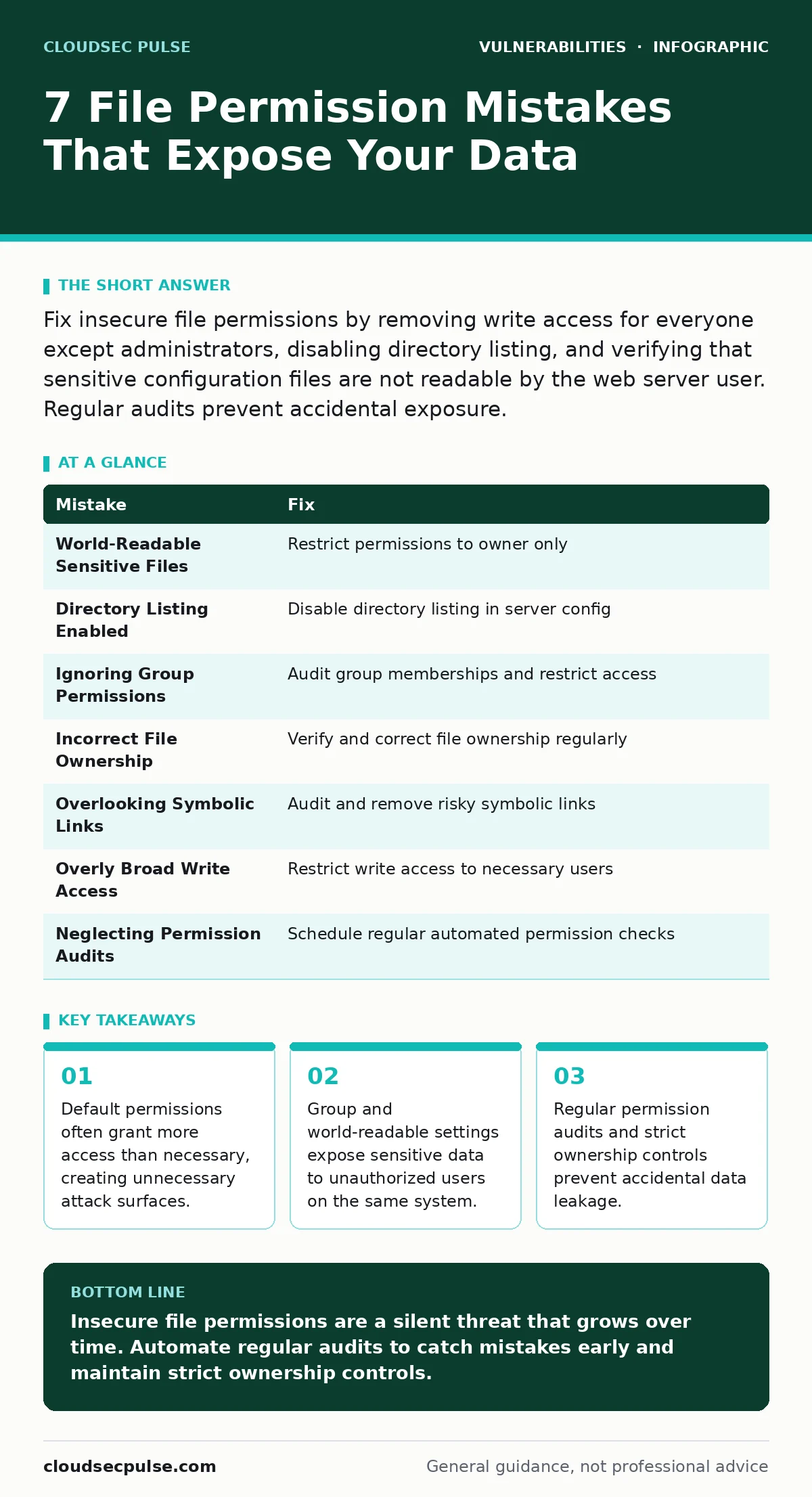
Fix insecure file permissions by removing write access for everyone except administrators, disabling directory listing, and verifying that sensitive configuration files are not readable by the web server user. Regular audits prevent accidental exposure.
Mistake 1: Using World-Readable Sensitive Files
Setting sensitive files to world-readable permissions allows any user on the system to view their contents. This includes temporary files, configuration files, and logs that may contain secrets. Attackers scan for these files to harvest credentials or system details.
Why it hurts:
World-readable permissions mean any local user can read the file. If an attacker gains low-level access, they can pivot to higher privileges by reading sensitive data. This violates the principle of least privilege.
The fix:
Restrict file permissions to only the owner and necessary groups. Use commands that set read and write access for the owner only. Remove read, write, and execute permissions for the group and others.
Mistake 2: Leaving Directory Listing Enabled
Directory listing allows users to browse the contents of a directory when no index file exists. This exposes the structure of your application, including backup files, temporary data, and hidden configuration files.
Why it hurts:
Attackers use directory listing to map your application structure. They identify vulnerable files, backup archives, and configuration files. This information helps them plan targeted attacks and find entry points.
The fix:
Disable directory listing in your web server configuration. Ensure every directory has an index file. Use server settings that return a forbidden error when directory browsing is attempted.
Mistake 3: Ignoring Group Permissions
Group permissions allow all users in a specific group to access files. If a group is too broad, unauthorized users may gain access to sensitive data. This is a common oversight in shared environments.
Why it hurts:
Broad group permissions increase the risk of unauthorized access. Users who should not see the data can read it if they are added to the group. This creates a hidden attack surface that is hard to audit.
The fix:
Audit group memberships regularly. Remove users who no longer need access. Use specific groups for specific tasks. Ensure that sensitive files are not readable by broad groups.
Mistake 4: Not Verifying File Ownership
File ownership determines who can modify and delete a file. If ownership is incorrect, unauthorized users may be able to change file permissions or content. This is a common issue in shared hosting environments.
Why it hurts:
Incorrect ownership allows attackers to modify files they should not touch. They can change permissions, inject malicious code, or delete critical files. This compromises the integrity of your system.
The fix:
Verify file ownership regularly. Ensure that only the intended user and group own sensitive files. Use commands that change ownership to the correct user and group. Automate this check in your deployment process.
Mistake 5: Overlooking Symbolic Links
Symbolic links point to other files or directories. If a symbolic link points to a sensitive file, users who can read the link can access the target file. This can bypass permission restrictions.
Why it hurts:
Symbolic links can be used to bypass permission checks. Attackers create links to sensitive files, allowing unauthorized access. This is a hidden risk that is often overlooked during security audits.
The fix:
Audit symbolic links regularly. Remove any links that point to sensitive files. Disable the creation of symbolic links in sensitive directories. Use server settings that ignore symbolic links for security.
Mistake 6: Failing to Restrict Write Access
Write access allows users to modify or delete files. If write access is granted to too many users, they can change file permissions, inject malicious code, or delete critical files. This is a common mistake in collaborative environments.
Why it hurts:
Broad write access increases the risk of accidental or malicious changes. Users may overwrite critical files, change permissions, or inject malicious code. This compromises the integrity and availability of your system.
The fix:
Restrict write access to only the necessary users. Use commands that set read-only permissions for most users. Ensure that only administrators can modify critical files. Automate permission checks in your deployment process.
Mistake 7: Neglecting Regular Permission Audits
Permissions change over time as files are created, modified, and deleted. Without regular audits, insecure permissions can accumulate. This creates a growing attack surface that is hard to manage.
Why it hurts:
Neglecting audits allows insecure permissions to persist. Attackers exploit these weaknesses to gain unauthorized access. This is a slow but steady degradation of your security posture.
The fix:
Schedule regular permission audits. Use scripts that check for insecure permissions and alert you to changes. Integrate these checks into your deployment process. Document and review permission policies regularly.
| Mistake | Fix |
|---|---|
| World-Readable Sensitive Files | Restrict permissions to owner only |
| Directory Listing Enabled | Disable directory listing in server config |
| Ignoring Group Permissions | Audit group memberships and restrict access |
| Incorrect File Ownership | Verify and correct file ownership regularly |
| Overlooking Symbolic Links | Audit and remove risky symbolic links |
| Overly Broad Write Access | Restrict write access to necessary users |
| Neglecting Permission Audits | Schedule regular automated permission checks |
Key takeaways
- Default permissions often grant more access than necessary, creating unnecessary attack surfaces.
- Group and world-readable settings expose sensitive data to unauthorized users on the same system.
- Regular permission audits and strict ownership controls prevent accidental data leakage.
Insecure file permissions are a silent threat that grows over time. Automate regular audits to catch mistakes early and maintain strict ownership controls.
Frequently asked questions
How do I check file permissions on Linux?
Use the ls -l command to view file permissions. Look for the first 10 characters of each line, which show the permission settings for the owner, group, and others.
What is the principle of least privilege?
The principle of least privilege means granting users only the minimum access necessary to perform their tasks. This reduces the risk of unauthorized access and accidental changes.
How do I fix insecure permissions on a shared hosting account?
Contact your hosting provider for guidance. Generally, you can use FTP or a control panel to change file permissions. Restrict access to only the necessary users.
Can insecure permissions lead to data breaches?
Yes, insecure permissions can expose sensitive data to unauthorized users. Attackers exploit these weaknesses to harvest credentials, inject malicious code, or steal information.
How this guide was produced: written by the CloudSec Pulse editorial team with AI assistance, checked against the public references listed below, and reviewed when the facts change. See our editorial policy or report an error.