SaaS Access Review Mistakes That Leave Accounts Open
Most SaaS access reviews fail because they audit identity labels rather than actual application permissions, leaving dormant entitlements active.

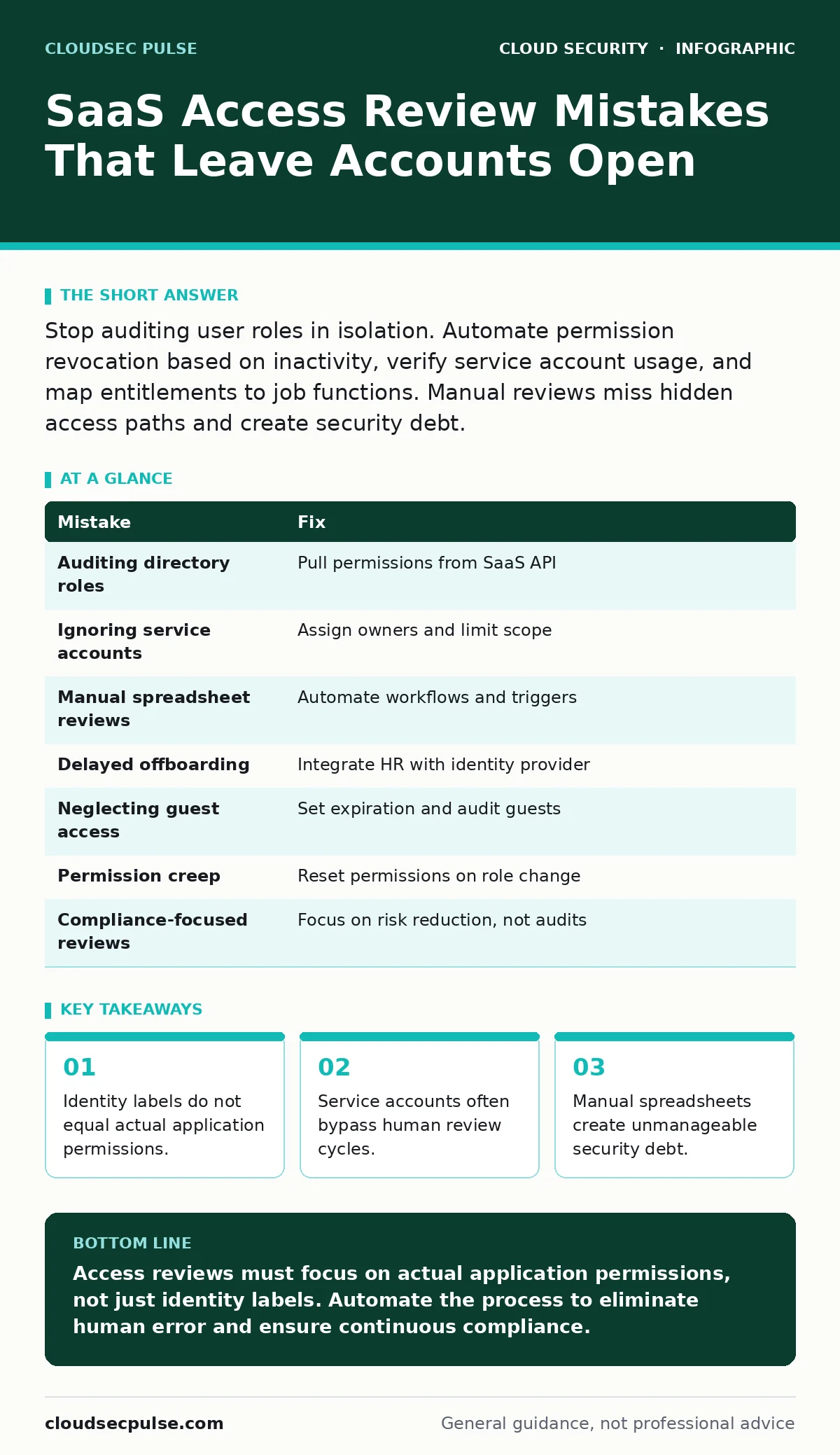
Stop auditing user roles in isolation. Automate permission revocation based on inactivity, verify service account usage, and map entitlements to job functions. Manual reviews miss hidden access paths and create security debt.
Mistake 1: Auditing Directory Roles Instead of Application Permissions
Many organizations trust the role assigned in their identity provider, such as Azure Active Directory or Okta, assuming it matches the user’s actual access within the SaaS application. This assumption fails because most SaaS platforms have granular permission sets that do not align with directory roles. A user might have a "Standard User" role in the identity provider but retain "Admin" privileges in the SaaS app from a previous promotion.
Why it hurts:
You are auditing a label, not the capability. This creates a false sense of security. Attackers who compromise an account with mismatched permissions can escalate privileges without triggering alerts, because the identity provider shows a low-risk role.
The fix:
Pull permission data directly from the SaaS application API, not the identity provider. Map these specific entitlements to job functions. If a user’s actual permissions exceed their job requirements, revoke the excess immediately. This process requires integrating with the SaaS provider’s access management features.
Mistake 2: Ignoring Service Accounts in Review Cycles
Service accounts are non-human identities used for automated tasks, integrations, and data syncs. They often possess elevated privileges to function correctly. Because they do not have human owners, they are frequently excluded from regular access reviews or assigned to a generic "IT" group that no one monitors.
Why it hurts:
Service accounts are high-value targets. If an attacker compromises a service account, they gain persistent access that does not expire and often bypasses multi-factor authentication. These accounts rarely log in interactively, so unusual activity is harder to detect. See our guide on service account security for deeper mitigation strategies.
The fix:
Treat service accounts with higher scrutiny than human accounts. Assign a specific owner to each service account who must justify its existence quarterly. Limit the scope of permissions to the minimum required for the integration. Rotate credentials frequently and monitor for usage patterns that deviate from the baseline.
Mistake 3: Relying on Manual Spreadsheet Reviews
Using spreadsheets to track who has access to what is a common starting point for small teams. However, this method is static and prone to human error. By the time a reviewer exports the data, reviews it, and sends it back for approval, the access landscape has likely changed.
Why it hurts:
The review process becomes a bottleneck. Reviewers often approve access out of habit or fear of disrupting work, a phenomenon known as approval fatigue. The spreadsheet becomes outdated the moment it is saved, creating a gap between the recorded state and the actual state of access.
The fix:
Automate the review workflow using identity governance tools or native SaaS features. Trigger reviews based on events, such as a change in job title or a period of inactivity, rather than a fixed calendar date. This ensures that access is evaluated in real-time context.
Mistake 4: Failing to Revoke Access for Terminated Employees
Offboarding processes often focus on disabling the primary email account or laptop. The SaaS applications connected to that identity are frequently overlooked. If the identity is not properly decommissioned, the user retains access to all connected SaaS platforms.
Why it hurts:
Former employees can access sensitive data, export records, or modify configurations. This is a leading cause of data leakage. The delay between termination and access revocation creates a window of vulnerability that attackers can exploit if they have cached credentials.
The fix:
Integrate your HR system with your identity provider and SaaS applications. When an employee is marked as terminated in HR, the identity provider should automatically disable the account and trigger deprovisioning scripts in all connected SaaS apps. This ensures immediate revocation across the entire ecosystem.
Mistake 5: Not Reviewing Guest and External User Access
SaaS platforms allow inviting external users as guests for collaboration. These guests often have the same permission levels as internal users. Because they are not part of the internal directory, they are often excluded from internal access reviews.
Why it hurts:
Guest accounts expand the attack surface. If a vendor or partner’s account is compromised, the attacker gains a foothold in your environment. Guests may also retain access long after the collaboration ends, creating stale privileges that are difficult to track.
The fix:
Apply the same rigor to guest accounts as internal accounts. Set expiration dates on all guest invitations. Require justification for any guest access that exceeds a certain privilege level. Regularly audit guest access and remove users who are no longer active or needed.
Mistake 6: Overlooking Permission Creep Over Time
Permission creep occurs when users accumulate privileges over time without losing old ones. This happens when employees change roles, take on new projects, or are granted temporary access that is never revoked. The cumulative effect is that most users have far more access than they need.
Why it hurts:
The principle of least privilege is violated. This increases the impact of a compromised account. An attacker who steals the credentials of a user with permission creep can move laterally across multiple systems and data sets, increasing the scope of the breach.
The fix:
Implement a baseline permission model for each job role. When a user changes roles, reset their permissions to the new baseline rather than adding to the existing set. Regularly compare current permissions against the baseline and remove any deviations.
Mistake 7: Assuming Compliance Equals Security
Many organizations perform access reviews to satisfy audit requirements for frameworks like SOC 2 or ISO 27001. The focus is on generating evidence for auditors rather than reducing risk. This leads to checkbox exercises that do not address actual security gaps.
Why it hurts:
Auditors sample a small subset of accounts. If the sample is clean, the organization passes, even if the majority of accounts have excessive permissions. This creates a false sense of security and leaves the organization vulnerable to attacks that exploit unreviewed accounts. See our guide on cloud compliance for more on this disconnect.
The fix:
Decouple access reviews from audit cycles. Perform reviews continuously or at frequent intervals based on risk, not audit schedules. Use the data from reviews to identify trends and systemic issues, not just to generate reports. Focus on reducing risk, not just passing audits.
| Mistake | Fix |
|---|---|
| Auditing directory roles | Pull permissions from SaaS API |
| Ignoring service accounts | Assign owners and limit scope |
| Manual spreadsheet reviews | Automate workflows and triggers |
| Delayed offboarding | Integrate HR with identity provider |
| Neglecting guest access | Set expiration and audit guests |
| Permission creep | Reset permissions on role change |
| Compliance-focused reviews | Focus on risk reduction, not audits |
Key takeaways
- Identity labels do not equal actual application permissions.
- Service accounts often bypass human review cycles.
- Manual spreadsheets create unmanageable security debt.
Access reviews must focus on actual application permissions, not just identity labels. Automate the process to eliminate human error and ensure continuous compliance.
Frequently asked questions
How often should I perform SaaS access reviews?
Perform reviews quarterly for standard users and monthly for privileged accounts. Trigger additional reviews when job roles change or after significant security incidents.
Can I use native SaaS features for access reviews?
Yes, many SaaS providers offer native access review tools. However, these may not integrate with your central identity provider, requiring manual reconciliation.
What if a user denies access during a review?
Investigate the denial. If the user no longer needs the access, revoke it immediately. If they do need it, ensure the permissions are justified and documented.
How do I handle shadow IT SaaS applications?
Identify shadow IT through network traffic analysis or expense reports. Bring these applications under management or block them if they pose a security risk.
How this guide was produced: written by the CloudSec Pulse editorial team with AI assistance, checked against the public references listed below, and reviewed when the facts change. See our editorial policy or report an error.