Identity as the New Perimeter: Shift Security from Network to Users
Modern cloud environments lack physical boundaries, making user credentials the primary attack surface that requires continuous verification.
Traditional network firewalls fail in cloud-first environments because data lives outside your infrastructure. You must treat every login attempt as a potential breach. Implement strict identity verification, least privilege access, and continuous monitoring to protect your business assets from unauthorized entry.
Why Network Boundaries Fail in the Cloud
Traditional security relied on firewalls to create a hardened perimeter around your office network. This model assumes that anything inside the firewall is safe and anything outside is hostile. Cloud computing dismantles this assumption. Your data resides on servers you do not own, accessed by users from locations you do not control. The network is no longer a protective shell. It is a conduit.
Identity becomes the new perimeter because it is the only consistent factor across all access points. Whether a user logs in from a corporate laptop, a personal phone, or a public Wi-Fi hotspot, the system must verify who they are. This shift requires you to stop trusting the location of the connection and start trusting the identity behind it.
The Hidden Cost of Shared Credentials
Small teams often share accounts to simplify access. A single "admin" account for cloud services or a shared email for customer support seems efficient. This practice destroys accountability. When multiple people use one set of credentials, you cannot determine who performed a specific action. If that account is compromised, the attacker gains access to everything that user could touch.
Shared accounts also prevent you from revoking access quickly. When an employee leaves, you cannot simply disable their individual login. You must change the shared password, which disrupts work for everyone. This delay creates a window of vulnerability where the former employee might still have access, or where legitimate users are locked out.
Implementing Least Privilege Access
Least privilege means giving users only the permissions they need to do their specific jobs. No more, no less. This principle limits the damage if an account is compromised. If a marketing intern only has access to social media scheduling tools, a hacker stealing their credentials cannot delete your financial records.
Implementing this requires regular audits of user permissions. Roles change over time. An employee who starts in sales may move to management, gaining access to different systems. Their old permissions often remain active unless someone manually removes them. This accumulation of permissions, known as privilege creep, increases risk over time.
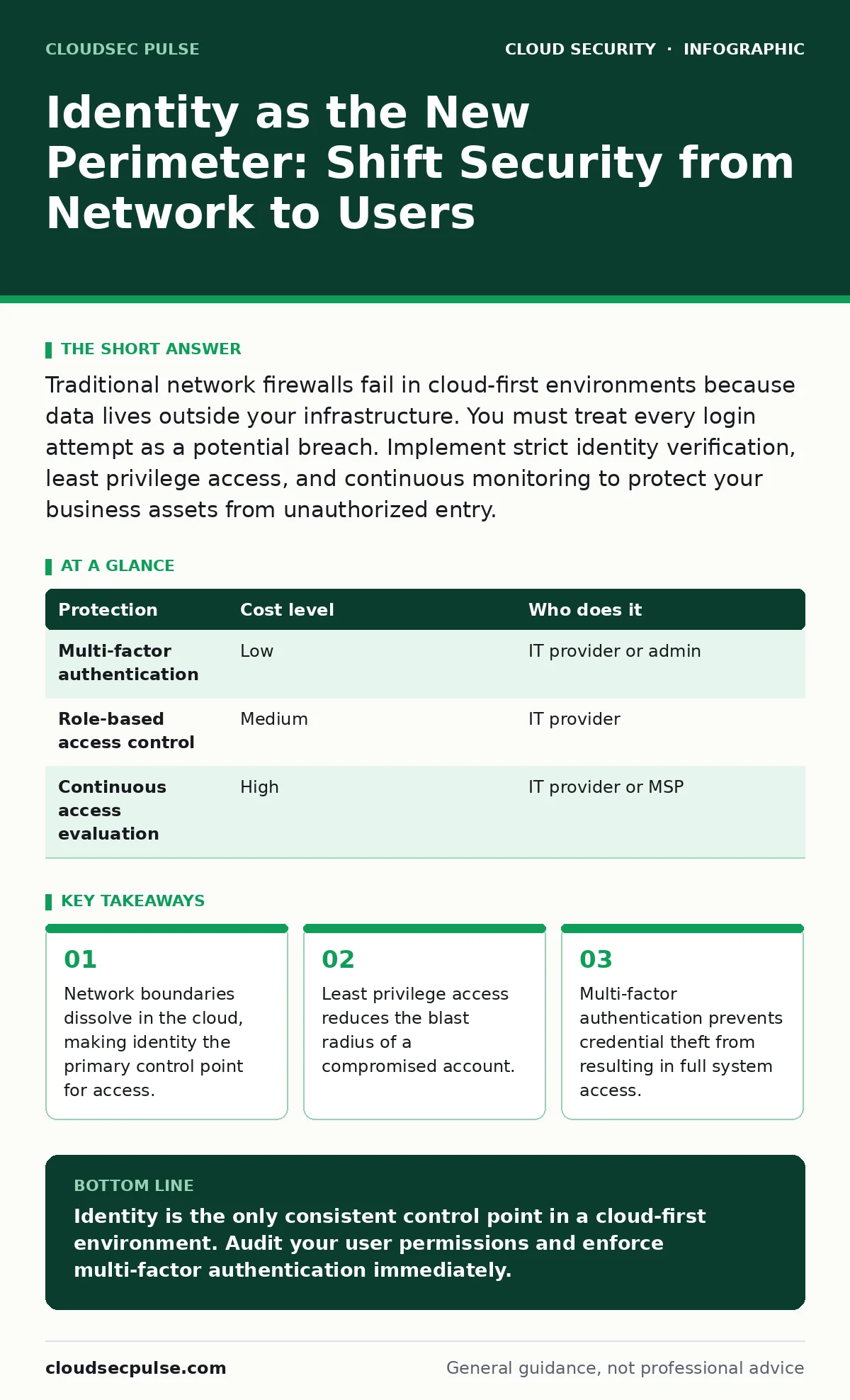
| Protection | Cost level | Who does it |
|---|---|---|
| Multi-factor authentication | Low | IT provider or admin |
| Role-based access control | Medium | IT provider |
| Continuous access evaluation | High | IT provider or MSP |
Multi-Factor Authentication as a Baseline
Multi-factor authentication requires users to provide two or more verification factors to gain access. These factors typically include something you know (a password), something you have (a phone or token), and something you are (a fingerprint). Passwords alone are insufficient because they can be guessed, stolen, or reused across sites.
Adding a second factor significantly raises the barrier for attackers. Even if they obtain a password, they cannot log in without the second device. This protection applies to all cloud services, including email, storage, and productivity suites. It is not optional. It is the minimum standard for protecting your digital assets.
Continuous Verification Beyond Login
Verifying identity at login is not enough. Threats evolve during a session. A user might log in from a trusted device, then have their session hijacked by malware. Or they might move to a high-risk location. Continuous verification monitors the session for anomalies.
This approach evaluates risk in real-time. If a user suddenly accesses sensitive files from a new country, the system can block the action or require re-authentication. This dynamic adjustment ensures that trust is not static. It adapts to the current context of the user and their device.
See also: Database Security Checklist: Stop Silent Data Theft · Privileged Access Management Explained: Stop Internal Leaks
Service Accounts and Machine Identity
Not all identities are human. Service accounts are used by applications and scripts to interact with cloud services. These accounts often have high privileges to automate tasks. They are frequently overlooked in security plans because they do not have human users logging in.
If a service account is compromised, the attacker can automate attacks at scale. They can exfiltrate data or deploy malware without triggering human-based alerts. You must treat service accounts with the same rigor as human accounts. Use short-lived credentials where possible and monitor their activity for unusual patterns.
For deeper insights on managing these non-human identities, review the guide on service account security. It details how to rotate keys and limit permissions for automated processes.
What to Ask Your IT Provider
Your IT provider manages your cloud infrastructure. They should have a clear strategy for identity protection. Do not accept vague promises about security. Ask specific questions to understand their approach.
- How do you enforce multi-factor authentication across all cloud services?
- What process do you use to audit and remove unnecessary user permissions?
- How do you detect and respond to anomalous login behavior?
- Do you use privileged access management to control administrative accounts?
- How do you handle identity management for third-party vendors and contractors?
If your provider cannot answer these questions clearly, they may not have a mature identity security strategy. You need a partner who understands that identity is the core of your defense.
Integrating Identity with Cloud Architecture
Identity management does not exist in a vacuum. It must integrate with your broader cloud security strategy. This includes how you encrypt data, where you store it, and how you protect workloads. A strong identity layer supports these other controls by ensuring only authorized users can access them.
For a holistic view of your defenses, consider the principles in cloud security architecture. It explains how identity, data protection, and network controls work together. Similarly, IaaS, PaaS and SaaS security details how identity requirements differ across service models.
Monitoring for Identity-Based Attacks
Attackers increasingly target identities directly. They use phishing to steal credentials, or brute force attacks to guess passwords. Monitoring for these attempts is critical. Look for signs of credential stuffing, where attackers use lists of stolen passwords from other breaches.
Alert on impossible travel, where a user logs in from two distant locations in a short time. Alert on logins from unfamiliar devices or IP ranges. These signals indicate potential compromise. Your IT provider should have tools to detect and respond to these events automatically.
For information on protecting your data from ransomware that exploits identity weaknesses, see cloud ransomware. It covers how attackers move laterally once they gain initial access.
Key takeaways
- Network boundaries dissolve in the cloud, making identity the primary control point for access.
- Least privilege access reduces the blast radius of a compromised account.
- Multi-factor authentication prevents credential theft from resulting in full system access.
Identity is the only consistent control point in a cloud-first environment. Audit your user permissions and enforce multi-factor authentication immediately.
Frequently asked questions
Does multi-factor authentication stop all attacks?
No. It stops most credential-based attacks but does not protect against social engineering, insider threats, or vulnerabilities in the application code itself.
How often should I review user permissions?
Review permissions quarterly or whenever an employee changes roles. Automated tools can help identify unused access and flag anomalies for immediate review.
Is it safe to use third-party identity providers?
Yes, if configured correctly. Standard protocols like SAML and OIDF ensure secure communication. Ensure your provider supports modern security features and monitors for breaches.
What is privileged access management?
It is a system that restricts access to critical administrative accounts. It requires extra verification and logs all actions taken by privileged users, reducing the risk of insider threats and compromised admin accounts.
How this guide was produced: written by the CloudSec Pulse editorial team with AI assistance, checked against the public references listed below, and reviewed when the facts change. See our editorial policy or report an error.