Shift-Left Security: A Step-by-Step Implementation Plan
Moving security checks earlier in development reduces remediation costs by forcing engineers to fix issues before code merges into the main branch.
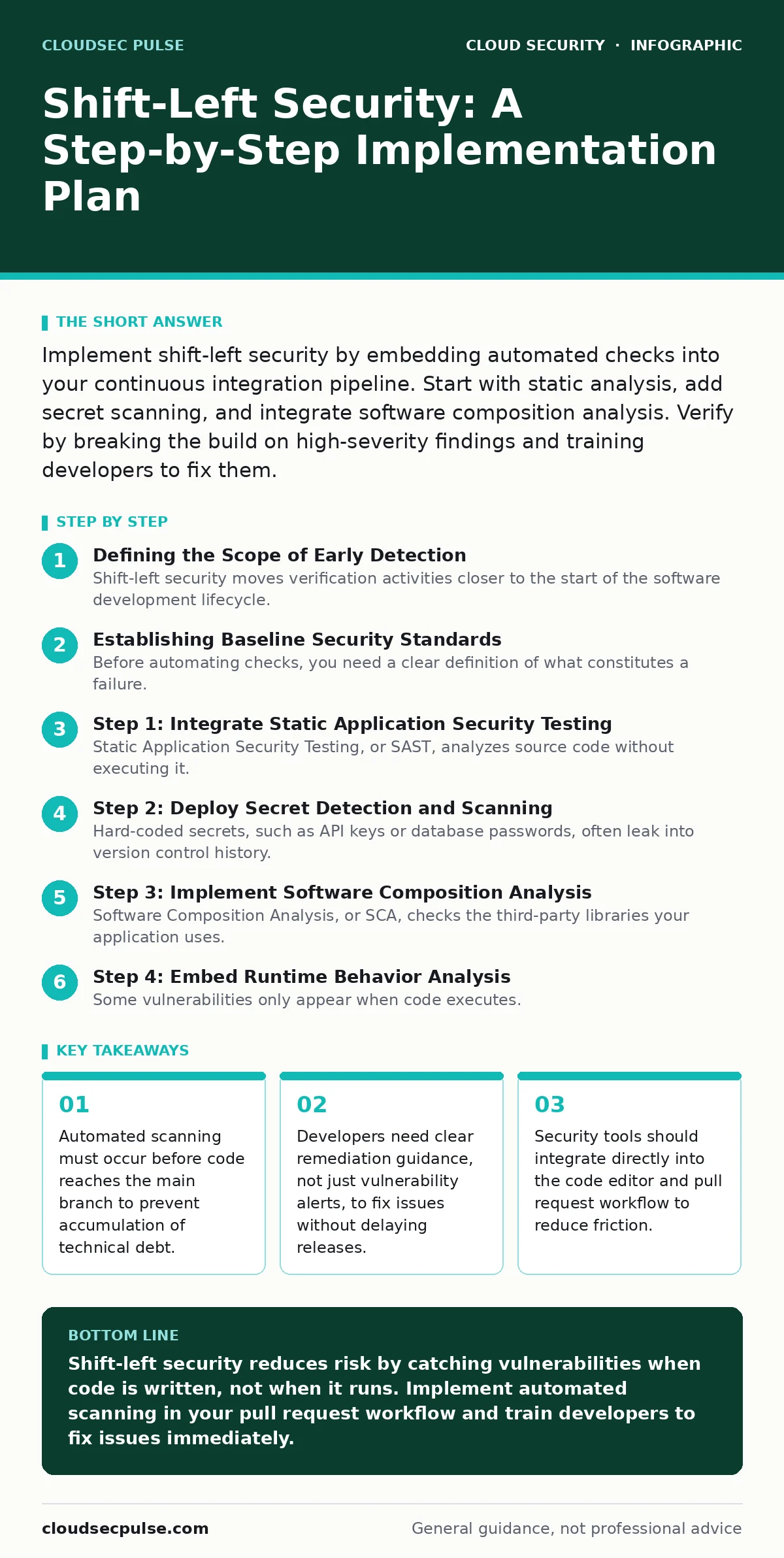
Implement shift-left security by embedding automated checks into your continuous integration pipeline. Start with static analysis, add secret scanning, and integrate software composition analysis. Verify by breaking the build on high-severity findings and training developers to fix them.
Defining the Scope of Early Detection
Shift-left security moves verification activities closer to the start of the software development lifecycle. Instead of testing the final application, you examine the code and its dependencies as they are written. This approach catches errors when they are cheap and easy to fix. It shifts responsibility from a separate security team to the engineers building the feature.
You must define what "left" means for your specific workflow. For many teams, this means the moment a developer pushes code to a version control system. For others, it means the local machine before the code leaves the developer’s environment. Choosing the wrong entry point creates noise or misses critical vulnerabilities.
Establishing Baseline Security Standards
Before automating checks, you need a clear definition of what constitutes a failure. You must decide which vulnerabilities are acceptable risks and which are blockers. This decision requires input from both security engineers and product owners. Without consensus, developers will ignore alerts that seem irrelevant to their business goals.
Create a policy document that lists prohibited practices. Include rules against hard-coded credentials, known vulnerable libraries, and insecure API configurations. Reference established frameworks like the Open Web Application Security Project guidelines for common patterns. This document becomes the source of truth for your automated tools.
Step 1: Integrate Static Application Security Testing
Static Application Security Testing, or SAST, analyzes source code without executing it. It looks for patterns that match known vulnerability signatures, such as SQL injection or cross-site scripting. You configure this tool to run automatically when a developer opens a pull request. The build fails if the tool finds high-severity issues.
To verify this step works, ask a developer to introduce a known insecure pattern, such as concatenating user input into a database query. The system must block the merge and point to the exact line of code. If the build passes, your configuration is too loose.
Step 2: Deploy Secret Detection and Scanning
Hard-coded secrets, such as API keys or database passwords, often leak into version control history. Secret detection tools scan code commits for patterns that resemble credentials. These tools prevent accidental exposure before the code reaches any public repository. You must integrate this check into the same pipeline as your static analysis.
Check this integration by committing a test key with a recognizable format but no real value. The pipeline should reject the commit immediately. Ensure the tool also scans git history to catch secrets that were already committed in the past. Reviewing historical logs is critical because old secrets remain valid until rotated.
Step 3: Implement Software Composition Analysis
Software Composition Analysis, or SCA, checks the third-party libraries your application uses. Your code might be secure, but a library you depend on could contain known vulnerabilities. SCA tools compare your dependencies against a database of known flaws. They flag versions that require updating or replacement.
Verify SCA effectiveness by adding a library with a known critical vulnerability to your project. The pipeline must identify this dependency and block the build. Developers should see a clear path to upgrade the library. If the alert lacks upgrade instructions, developers will ignore it.
Step 4: Embed Runtime Behavior Analysis
Some vulnerabilities only appear when code executes. Dynamic Application Security Testing, or DAST, and Interactive Application Security Testing, or IAST, analyze the running application. IAST instruments the code to report security issues from the inside while the application is under test. This provides more accurate results than external scanning.
Add an IAST agent to your automated test suite. Run it during standard unit and integration tests. Verify it works by triggering a known insecure endpoint in your test environment. The report must highlight the issue with stack trace details. This helps developers understand how an attacker could exploit the flaw.
Verifying the Shift-Left Implementation
A successful implementation requires measurable outcomes. You must track the number of vulnerabilities found per pull request. This metric shows whether your tools are catching issues early. You should also measure the time it takes to resolve a finding. Fast resolution indicates that developers trust the tool and understand the guidance.
Review these metrics weekly. If the false positive rate is high, refine your rules. If the build failure rate is too high, your standards may be unrealistic. Adjust the sensitivity of your tools to balance security and velocity.
Maintaining and Updating the Pipeline
Security tools drift out of date if you do not maintain them. New vulnerability patterns emerge constantly. You must update your rule sets and dependency databases regularly. Schedule monthly reviews of your scanning configurations. Remove rules that no longer apply to your tech stack.
Train developers on how to read and act on security alerts. Provide a cheat sheet for common fixes. Integrate security training into your onboarding process. Consider reading more about public code repository leaks to understand the risks of accidental exposure. Also, review insecure container images if you use containerized applications.
Addressing Edge Cases and Exceptions
Not all vulnerabilities can be blocked automatically. Some require human judgment. You need a process for security exceptions. Allow developers to request a temporary bypass for a low-risk finding that is costly to fix. Require a security engineer to approve every exception.
Document the reason for each exception. Set an expiration date for the bypass. This ensures that technical debt does not accumulate indefinitely. Regularly audit these exceptions to close them when the underlying issue is resolved. This process maintains trust between security and development teams.
Key takeaways
- Automated scanning must occur before code reaches the main branch to prevent accumulation of technical debt.
- Developers need clear remediation guidance, not just vulnerability alerts, to fix issues without delaying releases.
- Security tools should integrate directly into the code editor and pull request workflow to reduce friction.
Shift-left security reduces risk by catching vulnerabilities when code is written, not when it runs. Implement automated scanning in your pull request workflow and train developers to fix issues immediately.
Frequently asked questions
Does shift-left security replace penetration testing?
No, shift-left security focuses on code and configuration errors. Penetration testing simulates real-world attacks on the live system. You need both approaches for full coverage.
How do I handle false positives in automated scanning?
Tune your rules to ignore known safe patterns. Create a suppression list for false positives that persist. Review and update this list regularly to keep it accurate.
Can I implement shift-left with legacy applications?
Yes, but start small. Add scanning to new features first. Gradually expand coverage to older modules as you refactor them. Do not attempt to scan the entire legacy codebase at once.
What is the impact on development speed?
Initial integration may slow down builds. However, fixing issues early prevents larger delays caused by critical bugs in production. Long-term velocity improves as technical debt decreases.
How this guide was produced: written by the CloudSec Pulse editorial team with AI assistance, checked against the public references listed below, and reviewed when the facts change. See our editorial policy or report an error.