Static Malware Analysis: What It Reveals and Where It Fails
Examining code without execution exposes structural flaws but misses behavioral tricks, making it a partial truth rather than a full diagnosis.

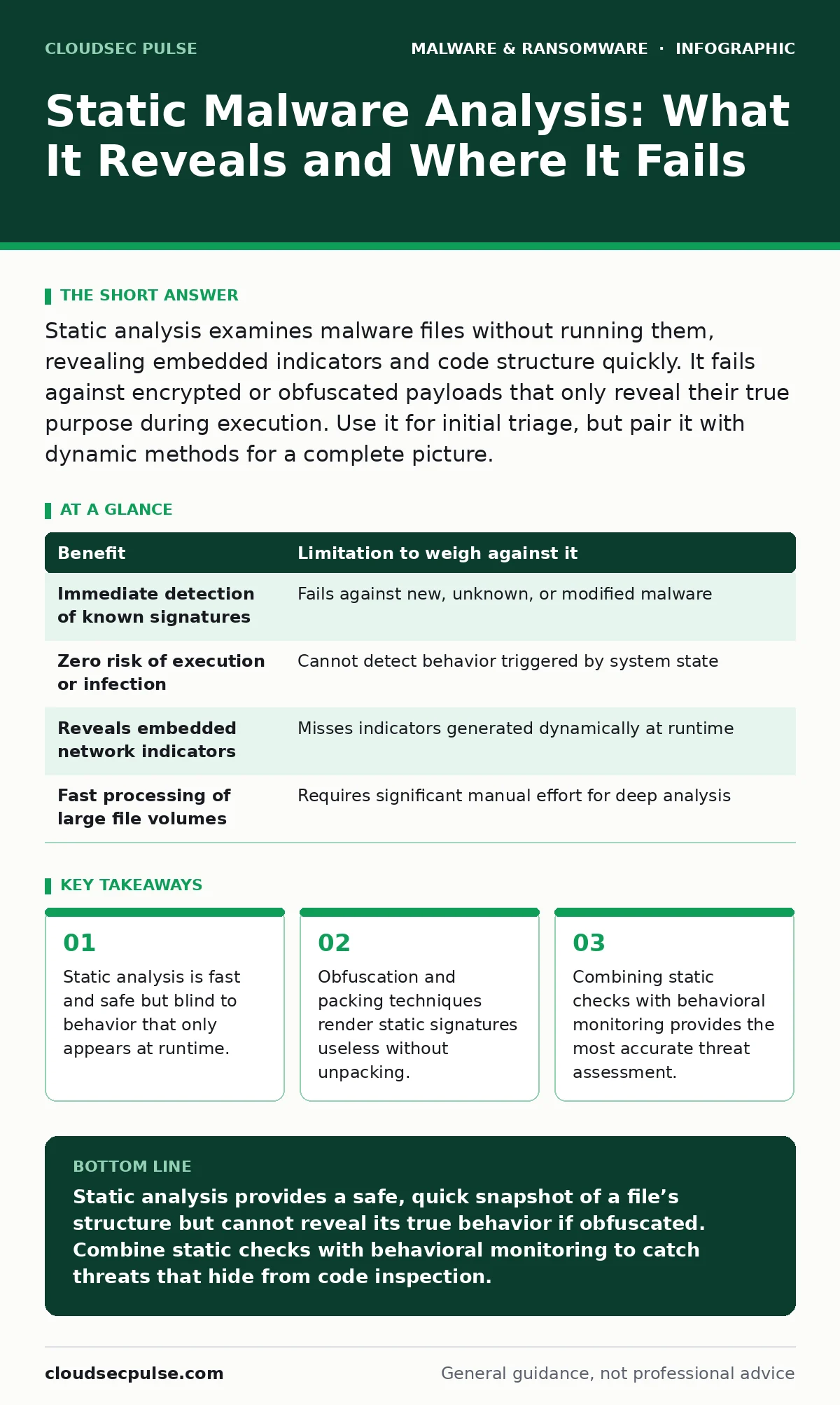
Static analysis examines malware files without running them, revealing embedded indicators and code structure quickly. It fails against encrypted or obfuscated payloads that only reveal their true purpose during execution. Use it for initial triage, but pair it with dynamic methods for a complete picture.
The Anatomy of Code Inspection
Static malware analysis involves examining a file’s binary code, headers, and metadata without executing it. You treat the malware as a dead object, similar to a mechanic inspecting a car engine while it sits in a garage. This method relies on pattern matching, string extraction, and structural disassembly. It allows you to identify known indicators of compromise, such as specific IP addresses, domain names, or file paths embedded in the code.
This approach is foundational for many detection systems. Security software often uses static signatures to flag known threats instantly. However, this method has inherent blind spots. It cannot see what the malware does when it interacts with the operating system, the network, or other files. It tells you what the code says it will do, not what it actually does.
Hidden Costs of Deep Disassembly
Digging deeper into the binary requires disassembly or decompilation. Disassembly translates machine code into assembly language, a low-level representation of processor instructions. Decompilation attempts to reconstruct high-level programming logic from that assembly. This process reveals the logical flow of the malware, showing how it branches and loops.
The hidden cost here is time and expertise. Disassembling a complex file manually can take hours or days. It requires a deep understanding of computer architecture and programming languages. For a small organization, this trade-off is often unsustainable. You might spend more resources analyzing a single file than the file would have cost to remove.
The Illusion of Safety
The primary appeal of static analysis is safety. Because the code never runs, it cannot infect your analysis environment. You avoid the risk of triggering a payload that might wipe drives or encrypt data. This makes it ideal for initial triage in high-throughput environments. You can process thousands of files quickly, filtering out the obvious benign ones.
However, this safety creates a false sense of security. A sophisticated attacker knows you will look at the code statically. They design their malware to look harmless in static inspection. This leads to the next major limitation: the inability to detect logic that is hidden or delayed.
When Static Methods Fail
Static analysis struggles significantly with obfuscation. Obfuscation is the process of making code difficult for humans to understand while keeping its functionality intact. Attackers use techniques like string encryption, where text is stored in an unreadable format and only decrypted when the program runs. Static tools see garbage data, not the malicious commands.
Packing is another common hurdle. Packers compress or encrypt the executable payload, adding a small unpacking stub. When you analyze the file statically, you only see the stub. The real malware is hidden inside the compressed data. This is particularly relevant when dealing with polymorphic malware, which changes its code structure with every generation to evade signature-based detection. Static signatures become obsolete as soon as the code mutates.
| Benefit | Limitation to weigh against it |
|---|---|
| Immediate detection of known signatures | Fails against new, unknown, or modified malware |
| Zero risk of execution or infection | Cannot detect behavior triggered by system state |
| Reveals embedded network indicators | Misses indicators generated dynamically at runtime |
| Fast processing of large file volumes | Requires significant manual effort for deep analysis |
The Behavioral Blind Spot
The most critical limitation is the lack of behavioral context. Malware often checks for specific conditions before activating. It might look for the presence of a debugger, the number of CPU cores, or the existence of certain files. If you analyze the file statically, these checks never run. The malware remains dormant and appears benign.
This is where static analysis provides an incomplete truth. It tells you the potential capability of the code, not its actual intent. For example, a file might contain code to connect to a command-and-control server, but static analysis cannot tell you if that code will ever execute. It might be dead code included to waste your time.
See also: Fileless Malware Prevention Checklist: Defend Memory and Scripts · Managed Detection and Response Misunderstandings and Correct Views
When It Is Worth It
Static analysis is highly effective for initial screening and triage. When you receive a large volume of files, static checks can quickly identify known threats using hash comparisons and signature matching. This reduces the workload for deeper analysis. It is also valuable for extracting static indicators of compromise, such as file hashes, URLs, and registry keys, which can be used to block threats across your network.
It is also worth it when dealing with simple scripts or poorly coded malware. Basic batch files, PowerShell scripts, or macro-enabled documents often contain readable malicious commands. Static inspection can reveal the payload immediately without the need for complex emulation. For these cases, the speed and safety of static analysis outweigh its limitations.
When It Is Not Worth It
Relying solely on static analysis is dangerous when facing sophisticated threats. If the malware uses heavy obfuscation, packing, or encryption, static methods will likely miss it. In these cases, you need dynamic analysis, which involves running the malware in a controlled, isolated environment to observe its behavior. This is particularly important for ransomware decryption tools that need to understand the encryption routine, which is often only visible during execution.
It is also not worth the effort if you lack the resources for deep disassembly. If you cannot manually analyze the code, static tools will only give you surface-level data. This data is often insufficient to determine the true risk. In such scenarios, it is better to rely on behavioral monitoring and endpoint detection systems that watch for suspicious actions in real-time.
Complementary Security Strategies
Static analysis is one piece of a larger puzzle. It works best when combined with other methods. For instance, understanding business continuity planning helps you prioritize which files need deep analysis based on their potential impact. If a file affects critical operations, the extra effort of dynamic analysis may be justified.
Similarly, being aware of fake antivirus software helps you recognize social engineering tactics that often accompany malware. Static analysis might reveal the malicious payload, but it won't tell you how the user was tricked into running it. Combining technical analysis with user education provides a more complete defense.
Integrating with Broader Defense
To build a resilient security posture, you must integrate static analysis with other controls. This includes regular updates to your detection signatures and continuous monitoring of system behavior. You should also consider the threat of computer worms, which spread rapidly and may not leave obvious static traces until they have already propagated.
Furthermore, keep in mind that Mac malware is often distributed through seemingly legitimate software updates. Static analysis of these updates can reveal unauthorized code injections, but only if you compare the current file against a known good baseline. Without that baseline, static checks may miss subtle modifications.
Key takeaways
- Static analysis is fast and safe but blind to behavior that only appears at runtime.
- Obfuscation and packing techniques render static signatures useless without unpacking.
- Combining static checks with behavioral monitoring provides the most accurate threat assessment.
Static analysis provides a safe, quick snapshot of a file’s structure but cannot reveal its true behavior if obfuscated. Combine static checks with behavioral monitoring to catch threats that hide from code inspection.
Frequently asked questions
Can static analysis detect zero-day malware?
It may detect structural similarities to known families, but it often fails against truly novel code that lacks known signatures or uses advanced obfuscation.
Is static analysis safe for all file types?
It is generally safe because the code does not run, but some file formats may trigger parsers that could theoretically contain vulnerabilities, though this is rare.
How does static analysis compare to dynamic analysis?
Static analysis is faster and safer but blind to runtime behavior; dynamic analysis is slower and riskier but reveals what the malware actually does when executed.
Do I need special software for static analysis?
Basic static checks are built into many security tools, but deep analysis requires specialized disassemblers and debuggers that require technical expertise.
How this guide was produced: written by the CloudSec Pulse editorial team with AI assistance, checked against the public references listed below, and reviewed when the facts change. See our editorial policy or report an error.