Privileged Access Management Explained: Stop Internal Leaks
Most breaches start not from outside hackers, but from compromised internal accounts that hold the keys to the entire digital kingdom.

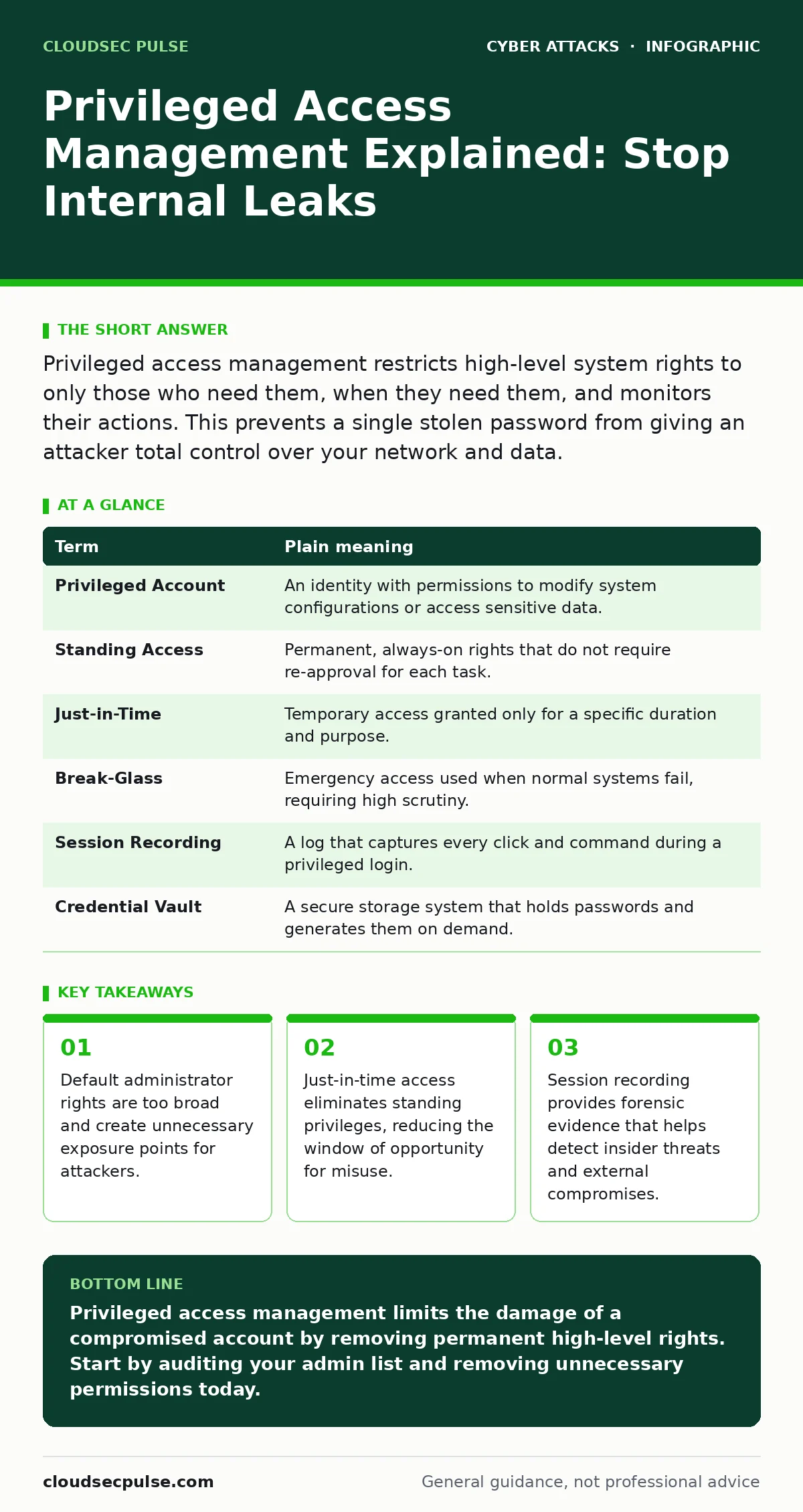
Privileged access management restricts high-level system rights to only those who need them, when they need them, and monitors their actions. This prevents a single stolen password from giving an attacker total control over your network and data.
The Master Key Problem
Imagine you manage a large office building. You give every employee a key that opens every door, from the storage closet to the safe room. If one employee loses their key, you cannot just replace the lock on the safe. You must relock every door in the building. This is how most networks operate today. Users have broad access that they rarely need, creating a massive attack surface.
In cybersecurity, this is called Privileged Access Management (PAM). It is the practice of securing and monitoring accounts that have elevated rights. These accounts can install software, change settings, and view sensitive data. Without PAM, a single compromised password allows an attacker to move freely across your infrastructure. They do not need to break down the front door; they simply walk in through the side entrance that was already unlocked.
Defining the Privilege Hierarchy
To understand PAM, you must distinguish between normal and elevated access. A standard user account can edit a document or send an email. It cannot change the security settings of the server hosting that email. A privileged account can do both. The risk increases with the level of privilege.
| Term | Plain meaning |
|---|---|
| Privileged Account | An identity with permissions to modify system configurations or access sensitive data. |
| Standing Access | Permanent, always-on rights that do not require re-approval for each task. |
| Just-in-Time | Temporary access granted only for a specific duration and purpose. |
| Break-Glass | Emergency access used when normal systems fail, requiring high scrutiny. |
| Session Recording | A log that captures every click and command during a privileged login. |
| Credential Vault | A secure storage system that holds passwords and generates them on demand. |
The Cost of Convenience
Many organizations hesitate to restrict access because it slows down work. Suppose an IT worker needs to restart a server. If they have standing admin rights, they do it in seconds. If they must request temporary access, it takes minutes. This friction feels inefficient. However, the cost of that friction is a fraction of the cost of a data breach.
When you remove standing privileges, you eliminate the attack surface. An attacker who steals a password for a non-privileged account cannot escalate their rights if those higher rights do not exist for that user. This concept aligns with defense in depth, where multiple layers of security protect the asset. You are not relying on the perimeter firewalls alone. You are assuming the attacker is already inside and limiting what they can do.
Implementing Just-in-Time Access
The core mechanism of modern PAM is just-in-time access. Instead of giving a user a master key, you give them a code that works for one hour. After that hour, the code expires. The user must request access again for the next task. This limits the damage if an account is compromised.
This approach also helps prevent brute force attacks on admin accounts. If admin accounts are rarely used and protected by multi-factor authentication, attackers cannot easily guess the passwords. They also cannot use stolen credentials from a phishing attack because the session is time-limited. The attacker might get in, but they will be logged out before they can exfiltrate data.
Monitoring and Recording Sessions
Even with temporary access, you must know what the user does. Session recording captures the screen and commands of every privileged action. This is not about spying on employees; it is about detecting anomalies. If an admin logs in at 3 AM and copies a database, the recording shows exactly what happened.
This forensic capability is vital for incident response. Without recordings, you rely on logs that might be tampered with. With recordings, you have a video-like trail of events. This deters insider threats and helps you prove compliance. It also helps you spot business email compromise attempts where an attacker tries to redirect funds or data using legitimate-looking accounts.
See also: What is Cyber Hygiene: Practical Steps to Reduce Digital Risk · Database Security Checklist: Stop Silent Data Theft
Try This Now
You do not need expensive software to start. You can improve your posture with basic administrative discipline.
- Audit admin accounts. List every user with administrative rights. Check if they still need them. Remove rights for anyone who does not use them weekly.
- Enforce multi-factor authentication. Require a second form of verification for all privileged logins. This stops attackers who have stolen passwords.
- Separate duties. Ensure that the person who requests a change is not the same person who approves it. This prevents unilateral errors or malice.
The Hidden Cost of Over-Privilege
A common misconception is that PAM is only for large enterprises. Small businesses are often targeted because they lack these controls. Attackers know that if they compromise a small firm, they might find a single admin account that controls everything. This is why whaling attacks target executives. They want the keys to the kingdom.
By implementing PAM, you remove the "kingdom" concept. There is no single key that opens all doors. Each door has its own lock, and the keys are issued only when needed. This architectural shift changes the risk profile entirely. It moves you from hoping attackers do not find your password to ensuring that finding it does not matter.
Integrating with Existing Security
PAM works best when combined with other controls. It complements baiting attacks defenses by ensuring that even if a user downloads a malicious file, the malware cannot elevate privileges. It supports formjacking prevention by limiting who can modify web configurations.
You must treat privileged access as a dynamic resource, not a static permission. Regularly review who has access and why. Remove rights when projects end. This continuous process ensures that your security keeps pace with your business changes.
Key takeaways
- Default administrator rights are too broad and create unnecessary exposure points for attackers.
- Just-in-time access eliminates standing privileges, reducing the window of opportunity for misuse.
- Session recording provides forensic evidence that helps detect insider threats and external compromises.
Privileged access management limits the damage of a compromised account by removing permanent high-level rights. Start by auditing your admin list and removing unnecessary permissions today.
Frequently asked questions
Do I need PAM software if I have a firewall?
Yes, because firewalls protect the perimeter, while PAM protects the internal systems where attackers often operate after breaching the edge.
Is just-in-time access too slow for my team?
It adds a few minutes of friction, but this is negligible compared to the time and cost required to recover from a major breach.
Can PAM stop insider threats?
PAM limits the damage insiders can cause by restricting their access to only what is needed and recording their actions for review.
How do I handle emergency access?
Use break-glass accounts with unique, highly protected credentials that are only opened during true emergencies and immediately audited.
How this guide was produced: written by the CloudSec Pulse editorial team with AI assistance, checked against the public references listed below, and reviewed when the facts change. See our editorial policy or report an error.