What is Cyber Hygiene: Practical Steps to Reduce Digital Risk
Cyber hygiene prevents breaches by enforcing routine digital cleaning, yet most organizations neglect the silent accumulation of unused access rights and unpatched legacy tools.

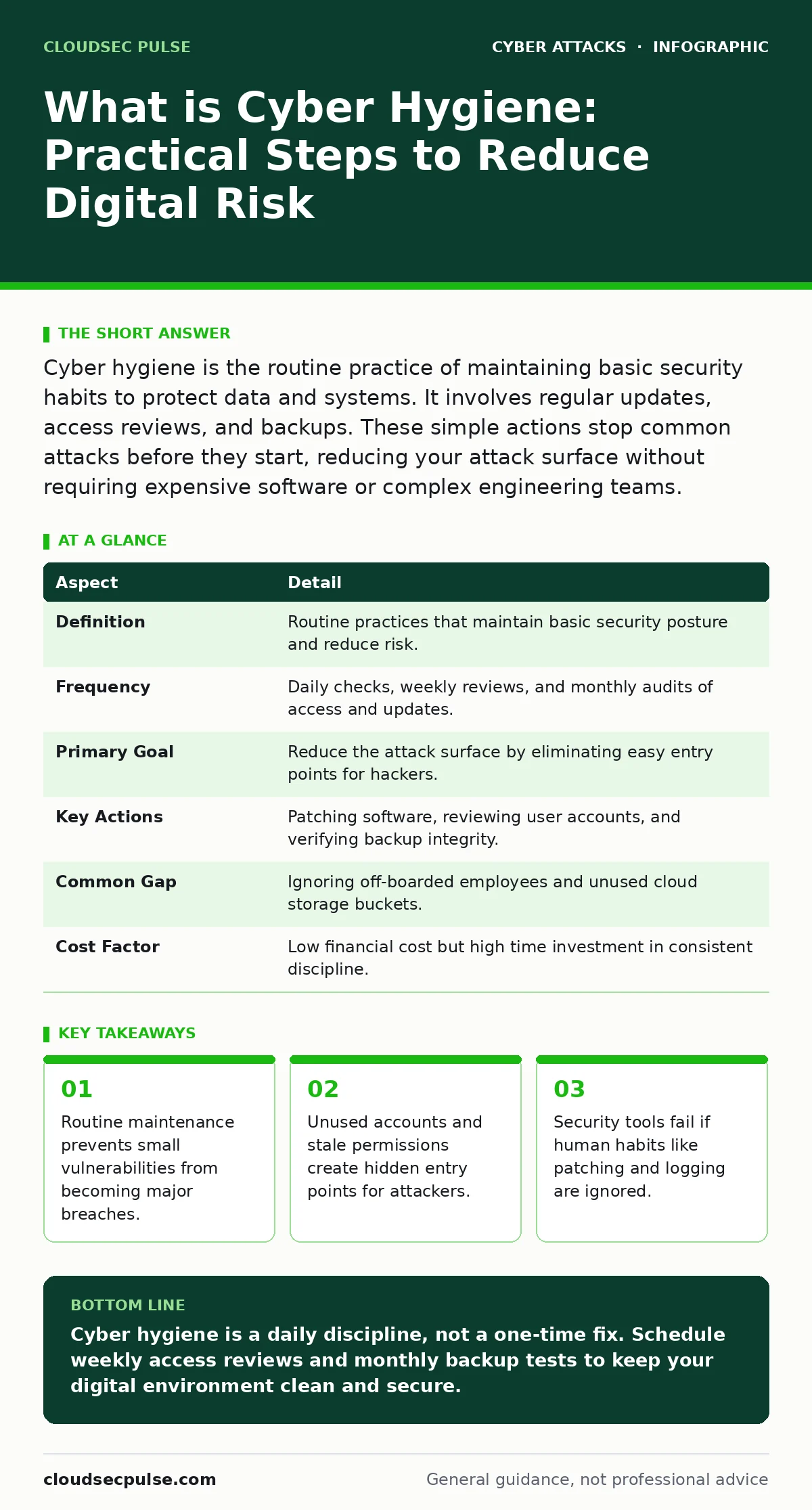
Cyber hygiene is the routine practice of maintaining basic security habits to protect data and systems. It involves regular updates, access reviews, and backups. These simple actions stop common attacks before they start, reducing your attack surface without requiring expensive software or complex engineering teams.
The Digital Bathroom Analogy
Imagine a shared office bathroom. You lock the door, you wash your hands, and you check the mirror. This routine protects you from illness and keeps the space usable. Cyber hygiene works the same way. It is the daily and weekly routine of cleaning up digital clutter, closing doors you no longer need, and checking for leaks. Neglecting this routine leaves trash piling up and doors unlocked, inviting pests and thieves into your space.
| Aspect | Detail |
|---|---|
| Definition | Routine practices that maintain basic security posture and reduce risk. |
| Frequency | Daily checks, weekly reviews, and monthly audits of access and updates. |
| Primary Goal | Reduce the attack surface by eliminating easy entry points for hackers. |
| Key Actions | Patching software, reviewing user accounts, and verifying backup integrity. |
| Common Gap | Ignoring off-boarded employees and unused cloud storage buckets. |
| Cost Factor | Low financial cost but high time investment in consistent discipline. |
What is Cyber Hygiene
Cyber hygiene is the consistent application of basic security measures to keep digital assets clean and secure. It is not a one-time project or a complex engineering feat. It is the equivalent of brushing your teeth every day. If you skip it for a week, nothing bad happens. If you skip it for months, you develop serious problems. The practice focuses on preventing easy wins for attackers. Most breaches do not involve sophisticated code. They involve finding an open door that was left unlocked.
How Routine Maintenance Works
You reduce risk by systematically removing opportunities for intrusion. This process relies on three mechanisms: isolation, verification, and elimination. Isolation means separating critical data from general user access. Verification means regularly checking that only authorized people have keys to the door. Elimination means deleting accounts, files, and software that are no longer needed. Each of these actions shrinks the area an attacker can scan. A smaller target is harder to hit.
Who It Affects and Why It Matters
Every organization with a computer is affected. Small teams are often targeted because they lack dedicated security staff. Attackers assume small teams will not patch their servers or review their logs. This assumption is often correct. Large organizations face different risks. They have too many employees and too many systems to track. A single unused account in a large company can hide for years. Both sizes of organization suffer from the same root cause: neglect. Neglect allows weak points to accumulate until they break.
What People Usually Get Wrong
Most organizations think cyber hygiene means installing antivirus software. This view is too narrow. Antivirus detects known threats. It does not fix bad habits. The biggest mistake is assuming that buying a tool solves the problem. Tools require configuration and monitoring. A fire alarm does not put out the fire. You must also have an evacuation plan. Another common error is focusing only on external threats. Insider risks from careless employees or forgotten contractors are equally dangerous.
See also: Database Security Checklist: Stop Silent Data Theft · Privileged Access Management Explained: Stop Internal Leaks
Practical Steps for Better Hygiene
You must turn abstract concepts into concrete actions. Start with your user accounts. Review who has access to your systems every month. Remove anyone who has left the organization or changed roles. This practice directly supports privileged access management by ensuring only current staff hold keys. Next, update your software. Enable automatic updates where possible. If automatic updates are not available, schedule a weekly patching window. Delaying updates leaves known holes open.
Finally, verify your backups. A backup is useless if it cannot be restored. Test your restoration process quarterly. Ensure your backups are offline or immutable, meaning they cannot be changed or deleted by ransomware. This step protects you when prevention fails. Combining these steps creates a layered defense. No single measure is perfect, but together they make an attack difficult and costly.
Integrating Hygiene with Broader Security
Good hygiene supports advanced security frameworks. For instance, zero trust security assumes every connection is hostile. Hygiene ensures that the connections you do allow are clean and necessary. Without hygiene, zero trust becomes a burden because you are constantly verifying unclean assets. Regular cleanup reduces the noise in your logs. It makes it easier to spot real threats. You should also consider attack surface reduction techniques. By removing unused services and closing unnecessary ports, you give attackers fewer places to look.
Common Pitfalls to Avoid
Avoid the trap of "set and forget." Security tools degrade over time. Rules become outdated. Permissions accumulate. You must actively maintain your security posture. Another pitfall is ignoring the human element. Tools can be bypassed by social engineering. Training users to recognize whaling attacks or password spraying attempts is part of hygiene. These attacks target people, not software. If your users click a link, your firewall does not matter. Regular education keeps users alert.
Maintaining Momentum Over Time
Consistency is harder than initial setup. You need a schedule. Assign ownership for each hygiene task. Make it clear who checks the logs, who reviews the accounts, and who tests the backups. Rotate these responsibilities to avoid burnout. Document your procedures. If a key employee leaves, the hygiene routine should not stop. This documentation is part of your operational resilience. It ensures that security continues even when personnel changes occur.
The Hidden Cost of Neglect
The cost of bad hygiene is not just a breach. It is the loss of trust and the time spent recovering. Investigating a breach takes weeks. Restoring data takes days. Cleaning up a compromised system takes hours. During this time, your business stops. Clients lose confidence. Partners question your reliability. The financial impact is significant. The reputational damage is often permanent. Preventing these outcomes requires only a few hours of work each week. The return on investment is high because you avoid the catastrophic costs of failure.
Key takeaways
- Routine maintenance prevents small vulnerabilities from becoming major breaches.
- Unused accounts and stale permissions create hidden entry points for attackers.
- Security tools fail if human habits like patching and logging are ignored.
Cyber hygiene is a daily discipline, not a one-time fix. Schedule weekly access reviews and monthly backup tests to keep your digital environment clean and secure.
Frequently asked questions
How often should I review user access rights?
Review access rights monthly for critical systems and quarterly for less sensitive tools. Remove any accounts for employees who have left or changed roles immediately to prevent unauthorized access.
Is automatic updating enough for software hygiene?
Automatic updates are helpful but not sufficient. You must verify that updates were applied successfully. Some critical servers require manual testing before patches go live to avoid breaking business operations.
Do I need a security team for cyber hygiene?
You do not need a dedicated team for basic hygiene. A designated IT staff member or a responsible manager can handle routine tasks. Consistency matters more than expertise. Regular checks prevent most common issues.
How does hygiene help with ransomware?
Hygiene reduces the entry points ransomware uses. By keeping software updated and removing unused accounts, you close the doors attackers use to infiltrate your network. Regular, tested backups ensure you can recover if prevention fails.
How this guide was produced: written by the CloudSec Pulse editorial team with AI assistance, checked against the public references listed below, and reviewed when the facts change. See our editorial policy or report an error.