Business Continuity Planning: Keep Operations Running During Attacks
Most plans fail because they assume perfect recovery, ignoring the hidden cost of manual workarounds during the first critical hours of an outage.

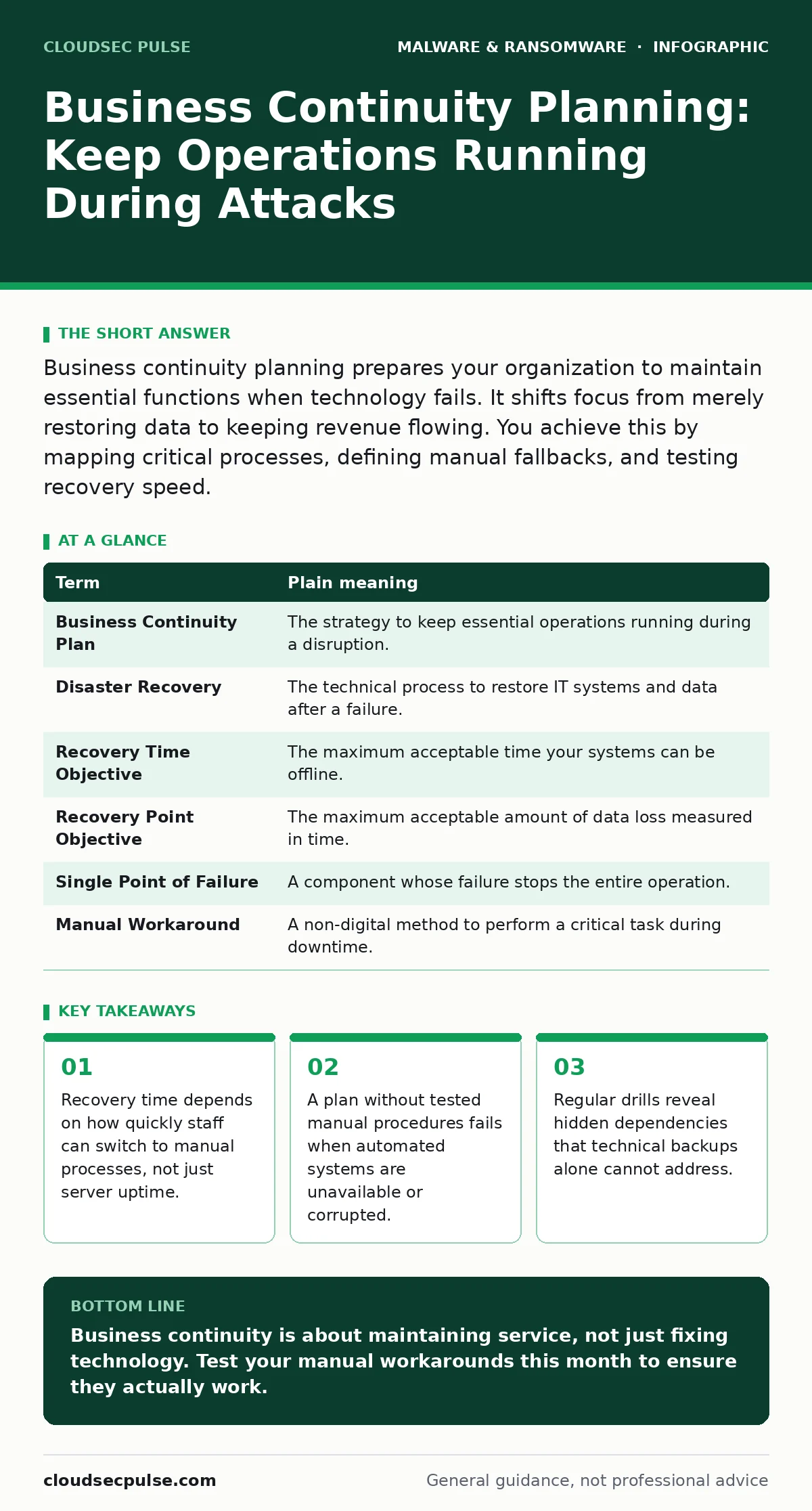
Business continuity planning prepares your organization to maintain essential functions when technology fails. It shifts focus from merely restoring data to keeping revenue flowing. You achieve this by mapping critical processes, defining manual fallbacks, and testing recovery speed.
The Restaurant Kitchen Analogy
Imagine a busy restaurant kitchen. The stove is your primary infrastructure. If the gas line fails, you cannot simply wait for the utility company to fix it. You must decide immediately whether to stop serving food or switch to cold dishes. Your business continuity plan is the decision framework that tells you which dishes to serve, who prepares them, and how to inform customers. It is not about fixing the stove faster. It is about feeding people while the stove is broken.
Many organizations focus entirely on fixing the stove. They invest heavily in redundant hardware and high-speed internet. This is necessary, but insufficient. If the head chef is unavailable, or if the recipe cards are locked in a safe that cannot be opened, the kitchen stops. You must plan for the people and processes, not just the appliances. This approach reduces the chaos that follows any major disruption, including cyberattacks.
Defining the Core Mechanics
To build a resilient operation, you must distinguish between related concepts. Confusing these terms leads to plans that restore data but not business. The following table clarifies the specific role of each mechanism.
| Term | Plain meaning |
|---|---|
| Business Continuity Plan | The strategy to keep essential operations running during a disruption. |
| Disaster Recovery | The technical process to restore IT systems and data after a failure. |
| Recovery Time Objective | The maximum acceptable time your systems can be offline. |
| Recovery Point Objective | The maximum acceptable amount of data loss measured in time. |
| Single Point of Failure | A component whose failure stops the entire operation. |
| Manual Workaround | A non-digital method to perform a critical task during downtime. |
The Hidden Cost of Downtime
When systems go down, the immediate cost is obvious. You lose sales or productivity. The hidden cost is the labor required to manage the crisis. Staff spend hours answering panicked calls, trying to access locked accounts, or searching for physical records. This labor is expensive and distracts from core tasks.
Imagine your accounting system goes offline. You have backups, but restoring them takes two days. In those two days, payroll cannot be processed. You must switch to manual calculations. If your staff does not know how to calculate overtime manually, errors occur. Employees get paid incorrectly. Trust erodes. The financial loss from corrected checks and lost morale often exceeds the cost of the initial attack. You must train staff for these manual scenarios, not just rely on IT to restore servers.
Mapping Critical Dependencies
You cannot protect what you do not understand. Start by listing the five functions that generate revenue or keep the lights on. For each function, identify the tools, people, and data required. Ask what happens if one element disappears. Does the system fail entirely, or does it degrade?
Suppose your sales team uses a cloud-based customer database. If the internet fails, they cannot access customer records. A robust plan includes a printed directory of top clients and a manual order form. This allows sales to continue, even if the data is not digital. Later, staff can enter the data into the system once connectivity is restored. This manual step preserves revenue while IT works on the technical fix.
Testing With Real Constraints
A plan written on paper is a theory. A plan tested in reality is a strategy. You must simulate disruptions to find gaps. Do not just check if backups restore. Check if staff can perform their jobs without the primary tools. Run drills where specific systems are turned off for an hour. Measure how long it takes to switch to manual modes.
If the switch takes forty minutes, your Recovery Time Objective is too short. You must either improve the manual process or accept a longer downtime. This feedback loop prevents surprises during a real incident. It also highlights training needs. Staff who hesitate during a drill will panic during a crisis. Regular, low-stress testing builds muscle memory.
Integrating Threat Awareness
Your continuity plan must account for specific threats. Different malware types disable systems in different ways. Polymorphic malware changes its code signature to avoid detection, potentially lingering in backups. Macro malware executes when a document is opened, often disabling security software immediately. Mobile malware can compromise remote access points, cutting off field staff. Mac malware targets specific enterprise environments often overlooked by standard defenses.
Understanding these vectors helps you design better fallbacks. If ransomware encrypts your files, your manual workarounds become your only lifeline. Ransomware decryption tools are rare and often ineffective. You cannot rely on them. Instead, rely on processes that do not require the encrypted data. Fake antivirus software can lock screens, preventing login.
Your plan must include alternative authentication methods, such as phone verification or physical tokens. Computer worms spread rapidly across networks. Your continuity plan should include network segmentation to isolate affected areas. Malware analysis helps you understand the attack, but it does not restore operations. Focus on continuity first, analysis second.
First Practical Steps
You do not need a hundred-page document to start. Begin with these three actions.
- Identify your top three revenue-generating processes. Write down the manual steps to perform each one without computers.
- Locate the physical or offline copies of critical contact lists and client data. Ensure they are up to date.
- Schedule a thirty-minute drill where one team switches to manual processes. Time how long it takes and note where they struggled.
Key takeaways
- Recovery time depends on how quickly staff can switch to manual processes, not just server uptime.
- A plan without tested manual procedures fails when automated systems are unavailable or corrupted.
- Regular drills reveal hidden dependencies that technical backups alone cannot address.
Business continuity is about maintaining service, not just fixing technology. Test your manual workarounds this month to ensure they actually work.
Frequently asked questions
How often should we test our business continuity plan?
Test at least twice a year, or whenever staff or technology changes significantly. Small, frequent drills are more effective than rare, large exercises.
Do we need a separate plan for remote workers?
Yes. Remote workers rely on different connections and devices. Include specific instructions for securing home networks and accessing data safely from outside the office.
What if we cannot afford expensive backup solutions?
Focus on manual workarounds and offline backups. A simple USB drive with critical data, stored securely off-site, is better than no backup. Prioritize the most critical data first.
How do we handle vendor dependencies in our plan?
Identify vendors that provide essential services. Ask about their own continuity plans. If they fail, have a secondary vendor or a manual process ready to take over their function.
How this guide was produced: written by the CloudSec Pulse editorial team with AI assistance, checked against the public references listed below, and reviewed when the facts change. See our editorial policy or report an error.