Signature-Based Detection Mistakes That Leave Systems Exposed
Signature-based detection fails against novel threats because it relies on known patterns, leaving organizations vulnerable to zero-day attacks and polymorphic code that alters its structure.

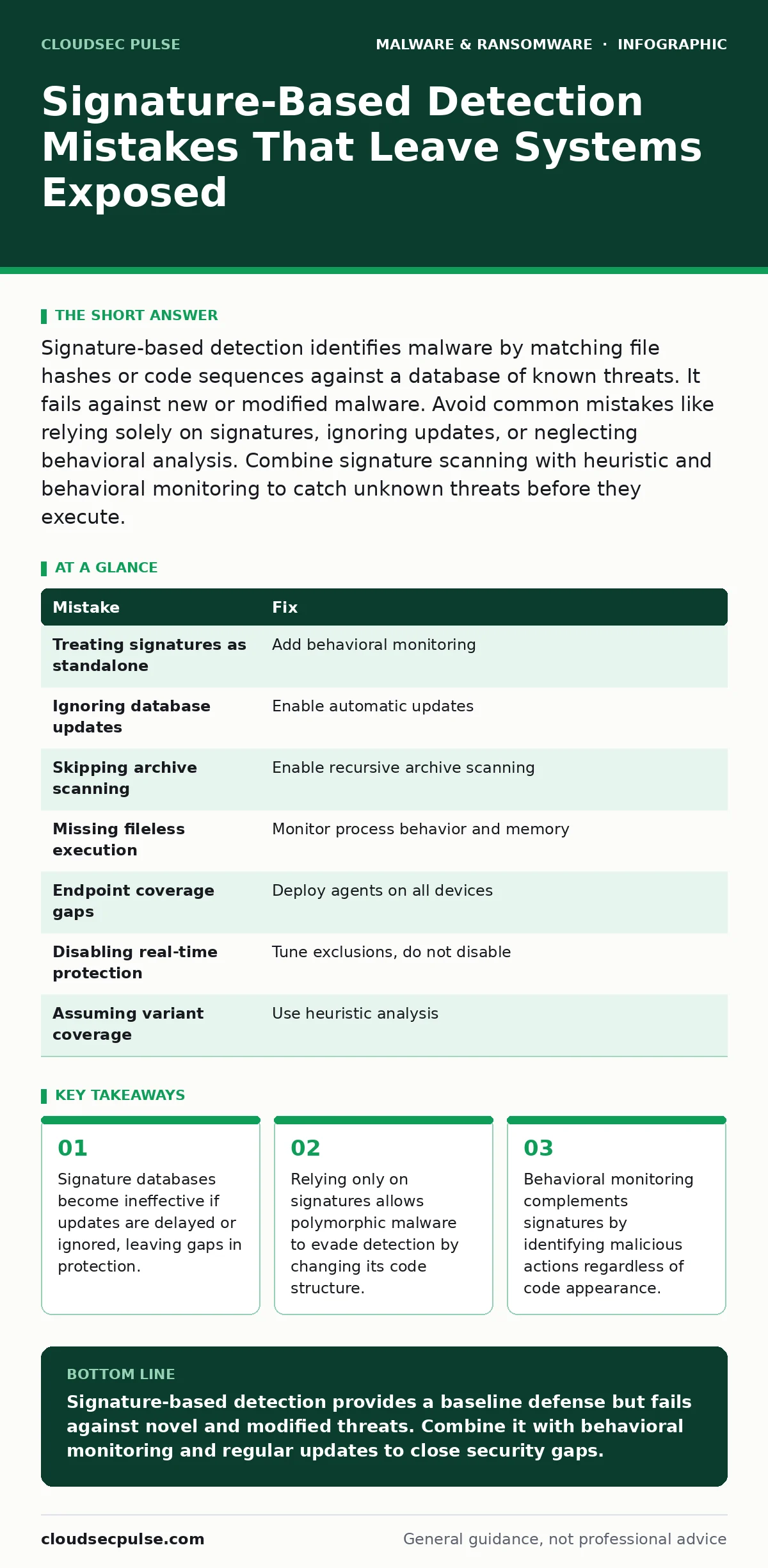
Signature-based detection identifies malware by matching file hashes or code sequences against a database of known threats. It fails against new or modified malware. Avoid common mistakes like relying solely on signatures, ignoring updates, or neglecting behavioral analysis. Combine signature scanning with heuristic and behavioral monitoring to catch unknown threats before they execute.
Mistake 1: Treating Signatures as a Standalone Defense
Signature-based detection identifies malicious software by comparing file characteristics against a library of known threat signatures. Many organizations deploy this tool and assume their systems are secure. This assumption creates a false sense of safety. Signature engines cannot detect threats that have never been seen before. They also fail when attackers modify code slightly.
Why it hurts:
Zero-day exploits bypass signature checks entirely. These attacks contain code that does not match any entry in the current database. Polymorphic malware changes its binary structure with every infection. This mutation prevents static signature matches. Systems remain exposed to new variants until security vendors analyze samples and release updates. The delay leaves windows of vulnerability where damage can occur.
The fix:
Deploy behavioral monitoring alongside signature scanning. Behavioral analysis observes how software interacts with the system. It looks for actions like unauthorized registry changes or mass file encryption. This approach catches threats based on intent rather than identity. Integrating these methods ensures that unknown or modified malware triggers alerts when it attempts harmful actions.
Mistake 2: Ignoring Signature Database Updates
Signature databases require constant updates to remain effective. Threat actors create new malware variants daily. If your detection engine runs on an outdated database, it cannot recognize recent threats. Some administrators disable automatic updates to prevent performance issues or unexpected reboots. This decision sacrifices security for convenience.
Why it hurts:
An outdated database creates blind spots. Malware variants released weeks ago may go undetected. Attackers exploit this lag by distributing known threats that have since been added to newer signature sets. Your systems become easy targets for opportunistic attackers. The cost of a breach far exceeds the minor inconvenience of scheduled updates.
The fix:
Enable automatic updates for all signature databases. Schedule these updates during low-activity periods to minimize performance impact. Verify that updates install successfully by checking logs. If automatic updates fail, investigate the root cause immediately. Network restrictions or firewall rules may block update servers. Ensure your security policies allow communication with vendor update sources.
Mistake 3: Failing to Scan Archived and Compressed Files
Malware often hides inside compressed archives or document attachments. Attackers use these containers to bypass initial inspection. Many signature scanners check only executable files. They skip archives, believing they are safe. This oversight allows malicious payloads to reach endpoints undetected.
Why it hurts:
Users open these archives to access legitimate documents. The malware extracts and executes automatically. Signature scanners miss the threat because they never inspected the contents. This mistake facilitates the spread of computer worms and ransomware. The infection spreads laterally across the network before detection occurs.
The fix:
Configure your detection engine to scan inside compressed files and archives. Enable recursive scanning for nested archives. Set limits on recursion depth to prevent performance degradation. This ensures that hidden payloads are inspected before they reach users. Combine this with email filtering to block suspicious attachments at the gateway.
Mistake 4: Overlooking Fileless Malware Execution
Fileless malware operates in memory without writing files to disk. It uses legitimate system tools like PowerShell or Windows Management Instrumentation. Signature scanners look for malicious files on storage. They find nothing because no file exists. This technique exploits the trust placed in built-in system utilities.
Why it hurts:
Traditional signature detection remains silent. The malware executes commands and achieves persistence without leaving forensic artifacts. Attackers maintain access and exfiltrate data. Detecting this requires monitoring process behavior and command-line arguments. Without these checks, fileless attacks remain invisible to standard scanners.
The fix:
Implement application control policies to restrict execution of scripting engines. Monitor for suspicious command-line arguments in legitimate tools. Use endpoint detection and response solutions that track memory activity. These tools identify anomalies in process behavior. This approach complements signature scanning by covering the execution phase.
Mistake 5: Neglecting Endpoint Coverage Gaps
Signature detection must run on every endpoint in your environment. Mobile devices, remote worker laptops, and virtual machines often get overlooked. Administrators focus on servers and desktops. This creates gaps in visibility. Attackers target these unprotected devices to gain initial access.
Why it hurts:
An unmonitored device becomes a foothold. Once compromised, attackers move laterally to protected systems. They use credentials stolen from the unmonitored device. The signature scanner on the server detects nothing because the threat originated elsewhere. The breach expands before the security team realizes the scope.
The fix:
Ensure consistent security agent deployment across all devices. Include mobile endpoints and remote workstations in your detection strategy. Use centralized management to verify agent status. Automate remediation for devices that fail to report. This uniform coverage eliminates easy entry points for attackers.
See also: Managed Detection and Response Misunderstandings and Correct Views · Disaster Recovery Plan Checklist: Restore Operations After Attack
Mistake 6: Disabling Real-Time Protection for Performance
Real-time signature scanning consumes system resources. Some administrators disable it to improve application performance. They believe the trade-off is acceptable. This decision removes the primary barrier against malware execution. Users download and run malicious files without interruption.
Why it hurts:
Malware executes immediately upon download or opening. Real-time protection blocks these actions before damage occurs. Disabling it allows threats to establish persistence. The performance gain is temporary. The cost of incident response and data recovery is permanent. Users may not notice the slowdown, but the security risk is significant.
The fix:
Tune real-time scanning exclusions carefully. Exclude only trusted directories and large files that cause bottlenecks. Monitor performance metrics after changes. If slowdowns persist, optimize hardware or network configurations. Do not disable protection globally. The risk of undetected malware outweighs minor performance issues.
Mistake 7: Assuming Signatures Catch All Variants
Attackers modify malware code to create new variants. These variants may share functionality but differ in structure. Signature scanners match specific code sequences. A slight change breaks the match. Administrators assume that similar threats are covered. This assumption leads to missed detections.
Why it hurts:
Polymorphic malware evades signature detection by altering its code. Each infection produces a unique variant. Signature databases cannot keep pace with this volume of changes. The malware spreads undetected. Organizations suffer repeated infections from the same family of threats.
The fix:
Use heuristic analysis to identify suspicious code patterns. Heuristics look for characteristics common to malware, such as obfuscation or self-modification. This approach catches variants that do not match known signatures. Combine heuristics with behavioral monitoring for layered defense. This strategy reduces reliance on exact signature matches.
| Mistake | Fix |
|---|---|
| Treating signatures as standalone | Add behavioral monitoring |
| Ignoring database updates | Enable automatic updates |
| Skipping archive scanning | Enable recursive archive scanning |
| Missing fileless execution | Monitor process behavior and memory |
| Endpoint coverage gaps | Deploy agents on all devices |
| Disabling real-time protection | Tune exclusions, do not disable |
| Assuming variant coverage | Use heuristic analysis |
Key takeaways
- Signature databases become ineffective if updates are delayed or ignored, leaving gaps in protection.
- Relying only on signatures allows polymorphic malware to evade detection by changing its code structure.
- Behavioral monitoring complements signatures by identifying malicious actions regardless of code appearance.
Signature-based detection provides a baseline defense but fails against novel and modified threats. Combine it with behavioral monitoring and regular updates to close security gaps.
Frequently asked questions
How does signature-based detection differ from heuristic analysis?
Signature detection matches files against known threat databases. Heuristic analysis evaluates code behavior and structure to identify suspicious patterns. Heuristics can catch unknown threats that signatures miss.
Can signature detection stop ransomware?
Signature detection stops known ransomware variants. It fails against new or modified ransomware. Behavioral monitoring is required to catch ransomware during encryption activities.
What is polymorphic malware and why does it evade signatures?
Polymorphic malware changes its code structure with each infection. This mutation prevents signature matches. Behavioral and heuristic analysis are needed to detect these shifting threats.
Should I disable real-time scanning for specific applications?
Only disable scanning for trusted applications that cause performance issues. Create specific exclusions rather than disabling protection globally. Monitor for security gaps after exclusions.
How this guide was produced: written by the CloudSec Pulse editorial team with AI assistance, checked against the public references listed below, and reviewed when the facts change. See our editorial policy or report an error.