Disaster Recovery Plan Checklist: Restore Operations After Attack
Most organizations fail recovery because they test backups in isolation, ignoring the complex dependencies between applications and data stores that cause silent corruption.

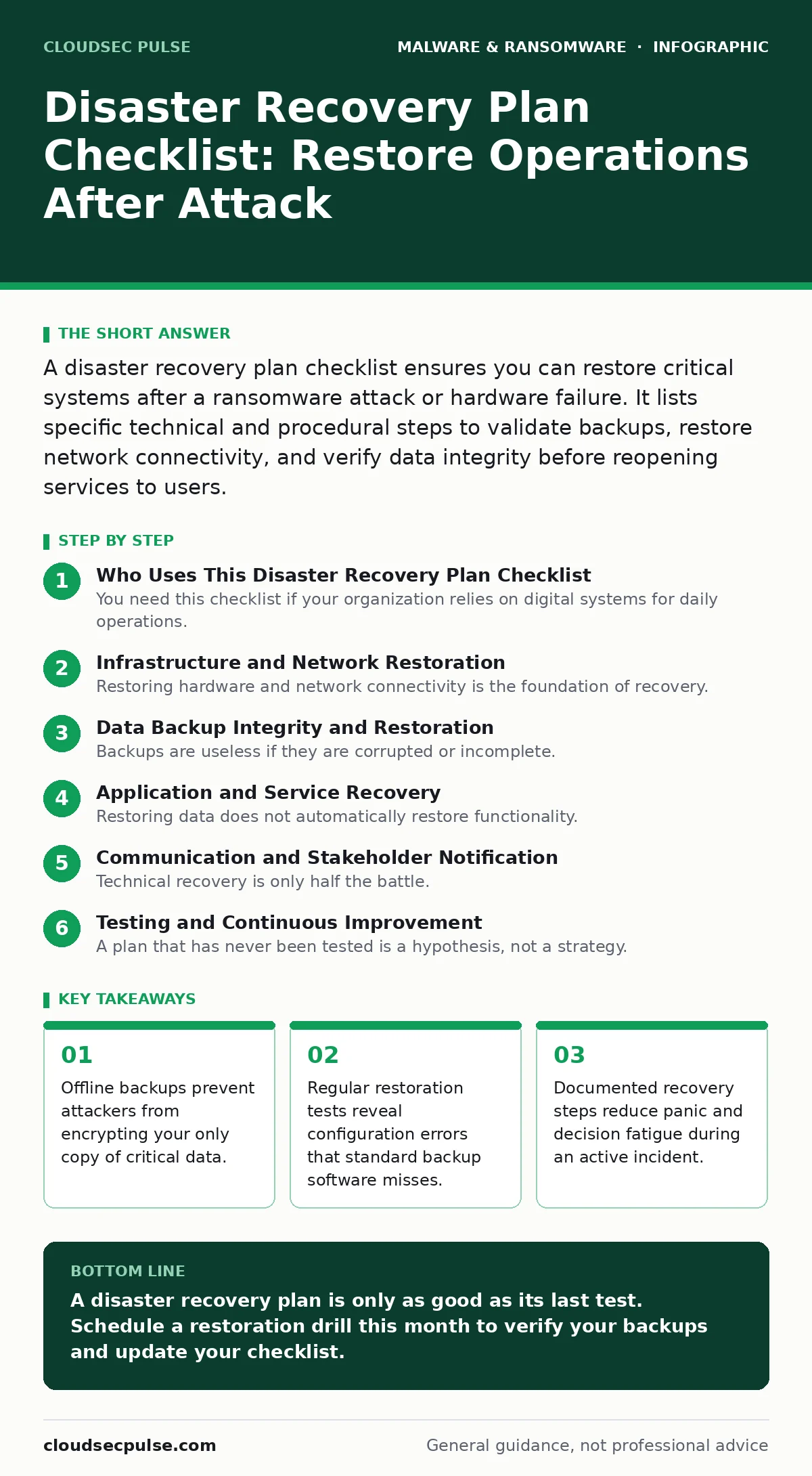
A disaster recovery plan checklist ensures you can restore critical systems after a ransomware attack or hardware failure. It lists specific technical and procedural steps to validate backups, restore network connectivity, and verify data integrity before reopening services to users.
Who Uses This Disaster Recovery Plan Checklist
You need this checklist if your organization relies on digital systems for daily operations. The list applies to small teams with a single server and larger enterprises with complex cloud infrastructures. Use it to audit your current preparedness. Do not treat this as a one-time exercise. Threats evolve, and your infrastructure changes. Review these items every six months to ensure they remain accurate.
Infrastructure and Network Restoration
Restoring hardware and network connectivity is the foundation of recovery. Without a working network, isolated servers cannot communicate with users or other systems. You must verify that your physical or virtual hardware can boot and connect to the internet or internal network.
- Verify physical server power and connectivity: Ensures the base hardware is functional before attempting software restoration.
- Restore network switch and router configurations: Prevents isolated segments from blocking critical internal communication paths.
- Validate DNS server records: Guarantees that users can resolve domain names to reach restored services.
- Check firewall rules and access controls: Ensures security policies are reapplied to prevent unauthorized access during recovery.
- Confirm virtualization host availability: Allows virtual machines to run if your infrastructure relies on virtualization platforms.
Data Backup Integrity and Restoration
Backups are useless if they are corrupted or incomplete. Many organizations assume a successful backup log means the data is safe. This assumption fails when silent corruption occurs or when the backup target is compromised. You must test the actual restoration of data, not just the creation of the backup file.
- Test restoration of critical databases: Verifies that application data can be loaded without schema errors or corruption.
- Validate offline or immutable backups: Ensures attackers cannot modify or delete your only copy of essential files.
- Check backup storage location security: Prevents a single point of failure where a local attack destroys both live and backup data.
- Verify backup encryption keys are accessible: Ensures you can decrypt protected data if the encryption service is unavailable.
- Confirm backup retention policies are met: Guarantees you have a version of data from before the incident started.
Application and Service Recovery
Restoring data does not automatically restore functionality. Applications depend on specific configurations, libraries, and inter-service connections. If you restore a web server but forget to restore its configuration files, the site will not load. You must document the exact state of each application.
- Restore application configuration files: Ensures software behaves as expected with correct settings and parameters.
- Verify database application connections: Confirms that applications can successfully read and write to restored databases.
- Check API endpoint availability: Ensures external services and integrations can communicate with your restored systems.
- Validate software license keys: Prevents operational halts due to expired or missing software licensing during recovery.
- Test authentication service functionality: Ensures users can log in and access their accounts without credential errors.
Communication and Stakeholder Notification
Technical recovery is only half the battle. You must communicate status updates to employees, customers, and partners. Silence breeds speculation and erodes trust. Prepare templates in advance so you can send accurate information quickly. Do not wait until everything is perfect to communicate.
- Prepare internal notification templates: Ensures employees know what to do and where to find work updates.
- Draft customer communication drafts: Provides a clear message to clients about service disruptions and expected timelines.
- Identify legal and regulatory reporting requirements: Ensures you meet mandatory notification deadlines for data breaches.
- List emergency contact information: Guarantees you can reach key decision-makers and technical experts immediately.
- Define public statement approval process: Prevents conflicting messages from different departments during a crisis.
See also: Fileless Malware Prevention Checklist: Defend Memory and Scripts
Testing and Continuous Improvement
A plan that has never been tested is a hypothesis, not a strategy. You must simulate failures to identify gaps. This is where many plans fail. They look good on paper but collapse under the weight of real-world dependencies. Regular testing reveals hidden costs and time delays.
- Schedule quarterly restoration drills: Ensures your team knows how to execute the plan under pressure.
- Document recovery time objectives: Sets clear expectations for how long each system should take to restore.
- Review and update contact lists: Ensures you have current phone numbers and email addresses for key personnel.
- Analyze post-test performance metrics: Identifies bottlenecks and areas for improvement in the recovery process.
- Update plan based on infrastructure changes: Ensures the checklist remains accurate as your technology evolves.
Integrating With Broader Security Strategies
Disaster recovery does not exist in a vacuum. It intersects with other security practices. For instance, business continuity planning focuses on keeping operations running, while disaster recovery focuses on restoring IT systems. You should align these efforts. Consider how signature-based detection might miss new threats that require manual intervention during recovery. Understanding the difference between computer worms and targeted ransomware helps you tailor your restoration steps.
Key takeaways
- Offline backups prevent attackers from encrypting your only copy of critical data.
- Regular restoration tests reveal configuration errors that standard backup software misses.
- Documented recovery steps reduce panic and decision fatigue during an active incident.
A disaster recovery plan is only as good as its last test. Schedule a restoration drill this month to verify your backups and update your checklist.
Frequently asked questions
How often should I test my disaster recovery plan?
Test your plan at least twice a year. More frequent testing is recommended if your infrastructure changes often or if you handle sensitive data.
What is the difference between disaster recovery and business continuity?
Disaster recovery focuses on restoring IT systems and data. Business continuity focuses on maintaining overall business operations, including manual workarounds.
Do I need a disaster recovery plan for cloud services?
Yes. Cloud providers can experience outages or data loss. You are responsible for your data and configuration, even in the cloud.
How do I handle ransomware during recovery?
Isolate affected systems immediately. Restore from clean, offline backups. Do not pay the ransom, as it does not guarantee data recovery.
How this guide was produced: written by the CloudSec Pulse editorial team with AI assistance, checked against the public references listed below, and reviewed when the facts change. See our editorial policy or report an error.