Spyware vs Adware: How to Choose the Right Monitoring Tool
Most organizations confuse advertising clutter with data theft, but the real risk is that adware often serves as the delivery mechanism for persistent spyware.

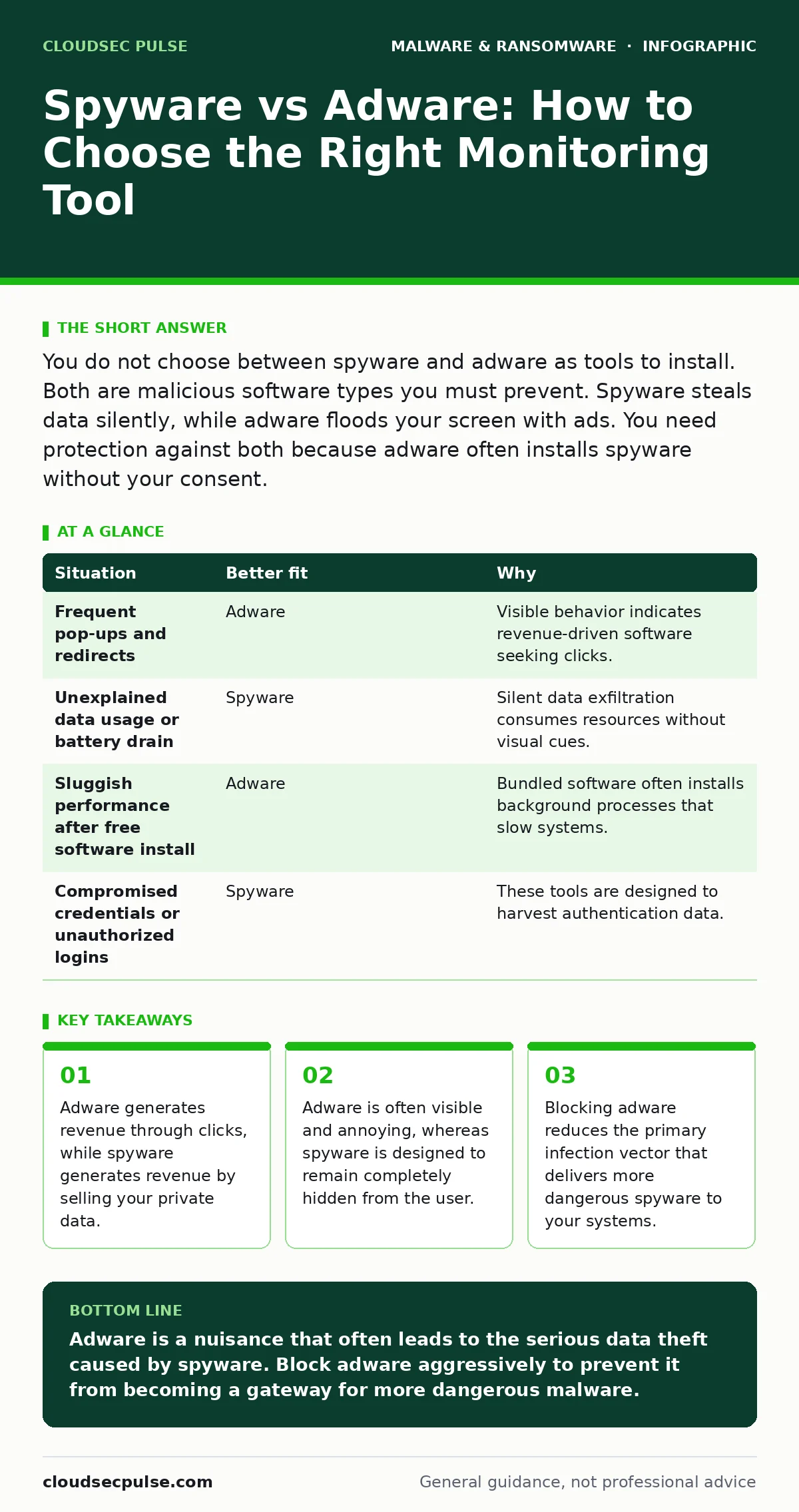
You do not choose between spyware and adware as tools to install. Both are malicious software types you must prevent. Spyware steals data silently, while adware floods your screen with ads. You need protection against both because adware often installs spyware without your consent.
Defining the Threat Models
You must first distinguish the intent behind these two types of malicious software. Adware is software that automatically displays or downloads advertising material when you use your computer. Its primary goal is to generate revenue through click-throughs or impressions. It is often bundled with free software, making it a common, albeit nuisance-heavy, infection.
Spyware, on the other hand, is software that gathers information about a person or organization and sends it to another entity without the user's consent. This data can include passwords, banking details, and browsing history. While adware wants your attention, spyware wants your silence. Understanding this difference is the first step in securing your environment.
The Visibility Trade-Off
The deciding factor between these threats is visibility. Adware typically announces its presence through pop-up windows, redirected browser pages, and excessive notifications. You know it is there because it disrupts your workflow. This visibility allows you to identify and remove it relatively quickly using standard security tools or manual uninstallation.
Spyware operates in the shadows. It does not want you to know it is present. It may run silently in the background, consuming system resources and exfiltrating data over your network connection. Because it lacks the intrusive behavior of adware, you might not notice an infection until sensitive data is already compromised. This stealth makes spyware significantly more dangerous to your business continuity.
Infection Vectors and Entry Points
How the software enters your system dictates your defense strategy. Adware often arrives through social engineering. You might download a "free" utility that includes adware as a secondary payload. This is common with shareware and cracked applications. The user consents to the installation, often skipping through terms of service, inadvertently accepting the adware.
Spyware frequently exploits technical vulnerabilities. It can arrive via macro malware embedded in documents, or through unpatched software flaws. It does not always require user interaction once the initial vulnerability is exploited. This is why keeping your systems updated is a defense against spyware, whereas careful reading of installation prompts is a defense against adware.
Financial Impact and Operational Cost
Consider the cost of each threat. Adware costs you time. It slows down your computer by consuming memory and processing power. It also costs you focus, as constant interruptions break your concentration. For a small business, this lost productivity adds up, but it is rarely catastrophic.
Spyware costs you trust and money directly. If spyware captures customer credit card numbers or employee login credentials, the financial fallout can be severe. You may face regulatory fines, legal fees, and the loss of client confidence. The cost of remediation for a spyware breach far exceeds the minor inconvenience of adware.
| Situation | Better fit | Why |
|---|---|---|
| Frequent pop-ups and redirects | Adware | Visible behavior indicates revenue-driven software seeking clicks. |
| Unexplained data usage or battery drain | Spyware | Silent data exfiltration consumes resources without visual cues. |
| Sluggish performance after free software install | Adware | Bundled software often installs background processes that slow systems. |
| Compromised credentials or unauthorized logins | Spyware | These tools are designed to harvest authentication data. |
When to Treat Them as a Single Problem
In many cases, you do not choose one over the other because they are linked. Adware serves as a delivery mechanism for spyware. A seemingly harmless adware installation may include a component that checks for updates from a malicious server. These "updates" can then install spyware on your machine.
This progression means that ignoring adware increases your risk of spyware infection. You must treat adware as a precursor threat. By blocking adware, you remove the foothold that more sophisticated malware needs to establish itself. This layered approach is critical for maintaining a secure environment.
See also: Signature-Based Detection Mistakes That Leave Systems Exposed · Fileless Malware Prevention Checklist: Defend Memory and Scripts
Implementing Effective Defenses
Your defense strategy must address both vectors. Use reputable security software that detects and blocks both adware and spyware. Ensure your operating system and applications are always updated to patch vulnerabilities that spyware might exploit.
Educate your team to recognize social engineering tactics. Users should be trained to read installation prompts carefully and avoid downloading software from untrusted sources. This human layer of defense is your best protection against the initial adware infection that could lead to deeper compromise.
Long-Term Maintenance and Review
Security is not a one-time event. You must regularly review your security logs and system performance. Look for unusual network activity or new processes running in the background. These signs may indicate spyware that has evaded initial detection.
Also, review your software procurement policies. Ensure that only approved software is installed on company devices. This reduces the risk of accidental adware installation. By maintaining strict control over what runs on your systems, you reduce the attack surface for both adware and spyware.
Key takeaways
- Adware generates revenue through clicks, while spyware generates revenue by selling your private data.
- Adware is often visible and annoying, whereas spyware is designed to remain completely hidden from the user.
- Blocking adware reduces the primary infection vector that delivers more dangerous spyware to your systems.
Adware is a nuisance that often leads to the serious data theft caused by spyware. Block adware aggressively to prevent it from becoming a gateway for more dangerous malware.
Frequently asked questions
Can antivirus software remove both adware and spyware?
Most modern antivirus solutions detect and remove both, but specialized anti-malware tools may be more effective against stubborn adware.
Is adware considered a virus?
No, adware is not a virus. It does not self-replicate like **computer worms** do, but it is still classified as malicious software.
How do I know if I have spyware?
Look for slow performance, unexpected pop-ups, changes to your browser settings, or unexplained network activity.
Does macOS have spyware and adware?
Yes, **Mac malware** includes both adware and spyware, so Mac users must also maintain strong security practices.
How this guide was produced: written by the CloudSec Pulse editorial team with AI assistance, checked against the public references listed below, and reviewed when the facts change. See our editorial policy or report an error.