Fileless Malware Prevention Checklist: Defend Memory and Scripts
Fileless malware hides in system memory and legitimate tools, making traditional antivirus signatures ineffective against these stealthy intrusions.

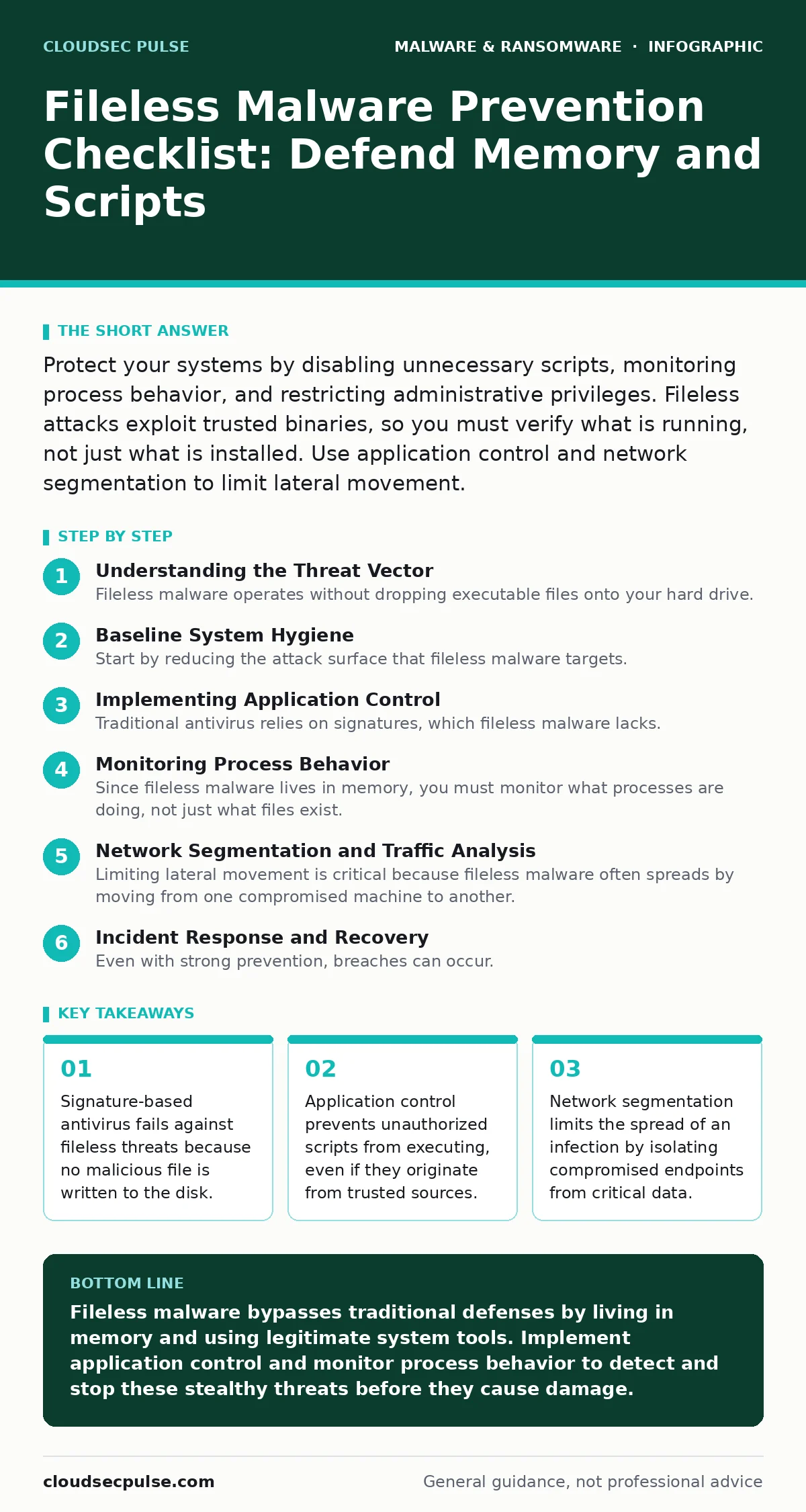
Protect your systems by disabling unnecessary scripts, monitoring process behavior, and restricting administrative privileges. Fileless attacks exploit trusted binaries, so you must verify what is running, not just what is installed. Use application control and network segmentation to limit lateral movement.
Understanding the Threat Vector
Fileless malware operates without dropping executable files onto your hard drive. Instead, it uses legitimate system tools like PowerShell or Windows Management Instrumentation to execute malicious code directly in memory. This technique bypasses traditional security controls that scan for known file hashes. You face a threat that leaves almost no forensic trail on the storage medium. The attacker relies on the trust the operating system places in its own utilities.
Imagine a scenario where a user clicks a malicious link in an email. The link downloads a small script that invokes PowerShell to download and run a payload in RAM. The script deletes itself immediately after execution. Your antivirus software scans the disk, finds nothing suspicious, and reports the system as clean. The infection persists in memory until the device reboots.
Baseline System Hygiene
Start by reducing the attack surface that fileless malware targets. Unnecessary features provide entry points for attackers to inject code. Disabling these features removes the tools attackers need to execute their payloads. This step requires administrative access and careful testing to ensure business operations continue smoothly.
- Disable PowerShell on non-administrative workstations: Prevents attackers from using this powerful scripting language to run commands without detection.
- Remove unnecessary software and plugins: Reduces the number of potential vulnerabilities that malware could exploit to gain initial access.
- Patch operating systems and applications immediately: Closes known security holes that fileless malware often uses to bypass standard defenses.
- Restrict USB device usage: Stops attackers from using physical media to introduce malicious scripts into isolated network segments.
Implementing Application Control
Traditional antivirus relies on signatures, which fileless malware lacks. Application control takes a different approach by allowing only approved applications to run. Any process that is not on the allow list is blocked, regardless of its origin. This method is highly effective against fileless attacks because it stops the execution of unauthorized scripts.
- Deploy allow-listing software on all endpoints: Blocks execution of any program not explicitly approved by your security policy.
- Monitor script execution logs: Detects anomalies in how legitimate scripts are being used, such as unusual timing or frequency.
- Restrict administrative privileges to essential staff: Limits the ability of malware to escalate permissions and modify system settings.
- Validate digital signatures of all executables: Ensures that the software running on your devices has not been tampered with by attackers.
Monitoring Process Behavior
Since fileless malware lives in memory, you must monitor what processes are doing, not just what files exist. Behavioral analysis looks for unusual patterns in how applications interact with the system. For example, a web browser launching a command prompt is highly suspicious. This approach requires advanced endpoint detection and response solutions.
- Enable detailed logging for process creation: Captures the command line arguments used to start each process, revealing hidden malicious intent.
- Alert on parent-child process anomalies: Flags when a process launches another process in an unexpected way, such as Office launching PowerShell.
- Monitor network connections from unexpected sources: Detects when a local process attempts to communicate with external servers it should not contact.
- Review memory dumps for suspicious activity: Identifies malicious code residing in RAM that does not exist on the disk.
Network Segmentation and Traffic Analysis
Limiting lateral movement is critical because fileless malware often spreads by moving from one compromised machine to another. Network segmentation divides your infrastructure into smaller, isolated zones. If one zone is compromised, the attacker cannot easily reach other zones. This containment strategy reduces the overall impact of an incident.
- Segment networks by function or sensitivity: Prevents attackers from moving freely between departments or accessing critical data from general workstations.
- Inspect outbound traffic for data exfiltration: Detects when compromised systems attempt to send stolen data to external command and control servers.
- Use DNS filtering to block malicious domains: Stops endpoints from connecting to known bad servers that host malicious scripts or payloads.
- Monitor internal traffic for lateral movement: Identifies when a compromised host attempts to scan or connect to other devices on the network.
See also: IoT Device Vulnerabilities: Questions Answered for Secure Networks · Managed Detection and Response Misunderstandings and Correct Views
Incident Response and Recovery
Even with strong prevention, breaches can occur. You need a plan to detect, contain, and recover from fileless malware infections. Because these attacks leave little trace, traditional forensics may not be enough. You must rely on memory analysis and behavioral logs to understand the scope of the compromise.
- Maintain offline backups of critical data: Ensures you can restore systems without paying ransoms or relying on potentially compromised network storage.
- Train staff to recognize phishing attempts: Reduces the likelihood of initial infection by preventing users from clicking malicious links or opening suspicious attachments.
- Conduct regular security audits: Identifies gaps in your defenses and ensures that your security policies are being followed correctly.
- Update incident response plans regularly: Ensures your team knows how to handle new types of threats, including fileless malware and polymorphic malware.
Key takeaways
- Signature-based antivirus fails against fileless threats because no malicious file is written to the disk.
- Application control prevents unauthorized scripts from executing, even if they originate from trusted sources.
- Network segmentation limits the spread of an infection by isolating compromised endpoints from critical data.
Fileless malware bypasses traditional defenses by living in memory and using legitimate system tools. Implement application control and monitor process behavior to detect and stop these stealthy threats before they cause damage.
Frequently asked questions
Can antivirus software detect fileless malware?
Traditional antivirus software struggles to detect fileless malware because it relies on file signatures. Advanced solutions that use behavioral analysis and memory scanning are more effective at identifying these threats.
How do I know if my system is infected with fileless malware?
Look for unusual process behavior, such as legitimate tools launching unexpected commands or making strange network connections. Monitor for high CPU usage or memory spikes that do not correlate with normal activity.
Is fileless malware easier to remove than traditional malware?
Fileless malware can be harder to remove because it leaves no files on the disk. You often need to reboot the system to clear the memory, but you must also address the root cause to prevent reinfection.
Does network segmentation stop fileless malware?
Network segmentation does not prevent initial infection, but it limits the spread of fileless malware. By isolating network zones, you prevent attackers from moving laterally to access critical systems and data.
How this guide was produced: written by the CloudSec Pulse editorial team with AI assistance, checked against the public references listed below, and reviewed when the facts change. See our editorial policy or report an error.