Windows Privilege Escalation: Step-by-Step Mechanics and Mitigation
Windows privilege escalation exploits misconfigurations and code flaws to bypass security boundaries, allowing standard users to gain administrative control over the system.

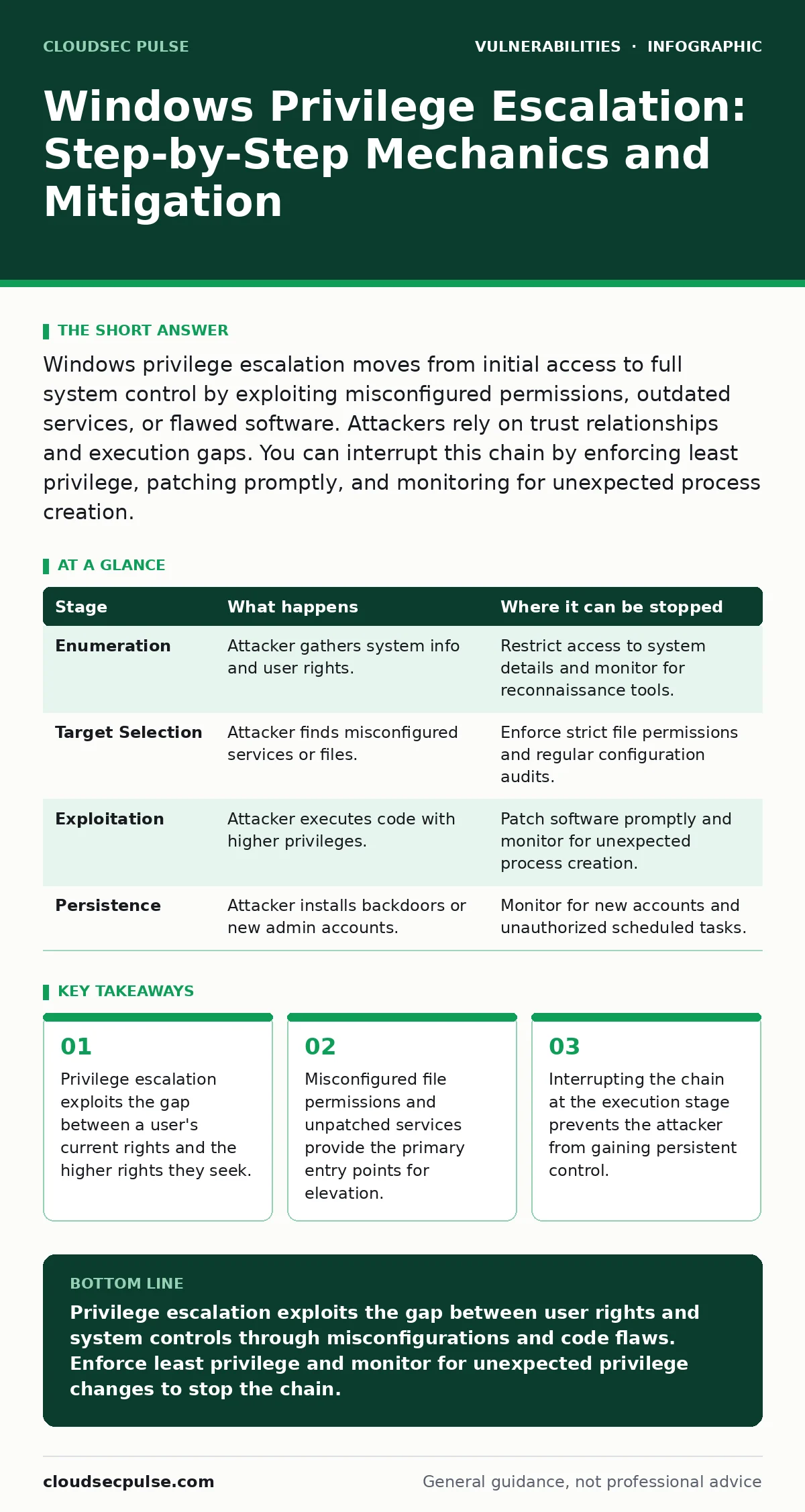
Windows privilege escalation moves from initial access to full system control by exploiting misconfigured permissions, outdated services, or flawed software. Attackers rely on trust relationships and execution gaps. You can interrupt this chain by enforcing least privilege, patching promptly, and monitoring for unexpected process creation.
Initial Access and Enumeration
The attack begins when an adversary gains a foothold on a Windows system with limited rights. This initial access might come from a phishing email, a compromised remote desktop session, or a web application flaw. The attacker does not yet control the machine. They only have a standard user account or a service account with restricted permissions.
The first objective is information gathering. The attacker runs commands to understand the environment. They check the operating system version, installed patches, running services, and current user privileges. This enumeration phase is silent. It leaves few traces in standard logs. The attacker looks for discrepancies between what the system should allow and what it actually permits.
Identifying the Attack Surface
With environmental data, the attacker maps the attack surface. They look for specific weaknesses that allow moving up the privilege ladder. Common targets include services running as administrators, scheduled tasks with loose permissions, and files that any user can modify. The attacker relies on the principle of least privilege being violated. If a standard user can write to a directory that an admin process reads, the path is open.
The flaw often relies on human error during configuration. An administrator might install software without restricting folder permissions. A developer might leave debug modes enabled in production. These mistakes create hidden doors. The attacker does not need to break encryption or guess passwords. They simply walk through the door left ajar by misconfiguration.
Exploiting Service Misconfigurations
Many Windows services run with high privileges to perform system tasks. If these services are poorly configured, they become prime targets. An attacker might find a service that loads a binary from a directory where standard users can write files. By replacing the legitimate binary with a malicious one, the attacker tricks the service into executing their code.
This technique relies on the service restarting or being triggered. The attacker waits for the execution window. When the service runs, it loads the malicious file with administrative rights. The attacker now has a new process running as an administrator. This stage is critical because it bridges the gap between low and high privileges.
| Stage | What happens | Where it can be stopped |
|---|---|---|
| Enumeration | Attacker gathers system info and user rights. | Restrict access to system details and monitor for reconnaissance tools. |
| Target Selection | Attacker finds misconfigured services or files. | Enforce strict file permissions and regular configuration audits. |
| Exploitation | Attacker executes code with higher privileges. | Patch software promptly and monitor for unexpected process creation. |
| Persistence | Attacker installs backdoors or new admin accounts. | Monitor for new accounts and unauthorized scheduled tasks. |
Leveraging Token Manipulation
Windows uses access tokens to define what a process can do. These tokens contain the user's identity and group memberships. Sometimes, a process inherits a token that has more rights than necessary. An attacker might exploit a flaw in how these tokens are handled. This is known as token manipulation.
The attacker copies the high-privilege token from a parent process and attaches it to their own shell. This allows them to act as the high-privilege user without needing to authenticate again. This technique relies on the operating system failing to properly validate token inheritance. It is a subtle flaw that often goes undetected by basic antivirus software.
Exploiting Kernel Vulnerabilities
When user-space tricks fail, attackers target the kernel. The kernel is the core of the operating system and runs with the highest privileges. Flaws in kernel drivers or memory management can allow an attacker to execute code in the kernel space. This is often called a kernel exploit.
These exploits are complex and specific to the Windows version. They often involve memory corruption techniques like buffer overflows. If successful, the attacker gains complete control over the system. This stage is dangerous because it bypasses most security controls. The system trusts the kernel implicitly. A flaw here means the entire security model collapses.
Establishing Persistence and Control
After gaining high privileges, the attacker ensures they can return. They create new administrator accounts, modify registry keys, or install rootkits. This stage is about survival. If the system reboots, the attacker needs a way back in. They might add their code to startup folders or scheduled tasks.
This persistence relies on the attacker having write access to critical system areas. If the attacker failed to secure these areas, the admin might remove the backdoor. However, with administrative rights, the attacker can disable security software and delete logs. This makes detection difficult. The attack is now complete, and the system is compromised.
Interrupting the Escalation Chain
You can stop this process at multiple stages. The most effective defense is prevention. Apply patches immediately. Misconfigurations are often the easiest to fix. Review file permissions regularly. Ensure that only necessary services run with administrative rights.
Monitoring is also key. Look for unusual process creation. A standard user account spawning a process that runs as an administrator is a red flag. Use tools that track token manipulation. These events are rare in normal operations. Detecting them early allows you to isolate the system before the attacker establishes persistence.
The Hidden Cost of Convenience
Administrators often prioritize ease of use over security. They leave default accounts active or use weak passwords for convenience. This convenience becomes a hidden cost. It provides attackers with easy targets. The trade-off is clear: convenience reduces security.
You must accept the friction of strict security measures. Enforcing least privilege means more clicks for administrators. It means more time configuring permissions. But this friction stops attackers from moving laterally. It forces them to work harder. Most attackers will move on to easier targets if the effort is too high.
Beyond Basic Patching
Patching is necessary but not sufficient. Many privilege escalation attacks exploit misconfigurations rather than code flaws. You need a holistic approach. This includes configuration management, access control reviews, and continuous monitoring.
Consider the concept of exposure management. It involves understanding all your assets and their configurations. It helps you identify misconfigurations before attackers do. By reducing your exposure, you make privilege escalation harder. You force attackers to rely on complex, rare exploits rather than simple mistakes.
Key takeaways
- Privilege escalation exploits the gap between a user's current rights and the higher rights they seek.
- Misconfigured file permissions and unpatched services provide the primary entry points for elevation.
- Interrupting the chain at the execution stage prevents the attacker from gaining persistent control.
Privilege escalation exploits the gap between user rights and system controls through misconfigurations and code flaws. Enforce least privilege and monitor for unexpected privilege changes to stop the chain.
Frequently asked questions
How do attackers find privilege escalation vulnerabilities?
Attackers use automated tools to scan for misconfigured services, loose file permissions, and outdated software versions that are known to have elevation flaws.
Can privilege escalation happen on a patched system?
Yes, if the system is misconfigured. Attackers can exploit loose permissions on files or services even if the operating system itself is fully updated.
What is the difference between local and remote privilege escalation?
Local privilege escalation requires the attacker to already have access to the system. Remote privilege escalation allows gaining higher rights from outside the network.
How can small businesses prevent privilege escalation?
Enforce least privilege, patch systems regularly, and monitor for unusual process creation. Avoid using administrator accounts for daily tasks.
How this guide was produced: written by the CloudSec Pulse editorial team with AI assistance, checked against the public references listed below, and reviewed when the facts change. See our editorial policy or report an error.