Domain Spoofing Response: Containment, Recovery, and Prevention Steps
Spoofing exploits protocol weaknesses rather than hacking your server, meaning standard perimeter defenses often fail to stop the initial deception.
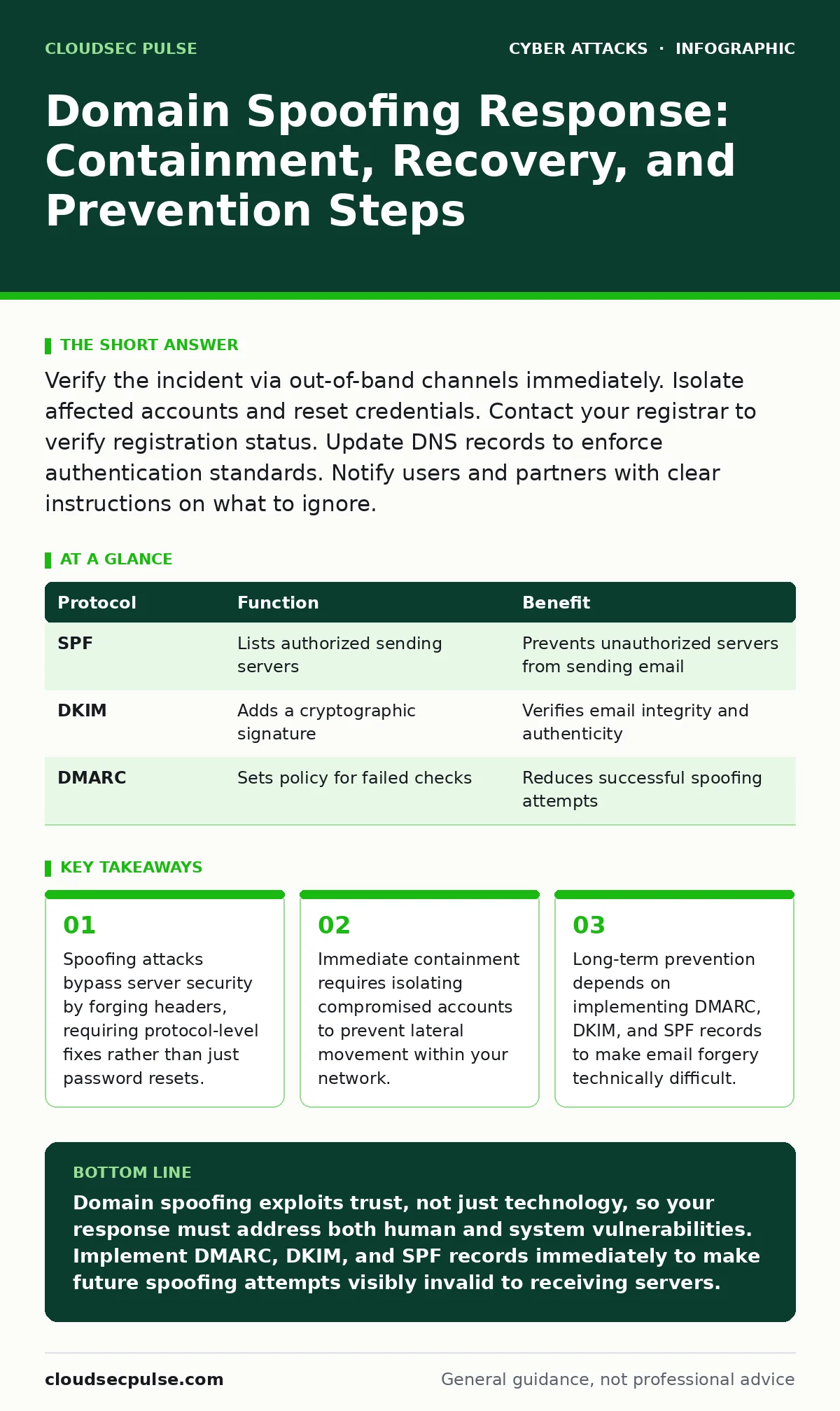
Verify the incident via out-of-band channels immediately. Isolate affected accounts and reset credentials. Contact your registrar to verify registration status. Update DNS records to enforce authentication standards. Notify users and partners with clear instructions on what to ignore.
Verify the Incident Source
When you suspect domain spoofing, the first step is confirmation. Do not reply to the suspicious email or click any links within it. Spoofing involves an attacker forging the sender address to make an email appear as if it originated from your domain or a trusted partner. This technique relies on the lack of strict verification in older email protocols.
You must verify the incident through an independent channel. Call the alleged sender using a known phone number or visit their official website directly. Do not use contact details found in the suspicious message. This confirms whether the message is a genuine error or a malicious attempt at deception.
First Hour: Isolate and Assess
The first hour is critical for limiting damage. You need to determine the scope of the breach and stop any active exploitation. If an employee has already clicked a link or downloaded an attachment, the threat may have moved beyond email into your internal network.
- Isolate affected devices from the network immediately. Disconnect them from Wi-Fi and Ethernet to prevent data exfiltration or lateral movement.
- Identify all accounts that may have been compromised. Check for unusual login locations or times in your administration console.
- Disable compromised accounts temporarily. This stops attackers from using stolen credentials to access sensitive data or send further malicious messages.
- Disconnect infected devices from the network
- Identify and disable compromised user accounts
- Preserve logs and evidence for later analysis
Contain the Lateral Threat
Once isolated, you must assess what the attacker accessed. Spoofing is often the initial vector for more complex attacks. If the spoofed email contained malware, you are now dealing with an intrusion. If it was a social engineering attempt, the risk is credential theft or financial fraud.
Check your email logs for outbound messages sent from compromised accounts. Attackers often use these accounts to send phishing emails to your contacts, expanding the attack surface. Look for messages sent to large distribution lists or external partners. Quarantine these messages if your email system allows it to prevent further spread.
This stage requires a calm and methodical approach. Panic leads to missed details. Document every action you take, including timestamps and the names of personnel involved. This documentation is vital for forensic analysis and insurance claims if necessary.
First Day: Reset and Restore
On the first day, focus on restoring security to your accounts and systems. You must change all passwords for compromised accounts and any accounts that share the same credentials. Use unique, strong passwords for each service. Enable multi-factor authentication everywhere it is available. This adds a layer of security that passwords alone cannot provide.
Scan all affected devices for malware. Use updated antivirus software and specialized removal tools if necessary. If the malware is deeply embedded, you may need to wipe the devices and restore from clean backups. Ensure your backups are from before the compromise occurred to avoid reintroducing the threat.
Review your firewall rules and network configurations. Attackers may have opened ports or created backdoors to maintain access. Close any unauthorized connections and update your firewall rules to block known malicious IP addresses. This helps prevent the attacker from returning through the same route.
Recover DNS and Email Reputation
Domain spoofing can damage your email reputation. If attackers sent spam or phishing emails from your domain, internet service providers may block your legitimate emails. You need to contact your domain registrar and email service provider to report the abuse. They can help verify your domain ownership and remove any malicious records.
Check your DNS records for unauthorized changes. Attackers may have added new MX records or modified SPF records to facilitate further spoofing. Revert any unauthorized changes and ensure your records match your intended configuration. This restores the integrity of your domain’s email sending capabilities.
Notify Stakeholders and Partners
Transparency is key to maintaining trust. Inform your employees, customers, and partners about the incident. Explain what happened, what data was at risk, and what steps you are taking to secure your systems. Provide clear instructions on what they should do if they received a suspicious email.
Ask them to delete any suspicious messages and report them to your IT team. This helps you gauge the extent of the attack and identify any further compromised accounts. Encourage them to remain vigilant for follow-up attempts, as attackers may try to exploit the confusion.
If financial data was involved, you may need to notify relevant authorities or credit monitoring services. Follow legal requirements for data breach notification in your jurisdiction. This protects you from liability and demonstrates your commitment to security.
First Week: Prevent Recurrence
The final phase focuses on long-term prevention. You must implement technical controls to make spoofing more difficult. Start by configuring SPF, DKIM, and DMARC records. These protocols allow receiving servers to verify that emails claiming to be from your domain are authorized.
SPF specifies which servers are allowed to send email for your domain. DKIM adds a digital signature to your emails, ensuring they have not been altered in transit. DMARC tells receiving servers what to do with emails that fail SPF or DKIM checks, such as rejecting them or marking them as spam.
| Protocol | Function | Benefit |
|---|---|---|
| SPF | Lists authorized sending servers | Prevents unauthorized servers from sending email |
| DKIM | Adds a cryptographic signature | Verifies email integrity and authenticity |
| DMARC | Sets policy for failed checks | Reduces successful spoofing attempts |
Implementing these records takes time and technical expertise. Consider consulting with a security professional if you are unsure. This investment pays off by reducing the risk of future spoofing attacks.
Analyze and Improve Defenses
After the incident is resolved, conduct a thorough review. Identify what failed and what worked. Did your employees recognize the spoofed email? Did your filters catch the malicious content? Use these insights to improve your security posture.
Update your security awareness training to include recent examples. Teach employees how to identify spoofed emails, such as checking the sender’s address carefully and looking for subtle discrepancies. Regular training keeps security top of mind and reduces the likelihood of human error.
Review your incident response plan. Did it cover all aspects of the attack? Are there gaps in your detection or containment procedures? Update the plan to reflect lessons learned. A living document that evolves with your threats is more effective than a static one.
Consider related threats like business email compromise, where attackers impersonate executives to request urgent transfers. Understanding how spoofing fits into broader attack patterns helps you build a more resilient defense. See our guide on business email compromise for more details on financial fraud prevention.
Also, review your overall security strategy. A single layer of defense is rarely enough. Combining technical controls with user education and regular audits creates a robust security posture. For a broader view, see our guide on defense in depth.
Key takeaways
- Spoofing attacks bypass server security by forging headers, requiring protocol-level fixes rather than just password resets.
- Immediate containment requires isolating compromised accounts to prevent lateral movement within your network.
- Long-term prevention depends on implementing DMARC, DKIM, and SPF records to make email forgery technically difficult.
Domain spoofing exploits trust, not just technology, so your response must address both human and system vulnerabilities. Implement DMARC, DKIM, and SPF records immediately to make future spoofing attempts visibly invalid to receiving servers.
Frequently asked questions
How can I tell if an email is spoofed?
Check the sender’s email address carefully for subtle misspellings or extra characters. Look at the actual header information, not just the display name, and verify unexpected requests through a separate communication channel.
Does using a secure email provider prevent spoofing?
No, because spoofing happens at
How this guide was produced: written by the CloudSec Pulse editorial team with AI assistance, checked against the public references listed below, and reviewed when the facts change. See our editorial policy or report an error.