Incident Triage Mistakes That Worsen Breaches and How to Fix Them
Most teams fail because they prioritize speed over evidence preservation, allowing attackers to erase their tracks while you scramble to contain the noise.

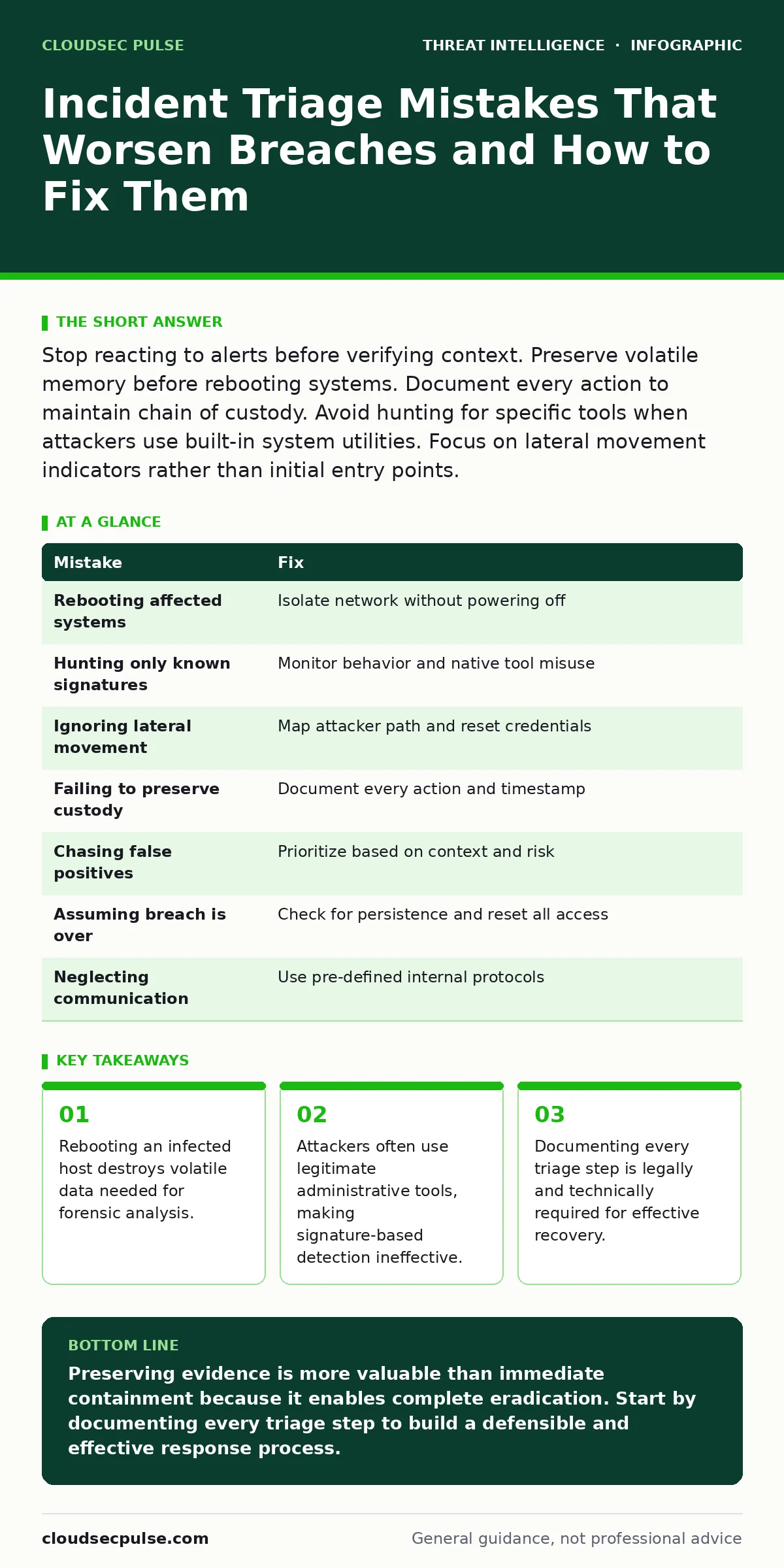
Stop reacting to alerts before verifying context. Preserve volatile memory before rebooting systems. Document every action to maintain chain of custody. Avoid hunting for specific tools when attackers use built-in system utilities. Focus on lateral movement indicators rather than initial entry points.
Mistake 1: Rebooting the Affected System Immediately
Why it hurts:
You instinctively want to cut the attacker’s connection. Rebooting a compromised host is the fastest way to achieve that. It also wipes the random access memory. RAM holds encryption keys, active network connections, and running process lists. Once the power cycles, this volatile data vanishes. You lose the ability to see exactly what the attacker was doing at that precise moment. This makes it nearly impossible to determine the full scope of the compromise.
The fix:
Isolate the system from the network without powering it off. Disconnect the Ethernet cable or disable the wireless adapter. This stops data exfiltration and command-and-control communication. The system remains on, preserving the state of memory. Capture a memory dump if your tools allow it. This snapshot becomes the primary source for digital forensics and incident response. It allows analysts to reconstruct the attack timeline later.
Mistake 2: Hunting Only for Known Malware Signatures
Why it hurts:
Many teams rely on antivirus scanners to find the bad file. Modern threats often avoid using known malicious binaries. They use living-off-the-land attacks instead. These attacks exploit legitimate tools already installed on your systems. PowerShell, WMI, and Python are standard on most Windows and Linux servers. When an attacker uses these native tools, they look like normal administrative activity. Signature-based scanners see nothing wrong. The threat persists while you believe the system is clean.
The fix:
Shift your focus from file hashes to behavior. Monitor for abnormal command-line arguments. Look for PowerShell scripts encoding data or WMI queries running at odd hours. Implement Sysmon to log process creation and network connections. This tool records detailed events that standard logs miss. Configure alerts for rare or unexpected parent-child process relationships. For example, a web server process spawning a command shell is highly suspicious. This behavioral approach catches misuse of legitimate tools.
Mistake 3: Ignoring Lateral Movement Indicators
Why it hurts:
Finding the initial entry point feels like winning. You patch the vulnerability and feel safe. The attacker often enters through one weak node. They then move laterally to reach high-value targets. They steal credentials and jump to other servers. Focusing only on the initial breach leaves the rest of your network exposed. The attacker is already inside, waiting for you to notice. You have not contained the incident; you have only addressed the door they used.
The fix:
Map the attacker’s path after the initial compromise. Look for repeated failed login attempts followed by success. Check for new administrative accounts created on remote servers. Analyze authentication logs across your entire infrastructure. Use user and entity behavior analytics to spot deviations from normal user activity. A service account logging in from a new location is a red flag. Contain the spread by resetting credentials for all accounts involved. Verify that no persistent backdoors remain on other hosts.
Mistake 4: Failing to Preserve Chain of Custody
Why it hurts:
You treat incident response as a technical exercise. You skip documentation to save time. This creates a gap in the record. If legal action is required later, evidence must be admissible. Courts require a clear chain of custody. This proves the evidence was not altered or tampered with. Without detailed logs, your evidence is worthless. You cannot prove what happened or who did it. This leaves your organization vulnerable to liability and regulatory fines.
The fix:
Document every action from the moment you suspect a breach. Record timestamps, usernames, and specific commands run. Note who had access to the evidence. Store logs in a secure, append-only system. This prevents accidental or malicious alteration. Treat every screenshot and log export as legal evidence. Consistency in documentation builds a defensible case. It also helps your team learn from the incident. Clear records improve future response efforts.
Mistake 5: Chasing False Positives Without Context
Why it hurts:
Alert fatigue sets in quickly. Your security information and event management system fires dozens of alerts daily. Many are noise. You investigate every single one with equal intensity. This wastes time on benign activities. Real threats get buried under false positives. You miss the subtle indicators of a sophisticated attack. The attacker knows you are distracted by noise. They operate quietly while you chase ghosts.
The fix:
Prioritize alerts based on risk and context. Not all anomalies are threats. A user accessing a file outside business hours might be working late. Check for corroborating evidence before escalating. Look for multiple signals pointing to the same event. Combine network logs with endpoint data. Use MITRE D3FEND techniques to map alerts to known adversary behaviors. This framework helps you understand the intent behind the activity. Focus your efforts on high-fidelity indicators.
See also: Tabletop Exercises: Real Benefits and Hidden Costs · Digital Forensics and Incident Response: 8 Field-Proven Practices
Mistake 6: Assuming the Breach is Over After Containment
Why it hurts:
You isolate the infected server and feel relieved. You assume the threat is gone. Attackers often plant multiple backdoors. They use different methods to maintain access. If you only remove the primary malware, the secondary access remains. The attacker returns days or weeks later. They have already mapped your network. They know your defenses. This leads to prolonged exposure and greater damage.
The fix:
Conduct a thorough post-incident review. Do not just restore from backups. Verify that no persistent mechanisms remain. Check for scheduled tasks, startup items, and modified configuration files. Look for new user accounts or changed permissions. Assume the attacker has full access until proven otherwise. Reset all credentials, including service accounts. Monitor the network closely for several weeks. Look for any signs of re-entry. This persistence check is critical for long-term security.
Mistake 7: Neglecting Internal Communication Protocols
Why it hurts:
You handle the technical response in silence. You do not inform internal stakeholders. Legal, HR, and executive teams are left in the dark. This causes confusion and delays. Decisions about customer notification or legal action are postponed. Misinformation spreads through the organization. Employees may inadvertently destroy evidence by talking to customers. Lack of coordination weakens your response. It also damages trust in your security team.
The fix:
Establish a clear communication plan before an incident occurs. Define roles and responsibilities for each department. Who speaks to the media? Who contacts law enforcement? Ensure everyone knows their part. Communicate facts, not speculation. Provide regular updates to keep stakeholders aligned. This coordination ensures a unified response. It also protects the organization legally and reputationally. Clear communication reduces panic and improves decision-making.
| Mistake | Fix |
|---|---|
| Rebooting affected systems | Isolate network without powering off |
| Hunting only known signatures | Monitor behavior and native tool misuse |
| Ignoring lateral movement | Map attacker path and reset credentials |
| Failing to preserve custody | Document every action and timestamp |
| Chasing false positives | Prioritize based on context and risk |
| Assuming breach is over | Check for persistence and reset all access |
| Neglecting communication | Use pre-defined internal protocols |
Key takeaways
- Rebooting an infected host destroys volatile data needed for forensic analysis.
- Attackers often use legitimate administrative tools, making signature-based detection ineffective.
- Documenting every triage step is legally and technically required for effective recovery.
Preserving evidence is more valuable than immediate containment because it enables complete eradication. Start by documenting every triage step to build a defensible and effective response process.
Frequently asked questions
How do I know if an alert is a false positive?
Corroborate the alert with data from other sources. Check if the activity matches known user behavior or scheduled tasks. Look for additional indicators of compromise to confirm the threat.
What is the first step in incident triage?
Verify the alert and isolate the affected system. Do not reboot or disconnect power. Preserve the state of the system for forensic analysis.
Can I use automated tools for triage?
Yes, but they require careful tuning. Automated tools can speed up initial assessment. Human analysis is still needed to interpret context and complex behaviors.
How long should I monitor after an incident?
Monitor for at least several weeks. Attackers may return using different methods. Extended monitoring helps detect persistent threats and new entry attempts.
How this guide was produced: written by the CloudSec Pulse editorial team with AI assistance, checked against the public references listed below, and reviewed when the facts change. See our editorial policy or report an error.