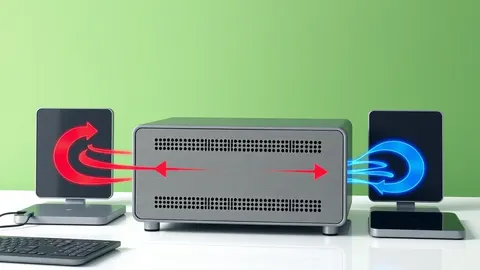
Host Header Injection Response: Recovery and Prevention Steps
Host header injection exploits trust in server configuration, allowing attackers to manipulate email links and cache data without executing code on the server.

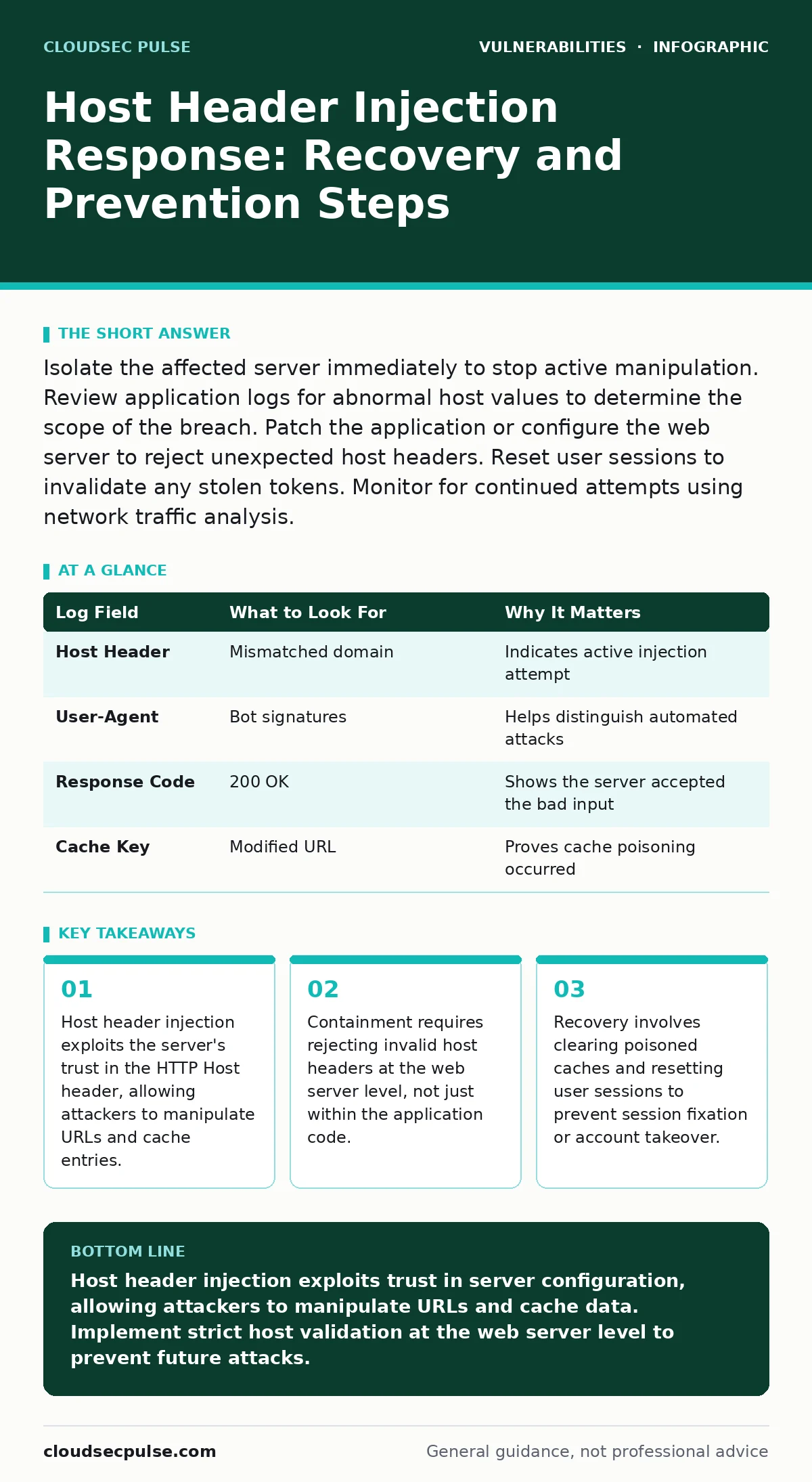
Isolate the affected server immediately to stop active manipulation. Review application logs for abnormal host values to determine the scope of the breach. Patch the application or configure the web server to reject unexpected host headers. Reset user sessions to invalidate any stolen tokens. Monitor for continued attempts using network traffic analysis.
First hour
Immediate containment actions
Host header injection occurs when an application uses the HTTP Host header to construct URLs without validating the input. The attacker sends a request with a malicious host value. The server accepts this value and builds a link or cache key using it. You must stop the flow of manipulated data immediately.
- Isolate the affected application from public traffic.
- Enable strict host header validation at the reverse proxy.
- Capture current request logs to disk for later analysis.
- Disable any dynamic URL generation features temporarily.
The HTTP Host header tells the server which website the client wants to access. Modern web servers use this header to route requests to the correct virtual host. If your application trusts this header blindly, it assumes the value is safe. An attacker can send Host: evil.com to a server at legit.com. If the application generates a password reset link using this host, the link points to evil.com. The user clicks it and sends their credentials to the attacker.
First day
Scope assessment and log analysis
You need to determine how many requests contained malicious host headers. Search your application logs for requests where the Host header did not match the expected domain. Look for variations in case sensitivity or subdomain prefixes. Some attackers use homoglyphs to bypass simple string checks.
| Log Field | What to Look For | Why It Matters |
|---|---|---|
| Host Header | Mismatched domain | Indicates active injection attempt |
| User-Agent | Bot signatures | Helps distinguish automated attacks |
| Response Code | 200 OK | Shows the server accepted the bad input |
| Cache Key | Modified URL | Proves cache poisoning occurred |
Host header injection often leads to cache poisoning. The server stores the manipulated URL in its cache. Other users receive the poisoned link from the cache. This amplifies the impact. You must clear the application cache and any reverse proxy caches. Check for signs of session fixation. If the application uses the host header to set cookies, attackers might steal session tokens.
First week
Code remediation and configuration hardening
Fixing the root cause requires changing how the application handles the Host header. Do not rely on the client-provided header for security-sensitive operations. Use a configuration file or environment variable to define the canonical host. This ensures the application always uses the correct domain, regardless of what the client sends.
You must also update the web server configuration. Configure the reverse proxy to reject requests with unexpected Host headers. Return a 400 Bad Request status for these requests. This stops the attack at the network edge. The application never sees the malicious input. This defense in depth approach protects you even if the application code has flaws.
Consider the implications of vulnerability prioritization. Host header injection is often low severity in automated scans. It does not execute code. However, it enables account takeover and phishing. You must treat it as high severity if it affects authentication flows. The business impact outweighs the technical complexity.
Who to tell
Internal and external notification
You must inform your development team and security operations center. Provide them with the log evidence and the scope assessment. They need to understand the attack vector to fix it properly. Do not send raw logs. Summarize the findings. Highlight the specific endpoints that were vulnerable.
If user data was compromised, you must notify affected users. Tell them what happened and what you did to fix it. Recommend they change their passwords. If you use third-party services, check if they were affected. Some services might have received manipulated requests. Coordinate with them to ensure consistent remediation.
How to stop a repeat
Long-term prevention strategies
Implement strict input validation for all HTTP headers. Do not trust any client-supplied data. Use allowlists for host values. Reject any host that is not on the list. This prevents future injection attempts. You can also use Content Security Policy headers to restrict where resources can load. This limits the damage if an injection occurs.
Regularly review your application code for unsafe URL construction. Look for functions that concatenate user input into URLs. Replace them with safe libraries. Test your application with automated security tools. Simulate host header injection attacks during development. This catches issues before they reach production.
See also: Server-Side Template Injection Prevention Checklist for Secure Code · Output Encoding Checklist: Prevent Injection and Display Errors
Related security considerations
Overlapping vulnerabilities
Host header injection often coexists with other flaws. If your application has insecure file permissions, an attacker might use the injection to write malicious files. If you have logging library vulnerabilities, the injection might trigger a denial of service. You must address these issues together. Fixing one without the others leaves gaps.
Consider the risk of wormable vulnerabilities. While host header injection is not wormable, it can facilitate lateral movement. Attackers use stolen credentials to access other systems. You must monitor for unusual login patterns. Detect and block suspicious activity quickly.
Final recovery steps
Verification and monitoring
After applying fixes, verify that the application rejects malicious host headers. Send test requests with invalid hosts. Ensure the server returns a 400 status. Check that the application uses the correct canonical host for all URLs. Monitor logs for continued attempts. Attackers often retry after a period of silence.
Update your incident response plan. Include specific steps for host header injection. Train your team on the signs of this attack. Regular drills improve your response time. You should also review your SAML authentication bypass protections. If you use SAML, ensure the host header is not used to redirect authentication requests.
Key takeaways
- Host header injection exploits the server's trust in the HTTP Host header, allowing attackers to manipulate URLs and cache entries.
- Containment requires rejecting invalid host headers at the web server level, not just within the application code.
- Recovery involves clearing poisoned caches and resetting user sessions to prevent session fixation or account takeover.
Host header injection exploits trust in server configuration, allowing attackers to manipulate URLs and cache data. Implement strict host validation at the web server level to prevent future attacks.
Frequently asked questions
Can host header injection lead to remote code execution?
No, host header injection typically does not execute code. It manipulates data and URLs. However, it can lead to account takeover or cache poisoning. These outcomes can have severe business impacts.
How do I detect host header injection in logs?
Look for requests where the Host header does not match the expected domain. Check for unusual variations in case or subdomains. Monitor for a high volume of 400 errors after implementing fixes.
Does HTTPS prevent host header injection?
No, HTTPS encrypts the connection but does not validate the Host header. The application still trusts the header value. You must validate the header regardless of the transport protocol.
What is the difference between host header injection and SSRF?
Host header injection manipulates URLs generated by the server. SSRF forces the server to make requests to internal resources. Both abuse server trust but operate differently.
How this guide was produced: written by the CloudSec Pulse editorial team with AI assistance, checked against the public references listed below, and reviewed when the facts change. See our editorial policy or report an error.