Medical Device Vulnerability Response: Steps to Contain and Recover
Disconnecting medical devices from the network without proper isolation often causes greater operational harm than the vulnerability itself during an active incident.
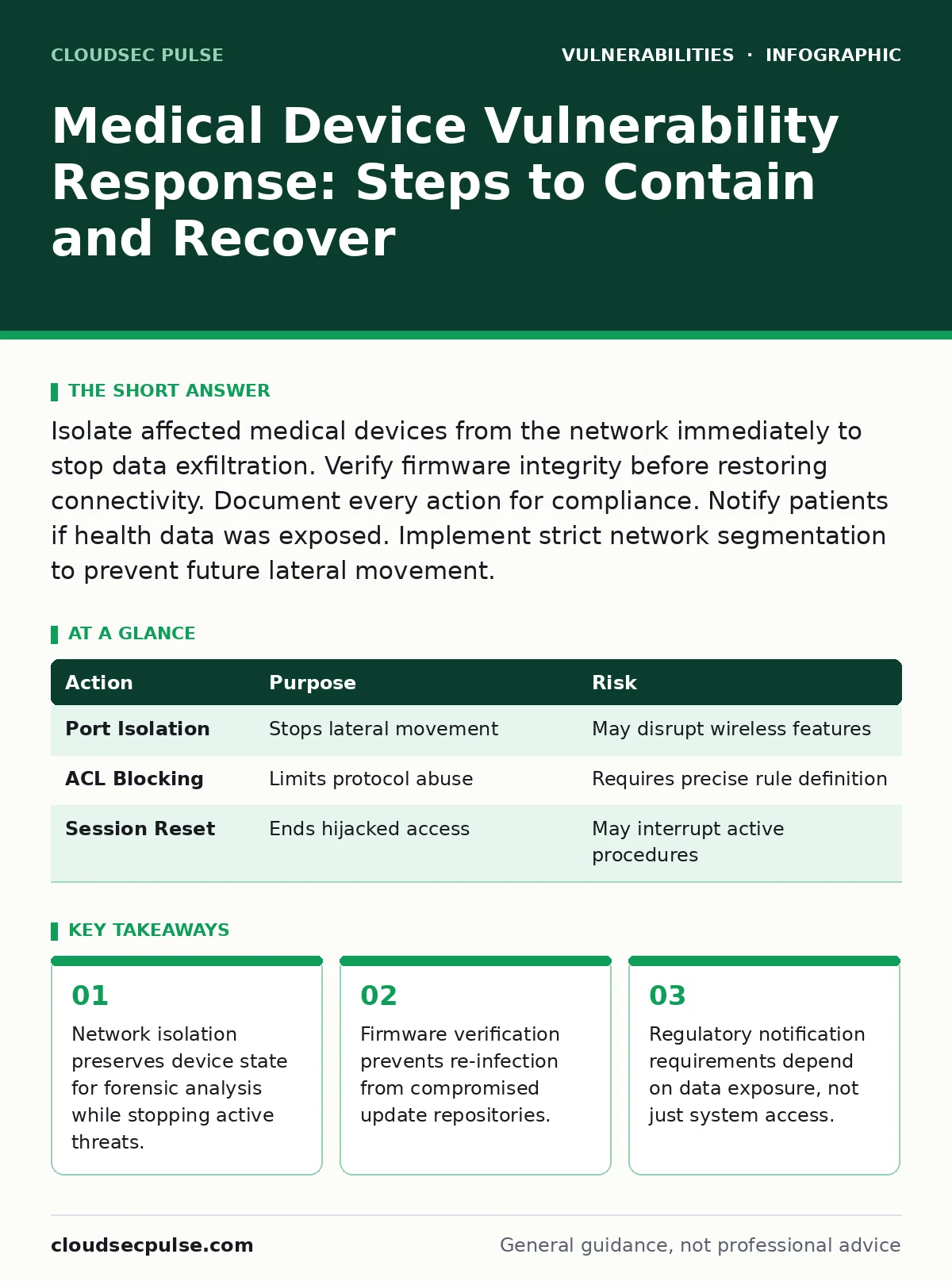
Isolate affected medical devices from the network immediately to stop data exfiltration. Verify firmware integrity before restoring connectivity. Document every action for compliance. Notify patients if health data was exposed. Implement strict network segmentation to prevent future lateral movement.
Initial Assessment and Triage
Medical device vulnerabilities often manifest as unexpected network traffic or unresponsive interfaces. You must determine if the device is actively communicating with unauthorized servers. This distinction dictates your immediate response. A silent infection allows attackers to harvest patient data, while a noisy one may trigger alerts. Check the device’s network logs for outbound connections to unknown domains. Look for changes in configuration files that indicate privilege escalation. Do not assume the device is safe simply because clinical functions appear normal. Attackers often maintain low-profile persistence mechanisms that do not interfere with primary operations.
- Identify all connected medical devices showing anomalous behavior.
- Record current network connections and open ports for each device.
- Capture memory dumps if the device supports forensic extraction.
First Hour
The first hour determines whether the incident remains contained or spreads across your infrastructure. Your goal is to stop data movement without destroying evidence. You must balance clinical safety with security needs. Removing power from a device may halt an attack but also destroys volatile memory containing critical forensic data. Instead, focus on network-level containment. Block traffic at the switch or firewall level. This preserves the device’s state for later analysis. Verify that backup systems are available before isolating critical care equipment.
Isolate the affected segment by disabling the specific switch port. This prevents lateral movement to other devices. Confirm that the isolation did not disrupt essential monitoring functions. If the device provides critical patient care, keep it isolated but connected to power. Document the exact time of isolation. This timestamp is vital for regulatory reporting and forensic timelines. Notify your internal security team immediately.
Containment Strategies
Containment requires precise network segmentation. You must prevent the attacker from moving to other systems. Medical devices often share network segments with administrative computers. This creates a high-risk pathway for lateral movement. Implement strict access control lists to block all traffic except necessary clinical protocols. Disable unused services on the device if possible. Many older devices run legacy operating systems with known vulnerabilities. These systems cannot patch quickly, so network controls become your primary defense.
Check for signs of session fixation attempts. Attackers may hijack active sessions to maintain access without re-authenticating. Invalidate all active sessions on the device if the interface allows it. Review access logs for repeated failed login attempts followed by success. This pattern often indicates brute-force attacks or credential stuffing. Ensure that administrative interfaces are not accessible from the clinical network. Use out-of-band management channels for critical configurations.
| Action | Purpose | Risk |
|---|---|---|
| Port Isolation | Stops lateral movement | May disrupt wireless features |
| ACL Blocking | Limits protocol abuse | Requires precise rule definition |
| Session Reset | Ends hijacked access | May interrupt active procedures |
Recovery and Restoration
Recovery begins only after you confirm the threat is removed. You must verify the integrity of the device’s firmware. Download the firmware image from a trusted source. Compare its cryptographic hash with the version on the device. A mismatch indicates tampering or a compromised update server. Do not rely on the device’s built-in verification alone. Attackers may have altered the verification mechanism itself. Use an external tool to calculate the hash.
Restore configurations from a known-good backup. This ensures that no malicious settings remain. Test the device in a isolated laboratory environment before returning it to clinical service. Verify that all security patches are applied. Check for prototype pollution vulnerabilities in web-based management interfaces. These flaws allow attackers to inject malicious data into configuration objects. Ensure that output encoding is enforced for all user inputs. This prevents script injection attacks that could persist through recovery.
Notification and Compliance
You must determine who needs to know about the incident. Regulatory bodies require notification if protected health information was accessed. This includes patients, insurers, and government agencies. The timeline for notification varies by jurisdiction. Start preparing the notification letter immediately. Include details about the type of data exposed and the steps taken to secure it. Do not admit liability in the notification. Stick to factual statements about the incident timeline and response actions.
Consult with legal counsel before releasing any public statements. Incorrect information can lead to additional legal complications. Maintain a log of all communications. This log serves as evidence of your compliance efforts. Document the rationale for each decision made during the response. This documentation helps demonstrate due diligence in future audits.
See also: Digital Forensics and Incident Response: 8 Field-Proven Practices · Honeypots Checklist: Deploy Decoys to Catch Intruders Early
Preventing Recurrence
Preventing recurrence requires addressing the root cause. You must review your secure configuration baselines. Ensure that all devices follow a hardened configuration standard. Disable unnecessary features and services. Implement network segmentation that separates medical devices from general IT networks. Use VLANs to isolate different types of devices. Apply the principle of least privilege to all user accounts.
Regularly review your vulnerability prioritization process. Not all vulnerabilities require immediate patching. Focus on those that are exploitable from the network. Monitor for new threats using industry advisories. Conduct regular penetration tests to identify weaknesses. Train staff on recognizing phishing attempts and social engineering tactics. These human factors often bypass technical controls. Implement a robust incident response plan that includes specific procedures for medical devices. Test this plan regularly through tabletop exercises.
Operational Impact Analysis
Assess the operational impact of the incident. Determine which clinical workflows were disrupted. Calculate the downtime for each affected device. This information helps prioritize recovery efforts. Identify dependencies between devices. A failure in one device may cascade to others. Map these dependencies to understand the full scope of the incident. Use this mapping to improve future resilience.
Review the effectiveness of your monitoring tools. Did they detect the intrusion early? Adjust alert thresholds based on the incident findings. Improve logging capabilities to capture more detailed information. Ensure that logs are stored securely and are tamper-proof. This data is critical for forensic investigations and compliance audits.
Key takeaways
- Network isolation preserves device state for forensic analysis while stopping active threats.
- Firmware verification prevents re-infection from compromised update repositories.
- Regulatory notification requirements depend on data exposure, not just system access.
Frequently asked questions
Should I disconnect the device from the internet immediately?
Yes, isolate the device from the network at the switch or firewall level to prevent data exfiltration and lateral movement.
How do I know if the firmware has been tampered with?
Compare the cryptographic hash of the installed firmware with the hash provided by the manufacturer from a trusted source.
What if the device has no patch available?
Implement strict network segmentation and access controls to mitigate the risk until a patch is released or the device is replaced.
Do I need to notify patients if no data was stolen?
Notification requirements depend on local regulations, but generally, you must notify if there is a reasonable risk of harm to individuals.
How this guide was produced: written by the CloudSec Pulse editorial team with AI assistance, checked against the public references listed below, and reviewed when the facts change. See our editorial policy or report an error.