Cloud Penetration Testing: A Step-by-Step Implementation Plan
Most cloud breaches stem from misconfigured permissions rather than broken code, making identity testing the most effective starting point for your security program.

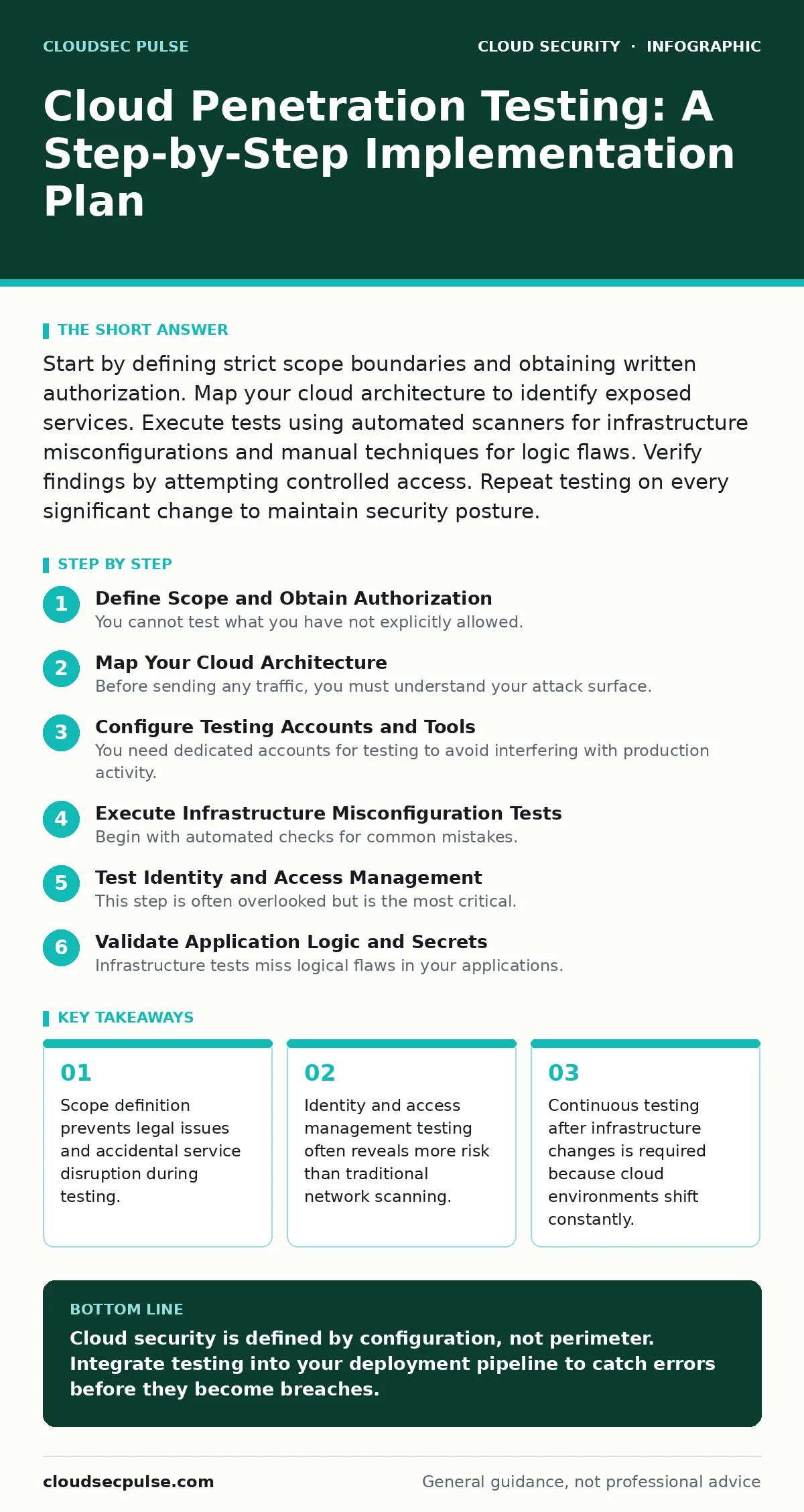
Start by defining strict scope boundaries and obtaining written authorization. Map your cloud architecture to identify exposed services. Execute tests using automated scanners for infrastructure misconfigurations and manual techniques for logic flaws. Verify findings by attempting controlled access. Repeat testing on every significant change to maintain security posture.
Define Scope and Obtain Authorization
You cannot test what you have not explicitly allowed. Cloud environments are multi-tenant, meaning your infrastructure shares hardware with other organizations. Testing outside your defined scope can disrupt neighbors, leading to legal liability and immediate termination of your cloud services. You must draft a written agreement that lists every resource ID, region, and service type included in the test.
This document must also specify prohibited actions. Some tests, such as denial-of-service attacks, can trigger cloud provider alarms that shut down your environment automatically. Your agreement should exclude these destructive methods unless you have specific safeguards in place. Without this written permission, any security test is unauthorized and potentially illegal.
Map Your Cloud Architecture
Before sending any traffic, you must understand your attack surface. Cloud architecture differs from on-premises networks because security is defined by software policies rather than physical firewalls. You need to inventory every virtual machine, storage bucket, database, and application endpoint. Identify which resources are public-facing and which are internal only.
Use your cloud provider’s native tools to generate a resource list. Cross-reference this with your network diagrams to find discrepancies. Often, developers create temporary resources that remain active long after their purpose is served. These orphaned assets become hidden entry points for attackers. Map the data flow between these components to understand where sensitive information moves.
Configure Testing Accounts and Tools
You need dedicated accounts for testing to avoid interfering with production activity. Create a separate identity with limited privileges. This account should have enough access to read configuration settings but not enough to delete critical data. This separation ensures that if your test goes wrong, you can isolate the impact.
Select tools that understand cloud APIs. Traditional network scanners often fail to detect cloud-specific misconfigurations, such as an open storage bucket or an overly permissive security group. Use tools that can query the cloud control plane directly. This allows you to check permissions and policies at scale rather than probing from the outside. This approach is faster and more accurate for cloud environments.
Execute Infrastructure Misconfiguration Tests
Begin with automated checks for common mistakes. These include storage containers that allow public read access or databases that lack encryption at rest. These errors are frequent because cloud defaults often favor ease of use over security. Run your scanner against your inventory to flag any resources that deviate from your security baseline.
Review the results manually. Automated tools produce false positives. A storage bucket might appear public but actually restrict access via a private network interface. Verify each finding by attempting to access the resource from an external network. If you can retrieve the data without credentials, it is a confirmed vulnerability. Document these findings with screenshots and configuration details.
Test Identity and Access Management
This step is often overlooked but is the most critical. In cloud environments, the perimeter is the identity. Attackers rarely break into a system by exploiting code; they exploit weak permissions. Test your user roles and service accounts. Check for privilege escalation paths where a low-level user can gain admin rights.
Use your test account to attempt actions outside its designated role. Try to read logs from other departments or access databases belonging to other projects. If the cloud provider allows this, your identity governance is broken. This is where MFA for cloud accounts becomes relevant, as it adds a layer of defense that can stop automated credential attacks. Ensure that multi-factor authentication is enforced for all administrative roles.
See also: Cloud Security Architecture in Cloud Computing: How to Build It Right · Attack Surface Reduction: Practical Steps for Small Business Security
Validate Application Logic and Secrets
Infrastructure tests miss logical flaws in your applications. You must test how your application handles user input and manages sessions. Look for injection flaws that allow an attacker to execute commands on your servers. Check for broken authentication mechanisms that allow session hijacking.
Scan your application code for hardcoded secrets. Developers often embed API keys or database passwords directly into the source code. If this code ends up in a public code repository leaks, attackers can immediately access your cloud resources. Use static analysis tools to detect these patterns before deployment. This prevents credentials from ever reaching the production environment.
Verify Findings and Document Results
Testing is useless if you do not verify the impact. For each finding, attempt to exploit it in a controlled manner. If you find an open port, try to connect to the service. If you find a weak permission, try to read a file. This proof of concept confirms the risk and helps your team prioritize fixes.
Document every step you took and the result you achieved. Include the exact configuration that allowed the breach and the recommended fix. This report becomes the blueprint for your remediation efforts. Share this with your development and operations teams. They need to understand not just what is wrong, but why it is dangerous.
Establish Continuous Testing Upkeep
Cloud environments change daily. A new deployment can introduce a vulnerability that was not present yesterday. One-time testing is insufficient. Integrate security checks into your deployment pipeline. Every time code is pushed, run a configuration scan. This ensures that new resources are secure before they go live.
Schedule regular penetration tests. Quarterly or biannual tests help catch drift in your security posture. As your organization grows, your attack surface expands. Regular testing ensures you keep pace with these changes. This ongoing process is part of a broader cloud compliance strategy, ensuring you meet regulatory requirements consistently.
Checklist for Verification:
- Written authorization covers all tested resources.
- Test accounts are isolated from production data.
- Infrastructure misconfigurations are identified and verified.
- Identity permissions are tested for privilege escalation.
- Application logic is checked for injection and authentication flaws.
- Findings are documented with proof of concept.
- Remediation plan is shared with development teams.
Key takeaways
- Scope definition prevents legal issues and accidental service disruption during testing.
- Identity and access management testing often reveals more risk than traditional network scanning.
- Continuous testing after infrastructure changes is required because cloud environments shift constantly.
Cloud security is defined by configuration, not perimeter. Integrate testing into your deployment pipeline to catch errors before they become breaches.
Frequently asked questions
How often should I perform cloud penetration testing?
You should run automated configuration checks with every deployment. Manual penetration testing should occur at least quarterly or whenever significant architecture changes are made.
Can I use the same tools for on-premises and cloud testing?
Traditional network scanners are insufficient for cloud testing. You need tools that can query cloud APIs and check identity policies, which standard scanners cannot do.
What is the biggest risk in cloud penetration testing?
The biggest risk is accidental disruption of services. Testing without proper scope definition can trigger cloud provider alarms, leading to service outages and legal consequences.
Do I need a separate budget for cloud security testing?
Yes, cloud testing requires specialized tools and expertise. Budget for both automated scanning platforms and manual assessment services to ensure thorough coverage.
How this guide was produced: written by the CloudSec Pulse editorial team with AI assistance, checked against the public references listed below, and reviewed when the facts change. See our editorial policy or report an error.