Attack Surface Reduction: Practical Steps for Small Business Security
Reducing your digital footprint eliminates entry points before attackers can find them, lowering risk without requiring enterprise-level budgets or complex tools.

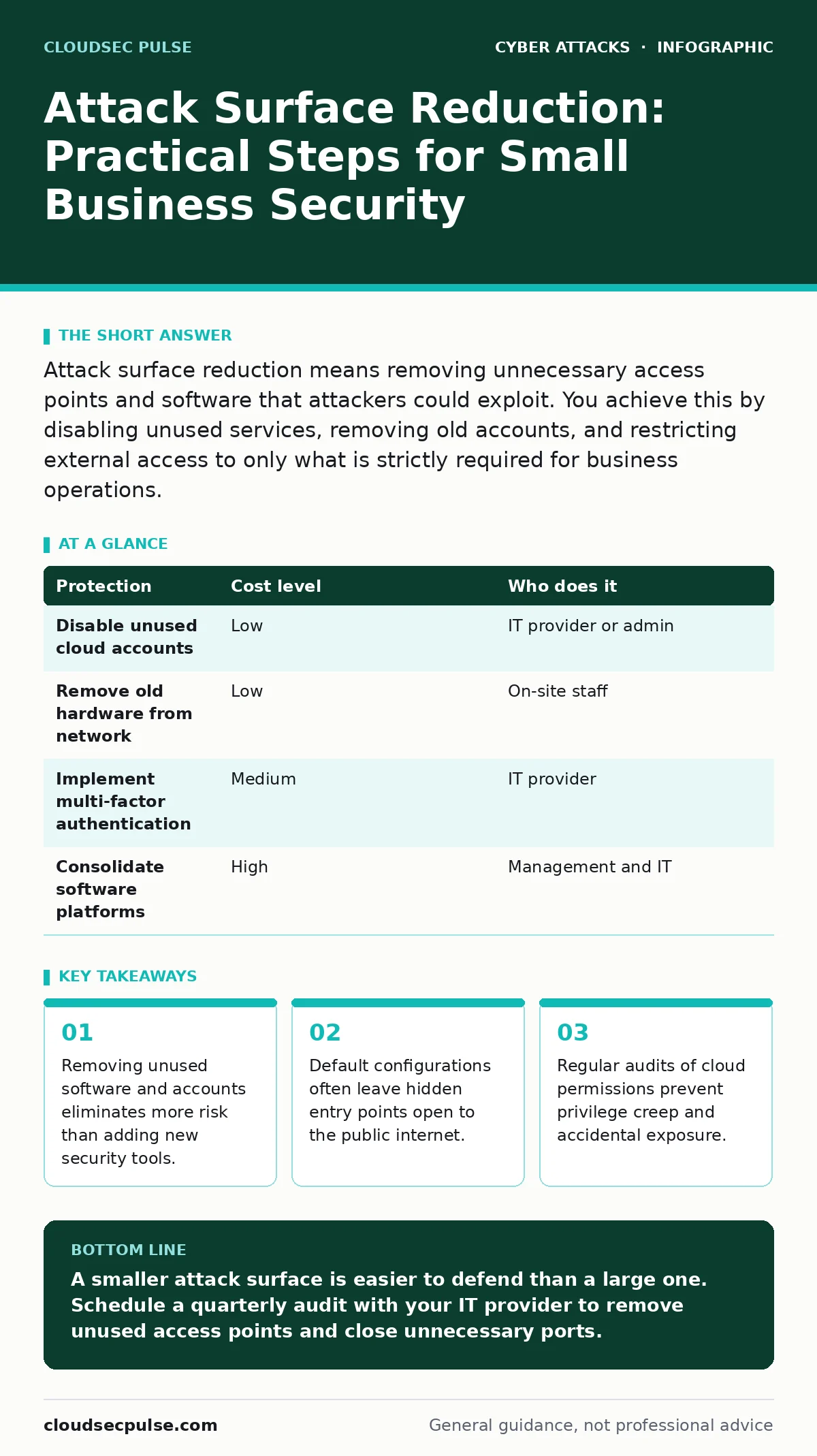
Attack surface reduction means removing unnecessary access points and software that attackers could exploit. You achieve this by disabling unused services, removing old accounts, and restricting external access to only what is strictly required for business operations.
What Is the Attack Surface?
The attack surface is the total sum of all points where an unauthorized user can try to enter or extract data from your system. This includes hardware devices, software applications, network connections, and user accounts. Every open port, every installed application, and every active user credential represents a potential entry point. A larger surface increases the probability of a successful breach because there are more opportunities for an error or oversight.
Imagine a house with 10 doors. Securing 10 doors requires more time and resources than securing 2 doors. If you remove 8 doors, you reduce the workload and the risk simultaneously. Digital systems work the same way. Each piece of software adds code that might contain vulnerabilities. Each user account adds a credential that might be weak or stolen. Reducing the surface means removing what you do not need.
Why Small Scale Matters
Small organizations often believe they are too small to be targeted. This assumption is dangerous because automated scanning tools do not discriminate by company size. Attackers use bots to probe every IP address on the internet for known vulnerabilities. If your system has an open port or an outdated service, the bot will find it regardless of your revenue or headcount.
Small teams also have fewer security staff. When a breach occurs, the lack of dedicated personnel means response times are slower and recovery is more chaotic. By shrinking the attack surface, you reduce the number of things you need to monitor and protect. This allows a small team to maintain a higher standard of security with limited resources. It shifts the burden from constant vigilance to structural simplicity.
The Hidden Cost of Convenience
Convenience often drives the expansion of the attack surface. Employees request access to new tools to speed up their work. IT staff grant access to avoid friction. Over time, the organization accumulates dozens of applications with varying security standards. This phenomenon is known as shadow IT. It occurs when users adopt technology without the knowledge or approval of the IT department.
Shadow IT creates blind spots. You cannot secure what you do not know exists. An employee might store sensitive client data in a personal cloud storage account because it is easier to share files there. If that personal account is compromised, your business data is exposed. Regularly reviewing and consolidating tools prevents this drift. You must balance productivity needs against security risks.
Practical Steps for Reduction
Start by identifying every service that connects to your network. This includes cloud storage, communication platforms, and customer relationship management systems. Disable any service that is not actively used for core business functions. If a tool has not been accessed in 90 days, remove it. This process is called decommissioning. It requires coordination between department heads and IT to ensure no critical workflows are broken.
Next, review user permissions. Most employees have more access than they need. This violates the principle of least privilege, which states that users should only have the minimum access required to perform their jobs. For example, a marketing intern does not need administrative rights to the financial software. Adjusting these settings reduces the damage an attacker can do if they steal a single password.
| Protection | Cost level | Who does it |
|---|---|---|
| Disable unused cloud accounts | Low | IT provider or admin |
| Remove old hardware from network | Low | On-site staff |
| Implement multi-factor authentication | Medium | IT provider |
| Consolidate software platforms | High | Management and IT |
Configuring Default Settings
Default configurations are designed for ease of setup, not security. Many servers and applications come with default usernames and passwords. They often have unnecessary ports open to the internet to allow for initial configuration. Leaving these defaults in place is a common mistake that leads to quick compromises. Attackers scan for these known defaults first.
You must change every default credential immediately upon installation. You should also review firewall rules to ensure that only necessary ports are open. For instance, a web server needs port 80 and 443 open, but it does not need remote desktop ports exposed to the public internet. Closing these ports prevents remote access attempts from outside your network. This step requires technical knowledge but provides immediate protection.
See also: Implement CASB Step-by-Step: Configuration, Validation, and Maintenance · 7 Mistakes That Create Orphaned Cloud Resources and How to Fix Them
What to Ask an IT Provider
Your IT provider plays a critical role in managing your attack surface. They have the technical expertise to identify hidden risks and implement controls. However, they are not always proactive. You must drive the conversation about reduction. Do not accept vague assurances about security. Ask specific questions to ensure they are actively minimizing your exposure.
Consider these questions during your next review meeting. They help you understand whether your provider is merely maintaining systems or actively reducing risk.
- How often do you audit our active user accounts and remove inactive ones?
- Can you provide a list of all services currently exposed to the public internet?
- What is your process for decommissioning old hardware and cloud instances?
- How do you ensure that default configurations are changed during new installations?
- Do you monitor for shadow IT applications that employees might be using?
These questions force transparency. They also align your provider’s incentives with your security goals. If they cannot answer confidently, you may need to find a partner who prioritizes attack surface reduction.
Integrating With Broader Security
Attack surface reduction is not a standalone fix. It works best when combined with other security practices. For example, reducing the number of accounts makes privileged access management more effective because there are fewer high-risk credentials to protect. It also supports defense in depth by removing the outermost layers that attackers must breach.
You should also consider how this relates to phishing prevention. Fewer accounts mean fewer targets for credential theft. If an attacker cannot find a valid email address for a specific service, they cannot send a targeted phishing email. This synergy reduces the overall workload on your security team. It creates a simpler, more manageable environment where security controls are easier to enforce and monitor.
Maintaining the Reduction
Attack surface expansion is constant. New employees are hired, new software is adopted, and new devices are connected. If you do not have a process to manage this growth, your surface will expand again. You need a regular cadence for review and cleanup. Quarterly audits are a good starting point. They allow you to catch drift before it becomes a major risk.
Automation can help with this maintenance. Identity management systems can automatically disable accounts when employees leave. Cloud management tools can identify unused resources and recommend deletion. You do not need to do this manually. Leveraging automation ensures that reduction is a continuous process rather than a one-time project. This consistency keeps your security posture strong over time.
Key takeaways
- Removing unused software and accounts eliminates more risk than adding new security tools.
- Default configurations often leave hidden entry points open to the public internet.
- Regular audits of cloud permissions prevent privilege creep and accidental exposure.
A smaller attack surface is easier to defend than a large one. Schedule a quarterly audit with your IT provider to remove unused access points and close unnecessary ports.
Frequently asked questions
Does attack surface reduction slow down my business?
It may cause minor friction initially as you adjust workflows, but it prevents major disruptions from security breaches. The long-term efficiency gains outweigh the short-term adjustments.
How do I know if I have shadow IT?
Look for unexpected network traffic or unapproved software installations on employee devices. Your IT provider can use network monitoring tools to identify these applications.
Is removing old accounts enough?
No, you must also close unused network ports and disable unnecessary services. Accounts are just one part of the surface. Network exposure is equally dangerous.
How often should I review my attack surface?
Quarterly reviews are recommended for most small businesses. This frequency balances the need for security with operational continuity.
How this guide was produced: written by the CloudSec Pulse editorial team with AI assistance, checked against the public references listed below, and reviewed when the facts change. See our editorial policy or report an error.