7 Mistakes That Create Orphaned Cloud Resources and How to Fix Them
Orphaned cloud resources drain budgets and expand attack surfaces by existing without owners, policies, or monitoring after the original project ends.

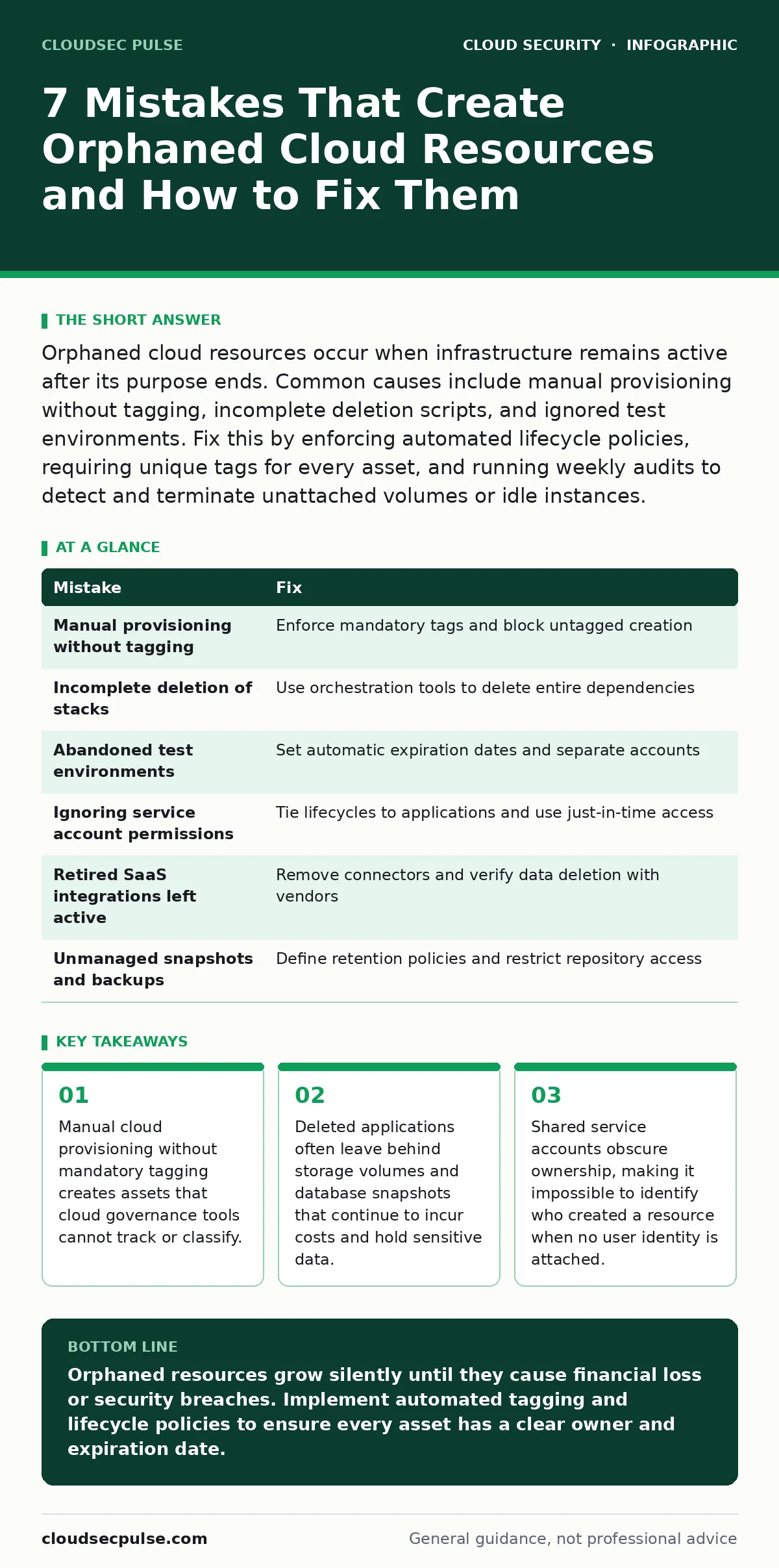
Orphaned cloud resources occur when infrastructure remains active after its purpose ends. Common causes include manual provisioning without tagging, incomplete deletion scripts, and ignored test environments. Fix this by enforcing automated lifecycle policies, requiring unique tags for every asset, and running weekly audits to detect and terminate unattached volumes or idle instances.
Mistake 1: Manual provisioning without mandatory tagging
Cloud providers allow users to create resources instantly via command lines or dashboards. Without a system that forces specific metadata labels on every creation, these assets enter the inventory with no context. You might spin up a server for a quick fix and forget to label it. The resource remains active because automation tools rely on tags to identify ownership and lifecycle rules. Untagged assets become invisible to policy engines that would otherwise shut them down after a set period. This invisibility turns temporary fixes into permanent liabilities.
Why it hurts:
Untagged resources evade automated cleanup scripts and compliance checks. Security teams cannot determine who owns the asset or what data it holds. Financial tracking fails because costs cannot be allocated to specific projects or departments. Attackers find untagged systems easier to target because they lack the monitoring overlays applied to properly labeled infrastructure. The organization loses the ability to prove which systems are necessary for business operations.
The fix:
Enforce a policy that blocks resource creation unless specific tags are present. Use infrastructure as code templates that require tag inputs before deployment. Define a standard set of tags for environment, owner, and project. Configure cloud governance tools to flag or suspend any new asset that lacks these mandatory labels. Review tag compliance weekly to catch drift where tags are removed but resources remain active.
Mistake 2: Incomplete deletion of application stacks
Developers often delete the primary application component while leaving supporting infrastructure behind. A web server might be terminated, but the attached storage volume remains. Database instances might be stopped rather than deleted, preserving data snapshots. Network security groups and load balancers may persist without any backend services to protect or distribute traffic. These remnants consume storage capacity and processing power. They also maintain network endpoints that could be probed by external scanners looking for open ports.
Why it hurts:
Storage volumes containing sensitive data remain accessible if their access controls are not revoked. Idle databases continue to incur costs without providing value. Unused load balancers create unnecessary network complexity that complicates incident response. Attackers can use these lingering components to pivot deeper into the network. The presence of unused resources suggests poor operational hygiene to auditors.
The fix:
Implement dependency mapping that identifies all resources linked to a primary application. Use orchestration tools that delete entire stacks in a single transaction. Verify that storage volumes are detached and deleted before terminating compute instances. Ensure database snapshots are removed or moved to cold storage if compliance requires retention. Review network configurations to remove security groups and endpoints that no longer serve active workloads.
Mistake 3: Abandoned test and development environments
Teams create isolated environments for testing new features or security patches. These environments often run with relaxed security controls to facilitate rapid iteration. When the testing phase concludes, the environment is frequently left running because no one assigns responsibility for its shutdown. Developers move to new projects while the old test servers continue to consume resources. These environments may contain copied production data that lacks the same protection levels as the live system.
Why it hurts:
Test environments often have weaker access controls and monitoring. Attackers target these systems because they assume less scrutiny. Data leakage occurs when production copies in test systems are accessed by unauthorized personnel. Costs accumulate silently because test servers are often excluded from budget alerts. Compliance frameworks flag these environments as high risk due to the presence of sensitive data without adequate safeguards.
The fix:
Set automatic expiration dates on all non-production resources. Require a business justification to extend the life of a test environment beyond its initial timeframe. Use separate accounts for development and production to limit the blast radius of a compromise. Implement data masking tools to ensure test systems never contain real customer information. Conduct regular reviews to identify environments that have not been accessed in the past month.
Mistake 4: Ignoring service account permissions
Service accounts are used by applications to interact with cloud services. These accounts often have broad permissions to avoid application errors during development. When the application is retired, the service account remains active with its elevated privileges. The account continues to generate logs and potentially access other resources. Without a clear owner, no one reviews whether the account is still needed. This creates a persistent entry point for attackers who discover the credentials.
Why it hurts:
Compromised service accounts provide attackers with persistent access to cloud infrastructure. Broad permissions allow lateral movement to critical systems. Audit logs show activity from accounts that no longer serve a business purpose, confusing incident responders. The organization fails to meet least privilege principles required by many security standards. Refer to service account security for deeper strategies on managing these credentials.
The fix:
Tie service account lifecycles to the application they serve. Automatically disable accounts when the associated application is deleted. Implement just-in-time access that grants permissions only during active execution. Regularly review permissions to ensure they match current requirements. Use managed identities where possible to reduce the need for long-lived credentials. Monitor for unusual activity from service accounts to detect misuse early.
Mistake 5: Failing to decommission retired SaaS applications
Organizations subscribe to software services that are later replaced by newer tools. The old subscription may be cancelled, but associated data exports or linked cloud storage remain active. Integration connectors between the old service and cloud infrastructure might still be configured. These connectors can expose cloud resources to the old service’s ecosystem. Data remains in transit or at rest in locations that are no longer monitored by the security team.
Why it hurts:
Data exposed through old integrations bypasses current security controls. Compliance requirements are violated when data retention policies are not enforced on retired systems. Attackers exploit abandoned integrations to inject malicious data or exfiltrate information. The organization loses visibility into data flows, making it hard to detect breaches. Use cloud access security brokers (CASB) to monitor and control these external connections.
The fix:
Maintain an inventory of all third-party integrations and their associated cloud resources. Review this inventory quarterly to identify unused connections. Delete any data exports or storage buckets linked to retired applications. Remove integration credentials from cloud configuration files. Update network security rules to block traffic from domains associated with discontinued services. Ensure data deletion is verified with the vendor before cancelling the subscription.
See also: Attack Surface Reduction: Practical Steps for Small Business Security · Confidential Computing: Protecting Data in Use for Small Teams
Mistake 6: Overlooking snapshot and backup management
Cloud providers offer automatic backup features for databases and storage volumes. These backups are often configured to run indefinitely without an expiration policy. Old snapshots accumulate over time, consuming significant storage space. They may contain outdated security configurations or known vulnerabilities. Attackers can exploit weak access controls on backup repositories to retrieve sensitive data. The cost of storing unnecessary backups grows exponentially as the environment scales.
Why it hurts:
Excessive storage costs erode profit margins without adding business value. Old backups may contain sensitive data that should have been destroyed. Compliance audits flag indefinite retention as a risk to data privacy. Incident response is delayed when analysts must sift through years of unnecessary backups. The presence of unmanaged backups suggests a lack of governance over data lifecycle.
The fix:
Define retention policies that automatically delete snapshots after a set period. Align retention lengths with business and legal requirements. Encrypt all backups to protect data at rest. Restrict access to backup repositories using strict identity and access management rules. Monitor storage usage trends to identify projects that are creating excessive backups. Regularly test backup restoration processes to ensure data integrity without relying on old snapshots.
| Mistake | Fix |
|---|---|
| Manual provisioning without tagging | Enforce mandatory tags and block untagged creation |
| Incomplete deletion of stacks | Use orchestration tools to delete entire dependencies |
| Abandoned test environments | Set automatic expiration dates and separate accounts |
| Ignoring service account permissions | Tie lifecycles to applications and use just-in-time access |
| Retired SaaS integrations left active | Remove connectors and verify data deletion with vendors |
| Unmanaged snapshots and backups | Define retention policies and restrict repository access |
Mistake 7: Shared administrative access
Multiple users share administrative credentials for cloud consoles. When a resource is created, the system records the shared account as the owner. Individual accountability is lost because it is impossible to determine which person created the asset. When the project ends, no specific individual is responsible for cleanup. Resources remain active because the shared account continues to be used by other teams. This practice violates basic security principles of non-repudiation and accountability.
Why it hurts:
Security incidents cannot be traced to specific individuals. Compliance frameworks require unique user identities for all administrative actions. Attackers who compromise a shared account gain access to all resources created through it. Cleanup efforts stall because teams dispute ownership of ambiguous assets. The organization faces higher risk of insider threats due to lack of audit trails. Read MFA for cloud accounts to understand how to secure these identities.
The fix:
Eliminate shared administrative accounts by assigning unique identities to each user. Implement role-based access control to limit what each user can create. Require users to tag resources with their unique identifiers. Use audit logs to track resource creation and deletion activities. Regularly review access permissions to ensure users only have what they need. Refer to cloud compliance for broader strategies on maintaining audit readiness.
Key takeaways
- Manual cloud provisioning without mandatory tagging creates assets that cloud governance tools cannot track or classify.
- Deleted applications often leave behind storage volumes and database snapshots that continue to incur costs and hold sensitive data.
- Shared service accounts obscure ownership, making it impossible to identify who created a resource when no user identity is attached.
Orphaned resources grow silently until they cause financial loss or security breaches. Implement automated tagging and lifecycle policies to ensure every asset has a clear owner and expiration date.
Frequently asked questions
How do I find orphaned resources in my cloud account?
Use cloud-native audit tools to search for resources without tags, those attached to deleted instances, or those with no recent access logs. Filter for storage volumes, snapshots, and load balancers that lack associated compute resources.
Can automated deletion cause accidental data loss?
Yes, if policies are not carefully scoped. Always implement a grace period where resources are flagged for review before deletion. Test deletion scripts in a non-production environment to verify they target only intended assets.
Do orphaned resources affect cloud ransomware risk?
Orphaned systems often lack patches and monitoring, making them easy entry points. Attackers use these weak systems to establish a foothold before encrypting critical data. See cloud ransomware for strategies on securing these edge assets.
How often should I audit for orphaned resources?
Conduct automated scans weekly to catch new orphans quickly. Perform a manual review quarterly to assess policy effectiveness and adjust retention rules. Align audits with your data center resilience planning to ensure critical assets are always accounted for.
How this guide was produced: written by the CloudSec Pulse editorial team with AI assistance, checked against the public references listed below, and reviewed when the facts change. See our editorial policy or report an error.