Cross-Site WebSocket Hijacking: Warning Signs and Response Steps
Session tokens often travel insecurely in WebSocket upgrades, allowing attackers to mirror your live activity without triggering standard intrusion alerts.

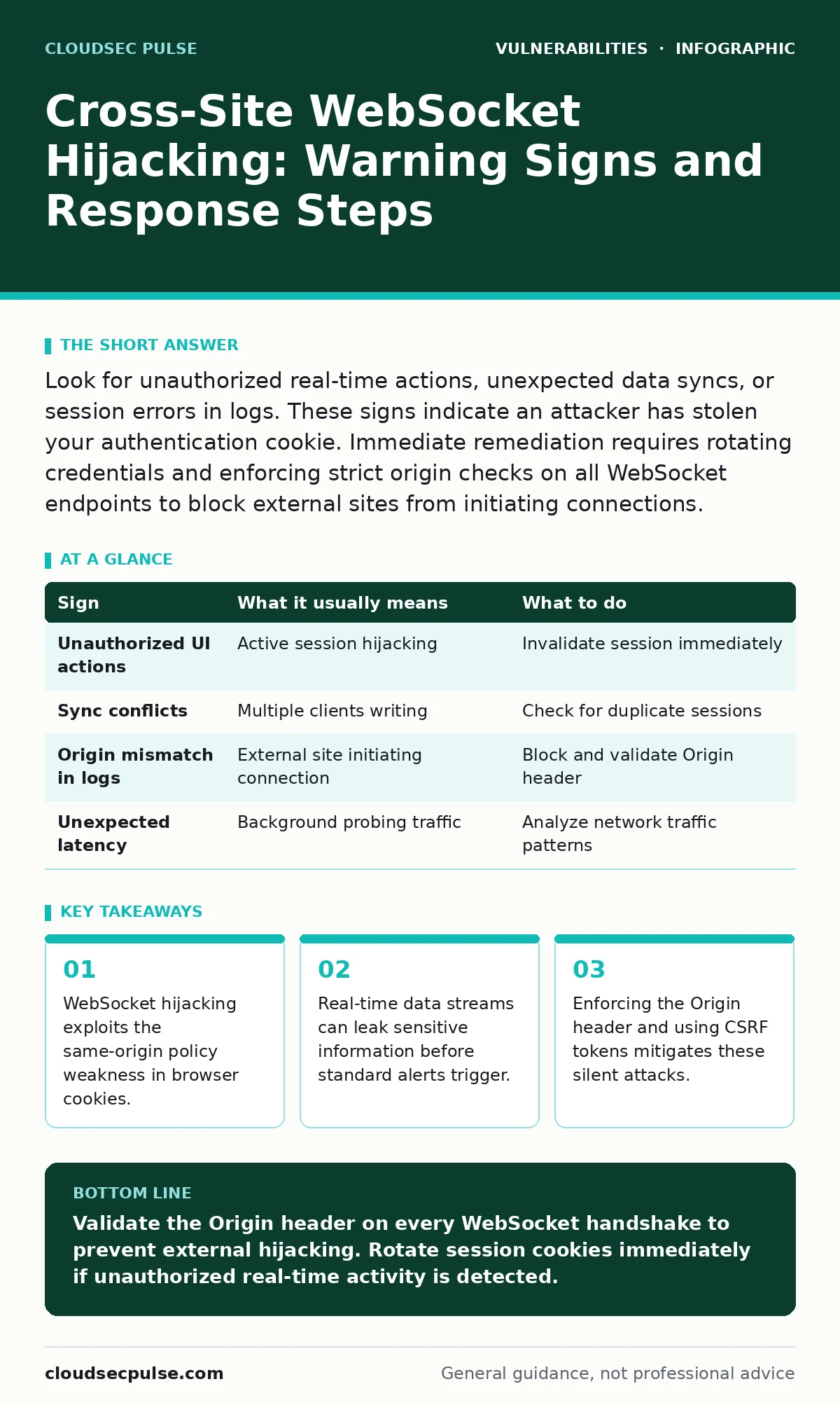
Look for unauthorized real-time actions, unexpected data syncs, or session errors in logs. These signs indicate an attacker has stolen your authentication cookie. Immediate remediation requires rotating credentials and enforcing strict origin checks on all WebSocket endpoints to block external sites from initiating connections.
How attackers exploit WebSocket session cookies
WebSocket connections upgrade HTTP requests to persistent, bidirectional channels. This upgrade process often inherits the session cookie from the initial HTTP request. If that cookie lacks the HttpOnly flag or if the application fails to validate the Origin header, a malicious site can initiate a connection on your behalf. The attacker does not need to steal the password. They only need the active session cookie, which browsers send automatically with every request to the domain. This allows the attacker to open a WebSocket channel that the server treats as legitimate.
The mechanism relies on the fact that many servers trust the WebSocket handshake blindly. They assume that if the HTTP request included valid credentials, the upgraded connection is safe. This assumption fails when the request originates from a different domain. The attacker’s site hosts a simple script that opens a WebSocket connection to your vulnerable endpoint. Because the browser includes the session cookie, the server accepts the connection. The attacker now has a direct line to your real-time data stream.
Signs people notice first
The most obvious signs of cross-site WebSocket hijacking involve visible changes in application behavior. You will see actions performed in the user interface that you did not initiate. Suppose you are using a collaborative editing tool. Another user appears in the room, or text changes magically. These changes happen in real time because the attacker is sending commands through the hijacked WebSocket channel. The lag is often immediate, distinguishing this from slower, batch-based attacks.
Another early warning sign is unexpected disconnections. When an attacker hijacks a session, they may compete for control of the same data stream. This conflict can cause the server to drop one of the connections to maintain consistency. You might see your application refresh unexpectedly or lose unsaved work. These disruptions indicate that two entities are trying to write to the same state simultaneously. Monitoring these sync errors in your application logs provides a clear indicator of concurrent, unauthorized access.
Signs that are easy to miss
Subtle signs of hijacking often hide in network traffic and server logs. You might notice increased latency in your real-time features without any obvious cause. The attacker’s script may be sending low-priority data or probing for sensitive information. This background traffic consumes bandwidth and processing resources, slowing down the legitimate user’s experience. Because the delay is gradual, users often blame their internet connection rather than investigating the application.
Server-side logs may show WebSocket handshakes from unexpected IP addresses or User-Agent strings. If your application serves a specific desktop client, but you see connections from generic web browsers, this mismatch is a red flag. The attacker’s script runs in a standard browser, which differs from the expected environment. Reviewing the Origin header in these logs reveals whether the connection started from your domain or an external site. Missing or mismatched origins are the primary technical signature of this attack vector.
Immediate response steps
When you detect potential hijacking, you must invalidate the compromised session immediately. Force a logout for the affected user and require a new login. This action destroys the stolen session cookie, cutting off the attacker’s access. Do not wait for the session to expire naturally. The attacker maintains the connection until the cookie becomes invalid. Rotating the session ID ensures that the old cookie no longer grants access to any resource, including WebSocket endpoints.
Next, review the application logs for the duration of the compromised session. Identify what data was transmitted through the WebSocket channel. This assessment helps you understand the scope of the breach. Did the attacker only read public data, or did they trigger sensitive actions? Document every interaction associated with the stolen session ID. This record is necessary for forensic analysis and for determining if further remediation steps are required for other systems that shared the same credentials.
Preventing future hijacking attempts
The most effective prevention method is strict validation of the Origin header. During the WebSocket handshake, the server must check that the Origin matches your application’s domain. If the header is missing or does not match, the server must reject the handshake. This check prevents external sites from initiating connections on your behalf. However, this measure alone is not sufficient for all scenarios, particularly when using subdomains or complex routing configurations. You must ensure your validation logic covers all legitimate entry points.
Using CSRF tokens for WebSocket handshakes adds another layer of security. Include the token in the initial query parameters or subprotocol negotiation. The server verifies this token before upgrading the connection. Since the attacker’s script cannot access the CSRF token stored in your secure cookies, it cannot complete the handshake. This approach treats the WebSocket upgrade like any other state-changing request. It ensures that only code from your domain can establish the persistent connection.
| Sign | What it usually means | What to do |
|---|---|---|
| Unauthorized UI actions | Active session hijacking | Invalidate session immediately |
| Sync conflicts | Multiple clients writing | Check for duplicate sessions |
| Origin mismatch in logs | External site initiating connection | Block and validate Origin header |
| Unexpected latency | Background probing traffic | Analyze network traffic patterns |
Integrating with broader security practices
Cross-site WebSocket hijacking is a specific instance of session management failure. It relates closely to exposure management, where you track which endpoints are accessible to the public. If your WebSocket endpoints are not properly secured, they become high-value targets. Regularly auditing your IT asset inventory ensures you know every real-time endpoint you expose. You cannot protect what you do not track.
This vulnerability also intersects with output encoding principles. While encoding prevents injection attacks, it does not stop session theft. However, ensuring that your application handles all inputs correctly reduces the attack surface. Consider reviewing your approach to vulnerability prioritization. WebSocket hijacking may have a lower EPSS score than some remote code execution flaws, but its impact on user trust and data privacy is high. Do not ignore it because it seems minor.
Checking for related weaknesses
Your application may suffer from other session-related vulnerabilities. Prototype pollution attacks can manipulate JavaScript objects, potentially bypassing security checks. Server-side template injection can execute arbitrary code on the server. While these are distinct from WebSocket hijacking, they often stem from similar lapses in input validation and session handling. A holistic review of your security posture is necessary.
Ensure that your development team understands the nuances of real-time communication security. Standard web security training often focuses on HTTP requests. WebSocket connections behave differently. They maintain state and allow bidirectional communication. Educating your team on these differences helps prevent accidental misconfigurations. Regular code reviews should specifically look for WebSocket handshake validation. This proactive step reduces the risk of silent data leaks.
Key takeaways
- WebSocket hijacking exploits the same-origin policy weakness in browser cookies.
- Real-time data streams can leak sensitive information before standard alerts trigger.
- Enforcing the Origin header and using CSRF tokens mitigates these silent attacks.
Validate the Origin header on every WebSocket handshake to prevent external hijacking. Rotate session cookies immediately if unauthorized real-time activity is detected.
Frequently asked questions
Can HTTPS prevent cross-site WebSocket hijacking?
HTTPS encrypts the data in transit, but it does not prevent the browser from sending session cookies to malicious sites. The hijacking occurs because the cookie is sent, not because the data is unencrypted.
Do I need to change my WebSocket library?
Not necessarily. The issue is usually in the server-side configuration, not the library itself. Ensure your server code validates the Origin header and rejects unauthorized handshakes.
How do I test for this vulnerability?
Create a simple HTML page on a different domain that attempts to open a WebSocket connection to your endpoint. If the server accepts the connection without checking the Origin, you are vulnerable.
Is this common in mobile apps?
Mobile apps typically use custom protocols or certificates for pinning. They are less susceptible to browser-based cookie injection, but web views within apps can still be vulnerable if not configured securely.
How this guide was produced: written by the CloudSec Pulse editorial team with AI assistance, checked against the public references listed below, and reviewed when the facts change. See our editorial policy or report an error.