Logging Library Vulnerabilities: Debunking 5 Common Security Myths
Logging libraries often execute untrusted input as code, turning debug messages into remote execution vectors that bypass standard application firewalls.

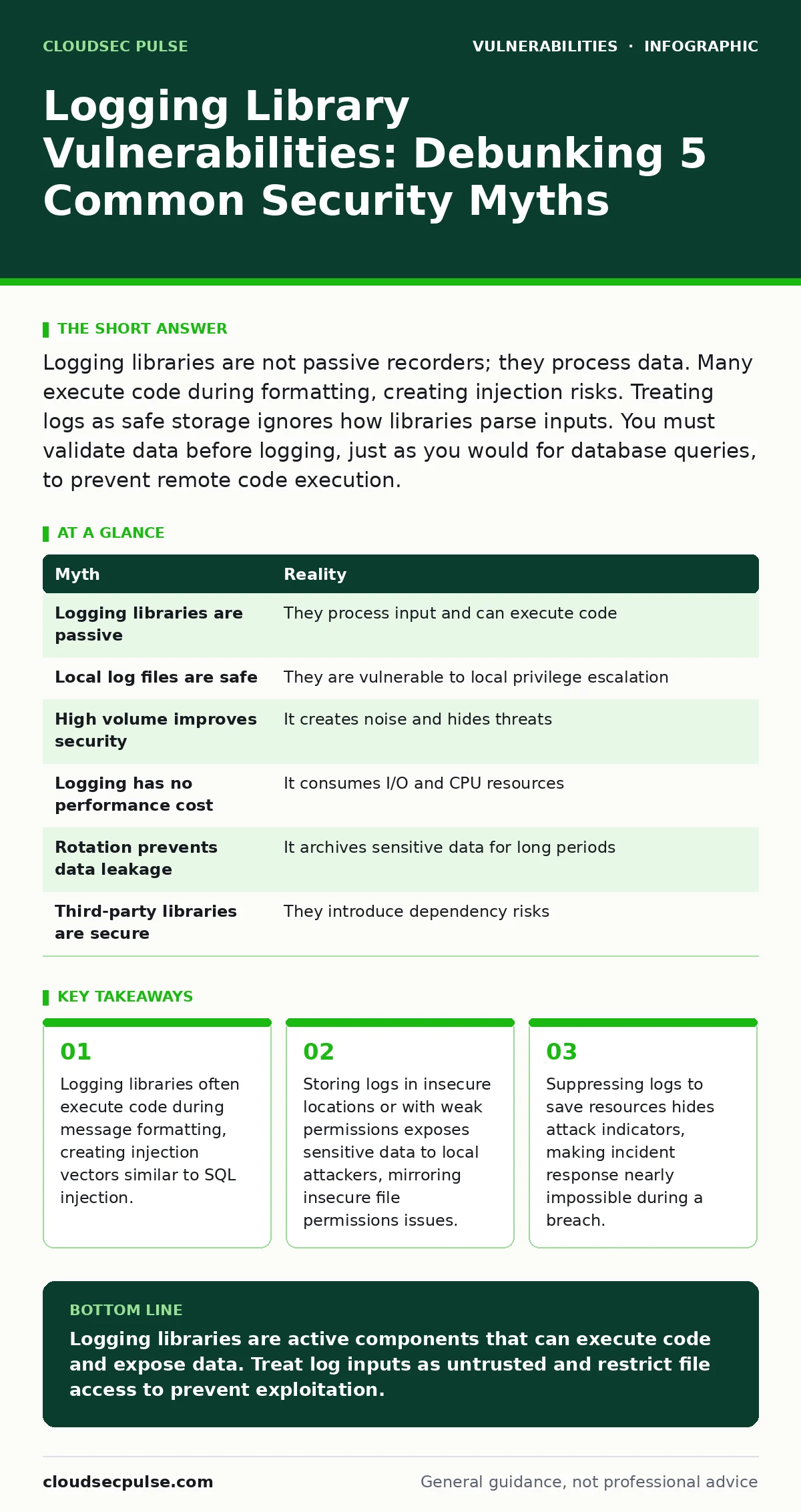
Logging libraries are not passive recorders; they process data. Many execute code during formatting, creating injection risks. Treating logs as safe storage ignores how libraries parse inputs. You must validate data before logging, just as you would for database queries, to prevent remote code execution.
Myth: Logging libraries are passive and cannot execute code
Reality: Most modern logging libraries process input before writing it to a file or stream. This processing often involves string interpolation or template rendering. If the library uses an engine that evaluates expressions within the log message, an attacker can inject malicious code. This mechanism transforms a simple debug statement into a remote code execution vector. The library acts as an interpreter, not just a writer.
Imagine an application logs user input directly into a debug message. If the logging framework uses a template engine that supports variable expansion, the attacker’s input becomes executable logic. This is structurally similar to server-side template injection. The code runs in the context of the application server, granting the attacker the same privileges as the application. Standard input validation for business logic often excludes debug paths, leaving this channel open.
You must treat log messages as untrusted input. Sanitize data before it reaches the logging function. Disable dynamic evaluation features in your logging configuration if they are not required for production monitoring. This adds processing overhead but prevents the library from becoming a backdoor.
Myth: Log files are safe because they are stored locally
Reality: Log files reside on the same filesystem as the application. If an attacker gains local access through another vulnerability, they can read these files. Logs often contain stack traces, memory dumps, or sensitive user data. Without strict access controls, these files become a goldmine for lateral movement. The risk mirrors insecure file permissions where local users can read protected data.
Suppose an attacker exploits a minor flaw to gain a low-privilege shell on your server. They immediately check for log directories. If the permissions allow read access to the group or other users, they can harvest credentials, session tokens, or internal IP addresses. This information helps them escalate privileges or pivot to other systems. The assumption that local storage is safe ignores the reality of shared hosting or containerized environments.
Configure file permissions to restrict access to the application user and the log rotation service. Use separate mount points for log volumes with strict mount options. This isolates log data from the application runtime. Even if the application is compromised, the attacker cannot easily read the historical records without further exploitation.
Myth: High-volume logging improves security by recording everything
Reality: Excessive logging creates noise that obscures actual threats. Security teams rely on signal-to-noise ratio to detect anomalies. When logs contain millions of benign events, critical indicators of compromise get buried. This phenomenon leads to alert fatigue, where operators ignore warnings. The volume does not equal visibility; it equals confusion.
Imagine a system that logs every HTTP header received. An attacker sends thousands of requests with varied headers to trigger a denial of service. The logs fill up, slowing down the system. Meanwhile, the actual exploit attempt hides among the noise. You cannot analyze what you cannot store or process. High volume also increases storage costs and complicates forensic investigations.
Implement selective logging strategies. Log only events that indicate state changes, errors, or authentication attempts. Use structured logging formats to allow efficient filtering. This approach ensures that security teams focus on actionable data. It also reduces the attack surface by limiting the amount of sensitive data written to disk.
Myth: Logging does not affect application performance
Reality: Writing to disk or network streams is an I/O intensive operation. Synchronous logging blocks the application thread until the write completes. This latency accumulates under load, causing timeouts and reduced throughput. Even asynchronous logging consumes CPU cycles for serialization and queue management. The trade-off between visibility and performance is real.
Suppose an application logs detailed request bodies for debugging. During a traffic spike, the serialization of large payloads consumes significant CPU resources. The application responds slowly, leading to user drop-off. The logging mechanism becomes a bottleneck. This performance degradation can mask other issues, making it difficult to diagnose the root cause of the slowdown.
Use asynchronous logging queues to decouple application execution from I/O operations. Compress log data before transmission to reduce network bandwidth usage. Monitor queue depths to prevent memory exhaustion. These measures mitigate the performance impact while maintaining necessary visibility. You must balance the detail level against the operational cost.
Myth: Log rotation eliminates the risk of data leakage
Reality: Log rotation moves old logs to new files or archives. It does not delete the data immediately. Archived logs often retain sensitive information for months or years. If an attacker compromises the backup system, they access this historical data. Rotation manages storage space, not data lifecycle security. The assumption that rotated logs are safe ignores long-term retention risks.
Imagine a breach occurs six months after the initial compromise. The attacker did not exfiltrate data immediately. Instead, they waited for the log rotation process to archive the sensitive records. They then access the backup storage, which has weaker security controls. The historical logs contain credentials or personal data that were previously protected. Rotation does not sanitize the content.
Implement data retention policies that define how long logs are kept. Encrypt archived logs at rest to protect them from unauthorized access. Purge logs containing sensitive data after a defined period. This reduces the window of exposure for historical records. You must treat archived logs with the same security rigor as active data.
See also: Prototype Pollution Warning Signs and Detection Methods
Myth: Third-party logging libraries are inherently secure
Reality: Logging libraries are complex software components with large dependency trees. They are subject to the same vulnerabilities as any other code. Developers often assume that well-maintained libraries are free from flaws. This trust leads to neglecting security reviews. Vulnerabilities in logging libraries can introduce remote execution or information disclosure risks.
Suppose a logging library updates its dependency on a serialization library. The new version contains a deserialization flaw. Your application inherits this vulnerability without changing any code. The attack surface expands with every update. This mirrors the risks of hard-coded credentials where trust in external components leads to systemic weakness.
Audit logging library dependencies regularly. Subscribe to security advisories for the libraries you use. Apply patches promptly when vulnerabilities are disclosed. This proactive approach mitigates the risk of supply chain attacks. You cannot rely on the library maintainer to protect your specific deployment context.
| Myth | Reality |
|---|---|
| Logging libraries are passive | They process input and can execute code |
| Local log files are safe | They are vulnerable to local privilege escalation |
| High volume improves security | It creates noise and hides threats |
| Logging has no performance cost | It consumes I/O and CPU resources |
| Rotation prevents data leakage | It archives sensitive data for long periods |
| Third-party libraries are secure | They introduce dependency risks |
Key takeaways
- Logging libraries often execute code during message formatting, creating injection vectors similar to SQL injection.
- Storing logs in insecure locations or with weak permissions exposes sensitive data to local attackers, mirroring insecure file permissions issues.
- Suppressing logs to save resources hides attack indicators, making incident response nearly impossible during a breach.
Logging libraries are active components that can execute code and expose data. Treat log inputs as untrusted and restrict file access to prevent exploitation.
Frequently asked questions
How do I prevent log injection attacks?
Validate and sanitize all input before passing it to the logging function. Disable dynamic evaluation features in the logging configuration. Use parameterized logging methods that separate data from format strings.
What is the difference between structured and unstructured logging?
Structured logging uses a consistent format like JSON, enabling machine-readable parsing. Unstructured logging uses plain text, requiring complex regex for analysis. Structured logs improve security monitoring efficiency.
Should I log request bodies for security auditing?
Only if necessary and if you sanitize the content. Request bodies may contain sensitive data. Logging them increases the risk of data leakage and performance issues. Limit logging to metadata and headers unless specific debugging is required.
How often should I review logging configurations?
Review configurations after every major application update. Check for new dependencies or changes in logging behavior. Ensure that sensitive data is not inadvertently included in new log entries. Regular audits prevent configuration drift.
How this guide was produced: written by the CloudSec Pulse editorial team with AI assistance, checked against the public references listed below, and reviewed when the facts change. See our editorial policy or report an error.