Confidential Computing: Protecting Data in Use for Small Teams
Traditional encryption fails when data is processed in memory, leaving your business exposed to insider threats and compromised servers.

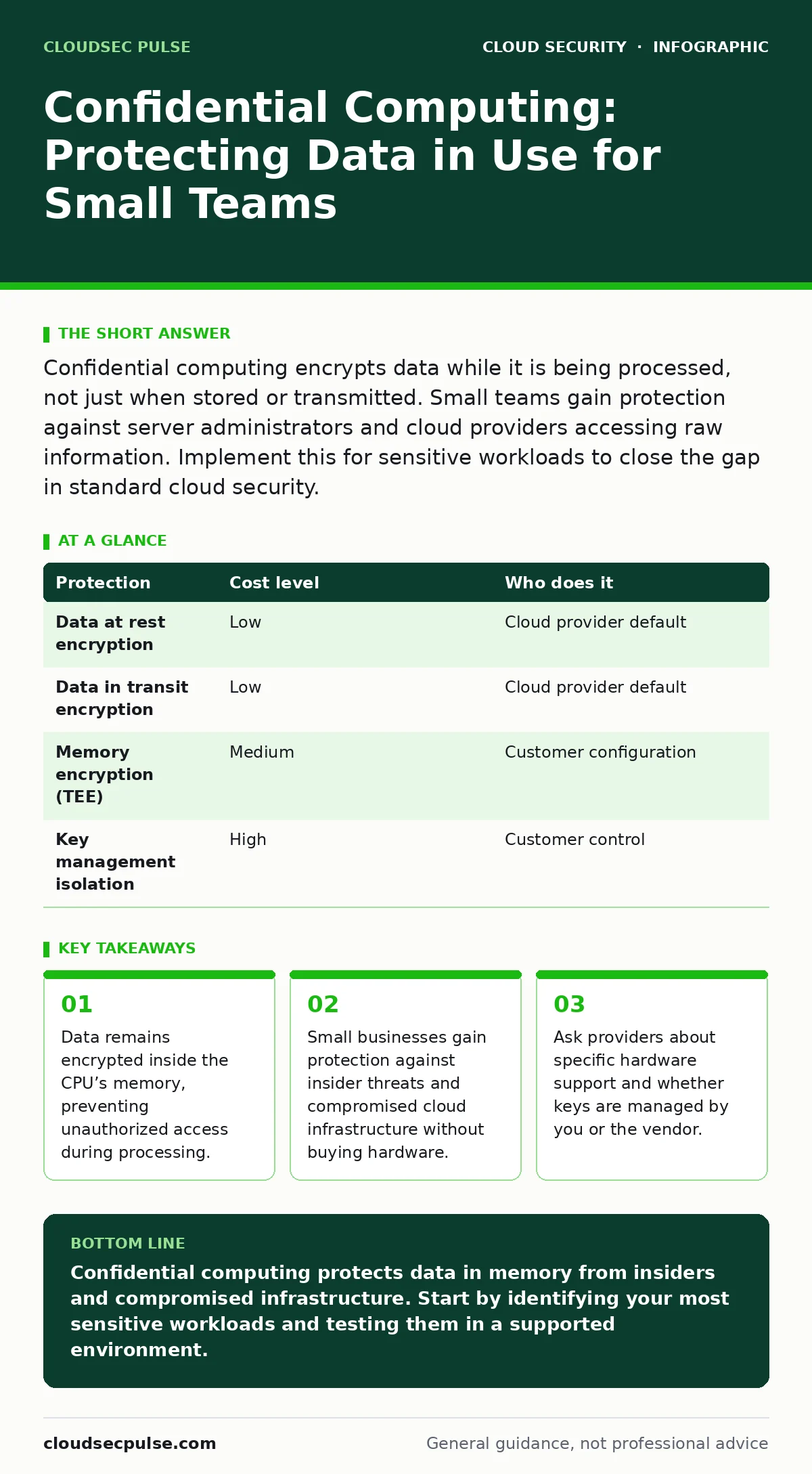
Confidential computing encrypts data while it is being processed, not just when stored or transmitted. Small teams gain protection against server administrators and cloud providers accessing raw information. Implement this for sensitive workloads to close the gap in standard cloud security.
Why memory exposure matters for small teams
Standard cloud security focuses on data at rest and data in transit. This leaves a blind spot for data in use. When an application processes information, it must decrypt that information into the server’s memory. This memory is accessible to the operating system and the hypervisor. A malicious insider or a compromised hypervisor can read this raw data. Confidential computing closes this gap by creating a Trusted Execution Environment. This is an isolated area of the processor that encrypts data even while it is being used. The encryption keys never leave the processor.
This matters for small businesses because you rely on shared infrastructure. You do not control the physical servers. You trust the cloud provider to keep your data safe. Confidential computing removes the need to trust the provider’s operational staff. It also protects you from other tenants on the same hardware. Your data remains isolated from neighbors. This is critical for industries handling health records, financial data, or intellectual property.
| Protection | Cost level | Who does it |
|---|---|---|
| Data at rest encryption | Low | Cloud provider default |
| Data in transit encryption | Low | Cloud provider default |
| Memory encryption (TEE) | Medium | Customer configuration |
| Key management isolation | High | Customer control |
How trusted execution environments work
A Trusted Execution Environment is a secure area within a central processing unit. It isolates code and data from the rest of the system. The hardware ensures that only authorized code can access the encrypted data. This code is verified before it runs. This verification process prevents tampering. If someone tries to modify the code, the environment refuses to run it. This is called attestation. You can verify that the environment is genuine before sending sensitive data into it.
This mechanism differs from standard virtualization. Virtualization separates resources but shares the memory management unit. An attacker with high privileges can bypass virtualization boundaries. The Trusted Execution Environment sits above the hypervisor. It has direct access to the hardware. The hypervisor cannot see inside the environment. This creates a hardware-enforced boundary. Software errors or malware outside the environment cannot affect the data inside. This reduces the attack surface significantly.
Practical use cases for limited budgets
You do not need to encrypt every workload. Confidential computing adds complexity. It requires specific hardware support. Not all cloud instances offer this capability. You should identify high-value data first. Look for data that loses value if leaked. Look for data that must remain private by law. Examples include customer personally identifiable information, trade secrets, and cryptographic keys. Run these workloads in a Trusted Execution Environment. Leave routine tasks like web hosting on standard instances. This balances security and cost.
Imagine you run a small e-commerce store. Customer credit card details are processed during checkout. Standard encryption protects the database. The payment processor needs to read the numbers. This happens in memory. If the server is compromised, the numbers are exposed. Using confidential computing for the payment module ensures the numbers remain encrypted during processing. The payment processor runs inside the secure enclave. Even if the server is hacked, the attacker sees only ciphertext. This protects your customers and your liability.
Integrating with existing cloud security
Confidential computing is not a replacement for other controls. It is an additional layer. You must still secure your identity. Weak passwords allow attackers to deploy malicious code inside the secure environment. You must still manage your secrets. If you store encryption keys in a standard database, they are exposed. Use a dedicated key management service. Integrate this with your cloud security architecture. Ensure that access policies are strict. Use least privilege principles.
Consider how this fits with identity as the new perimeter. Strong authentication ensures that only authorized users can trigger the secure workload. Combine this with MFA for cloud accounts. This prevents credential theft from bypassing your defenses. You should also review your service account security. Service accounts often have broad permissions. Restrict these accounts to only what they need. A compromised service account could try to exfiltrate data from the secure enclave. Limiting its scope reduces the damage.
What to ask your IT provider
Your IT provider or cloud consultant must understand the specifics. They should not just sell you a feature. They should explain the implementation. Ask them about the hardware. Not all processors support the same standards. Ask them about the software stack. Does your application support running in an enclave? Ask them about key management. Who holds the keys? Ask them about attestation. How do you verify the environment is secure?
- Does the provider support industry-standard attestation protocols?
- Who manages the encryption keys for the secure enclave?
- What is the performance impact on our specific workloads?
- How do we update code running inside the secure environment?
- What happens if the hardware fails or is decommissioned?
See also: Cloud Security Architecture in Cloud Computing: How to Build It Right · Attack Surface Reduction: Practical Steps for Small Business Security
Hidden costs and operational trade-offs
There is a cost to security. Confidential computing requires compatible hardware. This may limit your choice of regions or instance types. You may pay more for secure instances. There is also an operational cost. Debugging applications inside an enclave is difficult. You cannot easily inspect the memory. You must use specialized tools. This slows down development. Your team needs training. They must learn how to write code that runs securely. They must learn how to manage keys.
Another hidden cost is compatibility. Some libraries do not work inside an enclave. You may need to rewrite parts of your application. This takes time and money. Plan for this before you commit. Test early. Identify breaking changes. Do not wait until launch to discover issues. This relates to shift-left security. Integrate security checks early in the development process. Catch compatibility issues before they become expensive fixes. This saves time in the long run.
Verifying your implementation
You must verify that the protection is active. Do not trust the provider’s word alone. Use attestation to check the environment. This proves that the code is genuine and the environment is secure. Automate this check. Integrate it into your deployment pipeline. If attestation fails, stop the deployment. This ensures that no unverified code runs. You should also monitor for anomalies. Look for unusual access patterns. Look for performance drops. These may indicate an attack.
Consider how this fits with cloud penetration testing. Testers should verify the boundaries. They should try to escape the enclave. They should try to read memory from outside. If they succeed, you have a configuration error. Fix it immediately. Regular testing ensures that your defenses hold. It also helps you understand your weaknesses. This is part of a mature cloud compliance strategy. Show auditors that you verify your security controls. This builds trust with partners and customers.
Key takeaways
- Data remains encrypted inside the CPU’s memory, preventing unauthorized access during processing.
- Small businesses gain protection against insider threats and compromised cloud infrastructure without buying hardware.
- Ask providers about specific hardware support and whether keys are managed by you or the vendor.
Confidential computing protects data in memory from insiders and compromised infrastructure. Start by identifying your most sensitive workloads and testing them in a supported environment.
Frequently asked questions
Does confidential computing protect against all attacks?
No. It protects data in memory from the host system. It does not protect against application bugs or social engineering attacks that trick users into revealing data.
Can I use this with my current cloud provider?
Most major providers offer hardware-based secure enclaves. Check their documentation for supported regions and instance types. You may need to migrate workloads to specific instances.
How does this differ from standard encryption?
Standard encryption protects data at rest and in transit. Confidential computing protects data while it is being processed by the CPU. It keeps data encrypted in memory.
Is this technology ready for production?
Yes. Major cloud providers support it. However, it adds complexity. Start with non-critical workloads to test stability and performance before moving sensitive data.
How this guide was produced: written by the CloudSec Pulse editorial team with AI assistance, checked against the public references listed below, and reviewed when the facts change. See our editorial policy or report an error.