Difference Between IaaS, PaaS and SaaS Security Responsibilities
Security shifts from hardware to application logic as you move up the cloud stack, leaving fewer physical controls but more complex code risks.

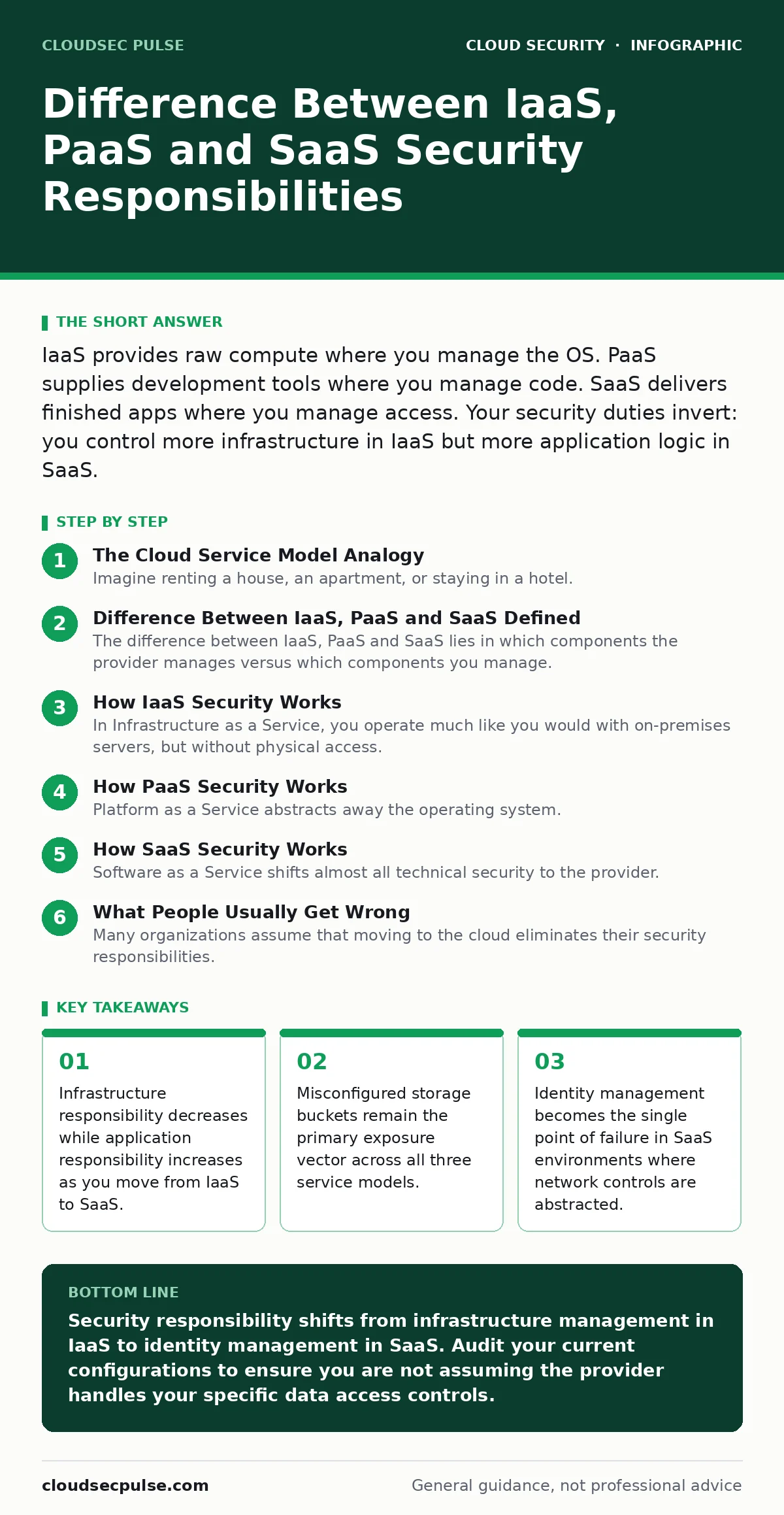
IaaS provides raw compute where you manage the OS. PaaS supplies development tools where you manage code. SaaS delivers finished apps where you manage access. Your security duties invert: you control more infrastructure in IaaS but more application logic in SaaS.
The Cloud Service Model Analogy
Imagine renting a house, an apartment, or staying in a hotel. These three scenarios mirror the difference between IaaS, PaaS and SaaS security responsibilities. When you rent a house, you control the locks, the plumbing, and the roof. When you rent an apartment, the landlord maintains the structure, but you secure your door and manage who enters your unit. When you stay in a hotel, you only control your room key, while the hotel handles every other aspect of security.
Cloud computing follows this same logic of shared responsibility. The cloud provider always secures the underlying physical infrastructure. Your duty depends on which layer of the stack you consume. Understanding this boundary prevents security gaps where both parties assume the other is handling a specific control.
Difference Between IaaS, PaaS and SaaS Defined
The difference between IaaS, PaaS and SaaS lies in which components the provider manages versus which components you manage. Infrastructure as a Service provides virtualized computing resources over the internet. You receive raw servers, storage, and networking. You install and patch the operating system, configure the firewall, and secure the applications you deploy.
Platform as a Service provides an environment where you can develop, run, and manage applications without dealing with the underlying infrastructure. The provider manages the servers, storage, and networking. You focus on the code, the data, and the application configuration.
Software as a Service delivers fully functional applications over the internet. The provider manages everything from hardware to software. You only manage your user accounts, permissions, and data privacy settings.
| Aspect | IaaS | PaaS | SaaS |
|---|---|---|---|
| Provider Manages | Hardware, virtualization, network | Everything in IaaS plus OS, runtime | Everything in PaaS plus application |
| You Manage | OS, middleware, runtime, data | Application code, data, configuration | User access, data, security settings |
| Primary Risk | Misconfigured OS and firewalls | Vulnerable application code | Weak identity and access policies |
| Flexibility | High control, high complexity | Moderate control, faster deployment | Low control, immediate availability |
How IaaS Security Works
In Infrastructure as a Service, you operate much like you would with on-premises servers, but without physical access. You provision virtual machines and storage volumes. You are responsible for installing security updates, configuring host-based firewalls, and hardening the operating system. The provider ensures the physical data center is secure and that the virtualization layer is isolated.
You must implement microsegmentation to limit lateral movement if a single server is compromised. This technique divides your network into smaller zones, restricting traffic between servers based on strict rules. Without this, a breach in one application server can spread to your database server. You also manage the encryption of data at rest and in transit. Failure to patch the operating system is a leading cause of breaches in this model.
How PaaS Security Works
Platform as a Service abstracts away the operating system. You deploy code directly to the provider's runtime environment. This reduces your administrative burden but introduces new risks related to application security. You are responsible for securing your code, managing dependencies, and configuring the platform's security features.
The provider secures the underlying infrastructure and the runtime environment. You must ensure your application does not contain vulnerabilities like SQL injection or cross-site scripting. You also manage service account security carefully. These accounts often have elevated privileges to access other cloud resources. If an attacker compromises your application code, they may gain access to these privileged accounts. Proper secret management and least-privilege principles are critical here.
How SaaS Security Works
Software as a Service shifts almost all technical security to the provider. You interact with the application through a web browser or mobile app. Your primary responsibility is identity and access management. You must enforce strong authentication policies, such as MFA for cloud accounts, to prevent unauthorized access. You also manage user permissions, ensuring employees only have access to the data they need.
Data privacy becomes your concern. You must classify your data and ensure the provider encrypts it appropriately. You also need to monitor for unusual login patterns. Since you cannot inspect the underlying infrastructure, you rely on the provider's security certifications and compliance reports. Misconfiguring user roles or sharing credentials leads to data exposure in this model.
See also: Cloud Security Architecture in Cloud Computing: How to Build It Right · Attack Surface Reduction: Practical Steps for Small Business Security
What People Usually Get Wrong
Many organizations assume that moving to the cloud eliminates their security responsibilities. This is incorrect. The responsibilities shift, they do not disappear. In IaaS, you might neglect OS patching because you focus on the application. In SaaS, you might assume the provider handles identity security because they handle the software.
Another common error is overlooking data portability and cloud disaster recovery planning. You must ensure you can retrieve your data in a usable format if you leave the provider. Additionally, teams often ignore cloud compliance requirements. Each service model has different compliance implications. Storing healthcare data in IaaS requires different controls than storing it in SaaS.
Hidden Costs and Unexpected Risks
The hidden cost of IaaS is operational complexity. Managing patches, updates, and configurations for hundreds of servers requires significant staff time. Automation tools can help, but they require maintenance. The hidden cost of PaaS is vendor lock-in. Your application may rely on provider-specific APIs, making it difficult to migrate to another platform.
SaaS introduces the risk of shadow IT. Employees may subscribe to applications without security review. These unsanctioned apps can expose company data to external risks. You must establish a process for reviewing and approving SaaS applications. Regular audits of connected applications help identify unauthorized tools. Integrating security into the development lifecycle, such as using Pod Security Standards in containerized environments, reduces application-level risks in PaaS.
Securing Your Cloud Architecture
A strong cloud security architecture starts with clear boundaries. Define what data lives where and who can access it. Implement centralized logging to monitor activity across all service models. Use identity providers to manage access consistently. Regularly review permissions and remove unused accounts.
Test your incident response plans regularly. Ensure you can isolate compromised resources quickly. Educate your staff on security best practices for their specific role. Developers need to know secure coding practices. Administrators need to know configuration management. End-users need to know how to recognize phishing attempts.
Final Security Steps
Review your current cloud usage. Identify which service models you use for each workload. Map out who is responsible for each security control. Fill any gaps by implementing additional controls or adjusting processes. Continuous monitoring and regular audits ensure your security posture remains strong as your environment evolves.
Key takeaways
- Infrastructure responsibility decreases while application responsibility increases as you move from IaaS to SaaS.
- Misconfigured storage buckets remain the primary exposure vector across all three service models.
- Identity management becomes the single point of failure in SaaS environments where network controls are abstracted.
Security responsibility shifts from infrastructure management in IaaS to identity management in SaaS. Audit your current configurations to ensure you are not assuming the provider handles your specific data access controls.
Frequently asked questions
Who is responsible for data encryption in SaaS?
The provider typically encrypts data at rest and in transit by default. You are responsible for managing the encryption keys if you use customer-managed keys, and for ensuring the data is classified and protected before upload.
Is IaaS more secure than SaaS?
Security is not about the model, but about implementation. IaaS offers more control, which allows for deeper hardening but increases the risk of misconfiguration. SaaS reduces configuration risk but concentrates risk in identity management and data privacy.
How do I handle compliance in PaaS?
You must ensure your application code and data handling practices meet regulatory requirements. The provider handles infrastructure compliance. You are responsible for application-level controls, data privacy, and securing access to the platform.
Can I move workloads between IaaS, PaaS, and SaaS?
Yes, but it requires significant effort. Moving from IaaS to PaaS involves refactoring applications to use platform services. Moving from SaaS to IaaS involves rebuilding the application from scratch. Plan for these transitions during initial architecture design.
How this guide was produced: written by the CloudSec Pulse editorial team with AI assistance, checked against the public references listed below, and reviewed when the facts change. See our editorial policy or report an error.