What Does Data Residency Mean: Control Where Your Cloud Data Lives
Data residency dictates the physical location of your information, creating legal boundaries that often conflict with automated cloud scaling and backup strategies.

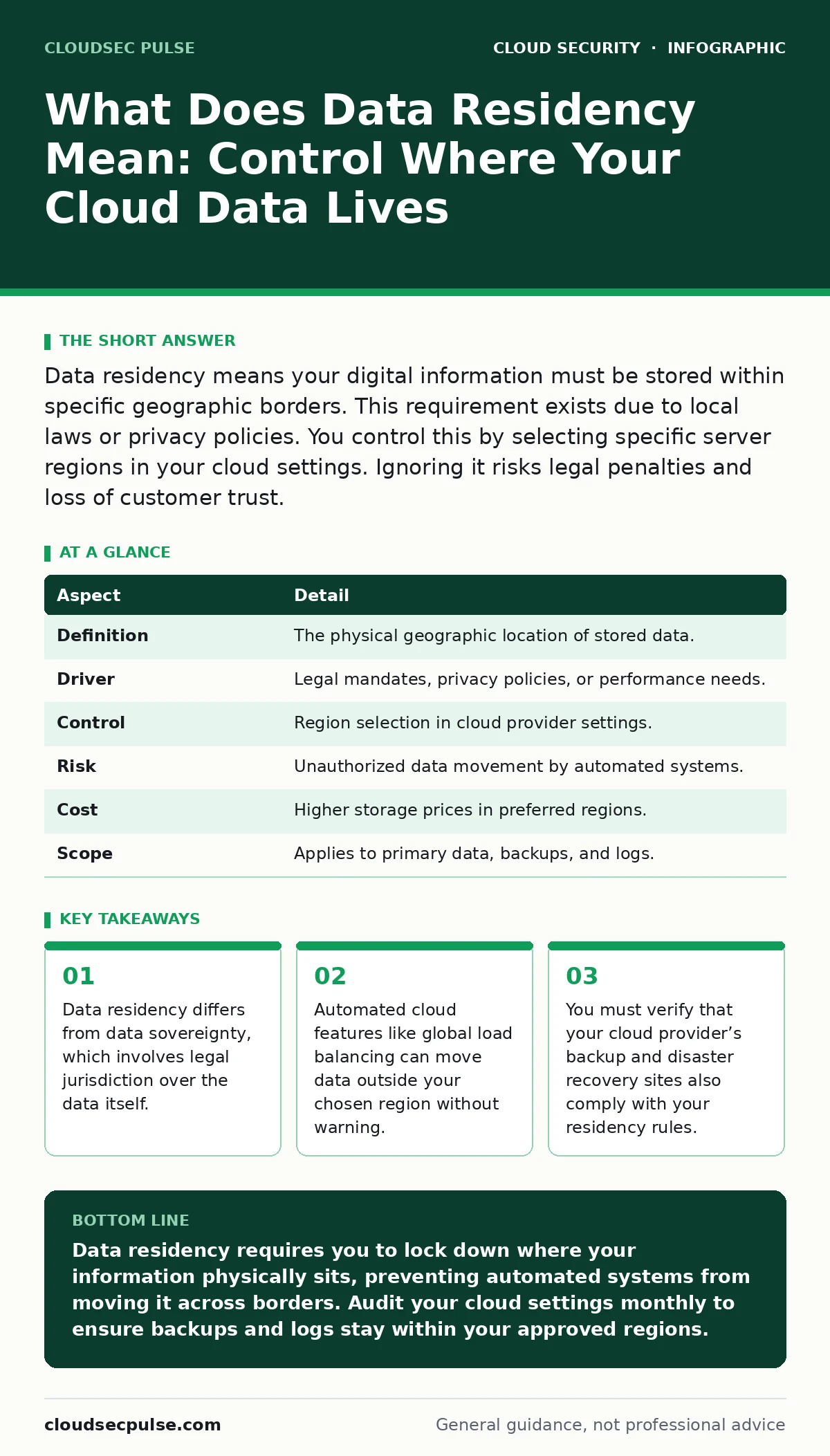
Data residency means your digital information must be stored within specific geographic borders. This requirement exists due to local laws or privacy policies. You control this by selecting specific server regions in your cloud settings. Ignoring it risks legal penalties and loss of customer trust.
An Everyday Analogy for Digital Borders
Imagine storing sensitive documents in a shared warehouse. You pay for a specific aisle in New York. The warehouse manager decides to move your boxes to a cheaper facility in London to save on electricity. You did not ask for this move, but the boxes are now in a new country. Data residency works the same way. You choose a server location, but the cloud provider may move your information unless you lock it down.
What Does Data Residency Mean
Data residency refers to the physical location where your digital information is stored. It is a technical constraint tied to legal requirements. When you upload a file to the cloud, it sits on a hard drive in a specific building. That building has a geographic address. Laws in some countries require that certain types of data never leave their borders. Other organizations choose residency for privacy reasons, preferring their data stay close to home.
| Aspect | Detail |
|---|---|
| Definition | The physical geographic location of stored data. |
| Driver | Legal mandates, privacy policies, or performance needs. |
| Control | Region selection in cloud provider settings. |
| Risk | Unauthorized data movement by automated systems. |
| Cost | Higher storage prices in preferred regions. |
| Scope | Applies to primary data, backups, and logs. |
How Data Residency Works in Practice
Cloud providers offer data centers in many regions. You select a region when you create a storage bucket or database. The provider keeps your data in that region by default. However, cloud services are designed for availability. If one data center fails, the system may replicate your data to another center in the same region. This is usually safe. The danger appears when services span multiple regions. Global caching systems store copies of your data everywhere to make loading faster. These copies exist outside your chosen residency zone. You must disable global caching for sensitive data.
Who Data Residency Affects
Every organization using cloud services is affected by data residency. Small businesses selling to customers in Europe must keep European customer data in Europe. Healthcare providers must keep patient records in compliant regions. Financial institutions face strict rules about transaction data. Even if you have no legal requirement, your customers may have one. If you store their data in a non-compliant region, they cannot use your service. This limits your market reach. You must know where your customers are and where their laws apply.
Common Mistakes People Make
Many teams assume that selecting a region locks the data forever. This is incorrect. Cloud services often have hidden features that move data. For instance, a global content delivery network may cache images in servers worldwide. A database replication service may copy data to another continent for speed. Another mistake is ignoring metadata. Logs and audit trails are data too. If your logs go to a central analytics platform in a different country, you violate residency rules. You must treat logs and backups with the same care as primary data.
See also: 7 Mistakes That Create Orphaned Cloud Resources and How to Fix Them · Cloud Security Architecture in Cloud Computing: How to Build It Right
The Trade-Off Between Speed and Control
Keeping data in one region can slow down access for users elsewhere. A user in Tokyo accessing a server in New York experiences higher latency. This makes your application feel slow. To fix this, providers offer global distribution. This improves speed but breaks residency controls. You must choose between performance and compliance. For most small businesses, compliance is more important. Slow applications are annoying. Legal fines are devastating. You should only use global distribution for non-sensitive content like product images.
Steps to Secure Your Data Residency
- Identify which data is sensitive. Not all data needs strict residency. Public marketing materials can go anywhere. Customer names and financial records cannot.
- Check your cloud provider’s default settings. Many services enable global replication by default. You must turn this off.
- Define your allowed regions. List the countries where your data can legally stay. Do not allow data in countries with weak privacy laws.
- Test your backups. Verify that your backup copies stay in the allowed regions. Do not assume the backup service follows the same rules as the primary service.
- Review third-party integrations. Tools that connect to your cloud may move data to their own servers. Check where those servers are located.
These steps require ongoing attention. New services and features may change your data flow. You should review your settings regularly. This aligns with the principles of IaaS, PaaS and SaaS security, where you must secure each layer of the stack.
Beyond Residency: Sovereignty and Access
Data residency is about location. Data sovereignty is about law. Sovereignty determines which country’s laws apply to your data. A server in Germany may still be subject to US laws if a US company owns it. This is a complex legal area. You should consult legal counsel for sovereignty questions. Residency is the technical part you can control. Sovereignty is the legal part you must understand. Both matter for compliance.
Consider how cloud compliance frameworks address these issues. They often require proof of where data lives. You must be able to show auditors that your data stays in the right place. This means keeping records of your configuration choices.
Hidden Costs of Strict Residency
Keeping data in one region can cost more. Some regions have higher storage prices. You may also lose performance benefits. If you cannot use global caching, your application loads slower for distant users. You must weigh these costs against the risk of violation. For some businesses, the cost is worth it. For others, the risk is too high. You must make this choice consciously. Do not let default settings make the choice for you.
Managing Access Across Borders
Even if data stays in one region, people may access it from anywhere. An employee in Brazil may log in to view data stored in France. This is usually allowed. Residency rules focus on storage, not access. However, some laws restrict access by foreign entities. You must check if your laws limit who can view the data. Use MFA for cloud accounts to protect access. This ensures that only authorized people can view the data, regardless of where they are.
Review your SaaS access reviews regularly. Remove access for people who no longer need it. This reduces the risk of unauthorized viewing. Also, check service account security. Automated services often have broad access. Limit their permissions to only what they need.
Final Checks for Residency
Before launching a new service, check its data handling. Does it store data? Where? Does it replicate data? Where? Does it log data? Where? Ask your cloud provider for documentation. They should provide clear maps of data flow. If they cannot, choose a different provider. Transparency is key. You cannot protect data you cannot track.
Remember that cloud ransomware attacks may exploit misconfigured storage. If your storage is open to the public, attackers can steal or encrypt your data. Residency does not stop theft. You must also secure your storage permissions. Combine residency controls with strong access policies. This creates a layered defense.
Key takeaways
- Data residency differs from data sovereignty, which involves legal jurisdiction over the data itself.
- Automated cloud features like global load balancing can move data outside your chosen region without warning.
- You must verify that your cloud provider’s backup and disaster recovery sites also comply with your residency rules.
Data residency requires you to lock down where your information physically sits, preventing automated systems from moving it across borders. Audit your cloud settings monthly to ensure backups and logs stay within your approved regions.
Frequently asked questions
Is data residency the same as data sovereignty?
No, residency is about physical location, while sovereignty is about which laws apply to the data. A server’s location does not always determine the legal jurisdiction.
Can I change data residency after uploading files?
Yes, but you must manually move the data. Cloud providers do not automatically migrate existing data to a new region. You must copy the data and delete the old copies.
Does encryption change data residency requirements?
No, encryption protects the content but does not change the location. Laws still apply to where the encrypted file is stored. You must follow residency rules even for encrypted data.
How do I know if my cloud provider moves my data?
Check the provider’s documentation for global caching and replication features. Look for settings that allow cross-region data transfer. Disable these features for sensitive data.
How this guide was produced: written by the CloudSec Pulse editorial team with AI assistance, checked against the public references listed below, and reviewed when the facts change. See our editorial policy or report an error.