Whaling Attacks: Risks and Low-Cost Protection Strategies
Attackers target small business leaders because they lack the digital defenses that protect large corporate executives, making them easy prey for high-value fraud.

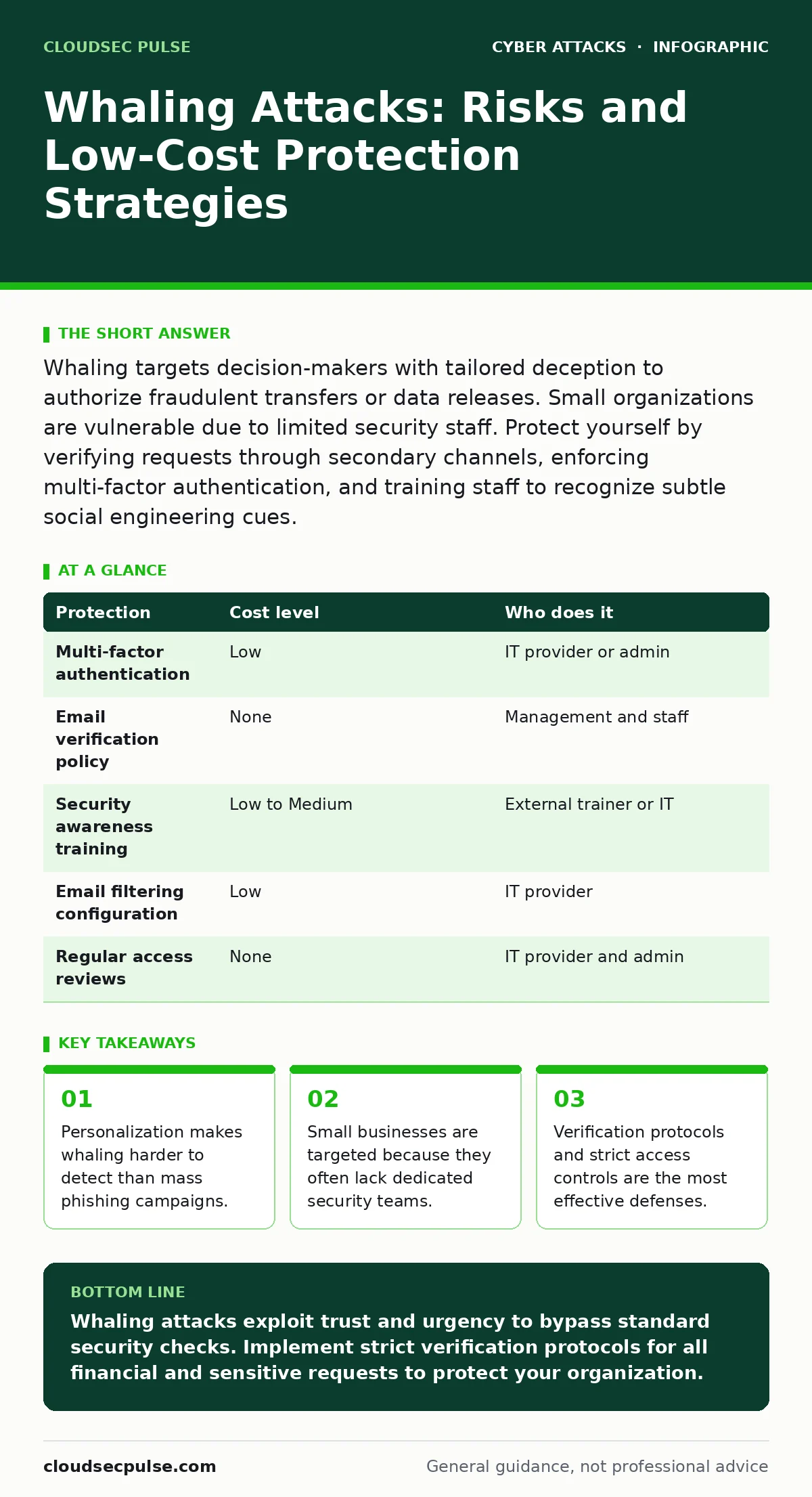
Whaling targets decision-makers with tailored deception to authorize fraudulent transfers or data releases. Small organizations are vulnerable due to limited security staff. Protect yourself by verifying requests through secondary channels, enforcing multi-factor authentication, and training staff to recognize subtle social engineering cues.
The Anatomy of a High-Value Target
Whaling is a specific type of social engineering where attackers focus exclusively on senior executives or key decision-makers. Unlike broad spam campaigns, this approach relies on deep research. Attackers study public profiles, press releases, and social media posts to understand the victim’s responsibilities, communication style, and current business pressures.
The goal is rarely to install malware directly. Instead, the attacker seeks to manipulate the victim into performing an action. This action usually involves transferring funds, revealing sensitive intellectual property, or granting elevated access to systems. The attacker exploits the authority and trust inherent in the victim’s role.
Small organizations are exposed because they lack the layered defenses found in larger enterprises. Large corporations often have dedicated security operations centers and strict segregation of duties. A small business owner might handle finance, operations, and HR simultaneously. This concentration of power creates a single point of failure. If the owner is deceived, the attacker gains control over multiple critical functions at once.
Why Small Organizations Are Exposed
The exposure stems from visibility and vulnerability. Small business leaders are often highly visible online. Their contact information is listed on company websites, industry directories, and professional networks. This visibility provides attackers with the raw material needed to craft convincing deception.
Furthermore, small teams often operate under time pressure. Decision-makers are expected to respond quickly to maintain business continuity. Attackers exploit this urgency. They create scenarios that demand immediate action, bypassing normal verification steps. The fear of damaging a business relationship or missing a deadline overrides caution.
Another hidden cost is the illusion of safety. Many small business owners believe they are too small to be targeted. They assume attackers only pursue large corporations with significant assets. This misconception leads to a lack of preparedness. When an attack occurs, the lack of established protocols results in confusion and delayed response.
The Mechanics of Deception
Attackers use domain spoofing to make their emails appear legitimate. This technique involves manipulating email headers so the message seems to originate from a trusted source. For instance, an email might appear to come from a known vendor, even though it was sent from a malicious server.
They may also use baiting attacks by offering something of value or creating a sense of curiosity. A subject line might reference a recent meeting or a pending contract. The content is tailored to match the victim’s known interests or current projects. This personalization increases the likelihood of engagement.
Business email compromise is the most common outcome of a successful whaling attempt. The attacker gains control of the victim’s email account or tricks them into initiating a fraudulent transaction. Once the initial breach occurs, the attacker can monitor communications for further opportunities. They may impersonate the victim to target other employees or clients.
Low-Cost Protections
You do not need expensive software to mitigate these risks. The most effective defenses are procedural. Establish a policy for verifying any request involving money or sensitive data. This verification must happen through a secondary channel. If an email requests a wire transfer, call the sender using a known phone number. Do not use the contact details provided in the suspicious email.
Implement multi-factor authentication on all email and financial accounts. This adds a layer of security beyond passwords. Even if an attacker steals credentials, they cannot access the account without the second factor. This simple step blocks many automated attacks and slows down manual ones.
Review your email security settings. Enable features that check for domain spoofing and sender reputation. These tools analyze the technical details of incoming messages. They can flag emails that claim to be from trusted domains but were sent from unauthorized servers. This adds a technical barrier to social engineering attempts.
What to Ask an IT Provider
If you outsource your IT needs, ensure your provider understands these specific threats. Do not assume they are monitoring for whaling. Ask specific questions about their capabilities.
- How do you monitor for unusual email activity from executive accounts?
- What is your process for recovering from a compromised email account?
- Do you provide regular training on recognizing social engineering?
- How do you handle requests for password resets or access changes?
- What logging and audit trails do you maintain for administrative actions?
Your provider should have clear answers. They should explain their incident response plan. They should describe how they verify the identity of anyone requesting changes to your systems.
See also: Baiting Attacks: Risks and Protection for Small Businesses · Phishing Myths Debunked: Why Common Beliefs Leave You Vulnerable
Protection Overview
| Protection | Cost level | Who does it |
|---|---|---|
| Multi-factor authentication | Low | IT provider or admin |
| Email verification policy | None | Management and staff |
| Security awareness training | Low to Medium | External trainer or IT |
| Email filtering configuration | Low | IT provider |
| Regular access reviews | None | IT provider and admin |
Building a Defense in Depth
Relying on a single tool is insufficient. You need a defense in depth strategy. This approach uses multiple layers of security to protect your assets. If one layer fails, another is in place to stop the attack.
For example, firewalls block unauthorized network access. However, they do not stop a user from clicking a malicious link in an email. You need email filtering to catch suspicious messages. You also need user training to identify social engineering. Each layer addresses a different vulnerability.
Privileged access management is another critical layer. This limits the number of people who can make significant changes to your systems. Even if an attacker compromises a standard user account, they cannot escalate their privileges without additional credentials. This reduces the potential damage of a breach.
Maintaining Vigilance
Security is an ongoing process, not a one-time fix. Attackers constantly refine their techniques. They study new business trends and adjust their tactics accordingly. Your defenses must evolve with them.
Regularly review your security settings. Check for unused accounts or excessive permissions. Remove access for employees who have left the organization. Update your software to patch known vulnerabilities. Brute force attacks often target weak or outdated systems. Keeping your software current reduces this risk.
Encourage a culture of skepticism. Staff should feel comfortable questioning unusual requests. They should not fear reprisal for double-checking a suspicious email. This cultural shift is as important as any technical tool. It creates a human firewall that is difficult for attackers to bypass.
Key takeaways
- Personalization makes whaling harder to detect than mass phishing campaigns.
- Small businesses are targeted because they often lack dedicated security teams.
- Verification protocols and strict access controls are the most effective defenses.
Whaling attacks exploit trust and urgency to bypass standard security checks. Implement strict verification protocols for all financial and sensitive requests to protect your organization.
Frequently asked questions
How do I know if an email is a whaling attempt?
Look for urgent requests, unusual sender addresses, and requests for secrecy or immediate action. Verify the request through a separate communication channel.
Is multi-factor authentication enough to stop whaling?
It prevents account takeover but does not stop social engineering. You still need to verify requests manually to avoid being tricked into authorizing fraud.
Should I block all external emails?
No, this is impractical for most businesses. Instead, use email filtering and training to identify and handle suspicious messages safely.
How often should I review my security policies?
Review them at least annually or after any significant change in business operations or staffing. Regular updates ensure your defenses remain relevant.
How this guide was produced: written by the CloudSec Pulse editorial team with AI assistance, checked against the public references listed below, and reviewed when the facts change. See our editorial policy or report an error.