How Human Factor Security Works: The Mechanics of Social Engineering
Human factor security fails when technical controls create blind spots that attackers exploit through psychological manipulation rather than software vulnerabilities.

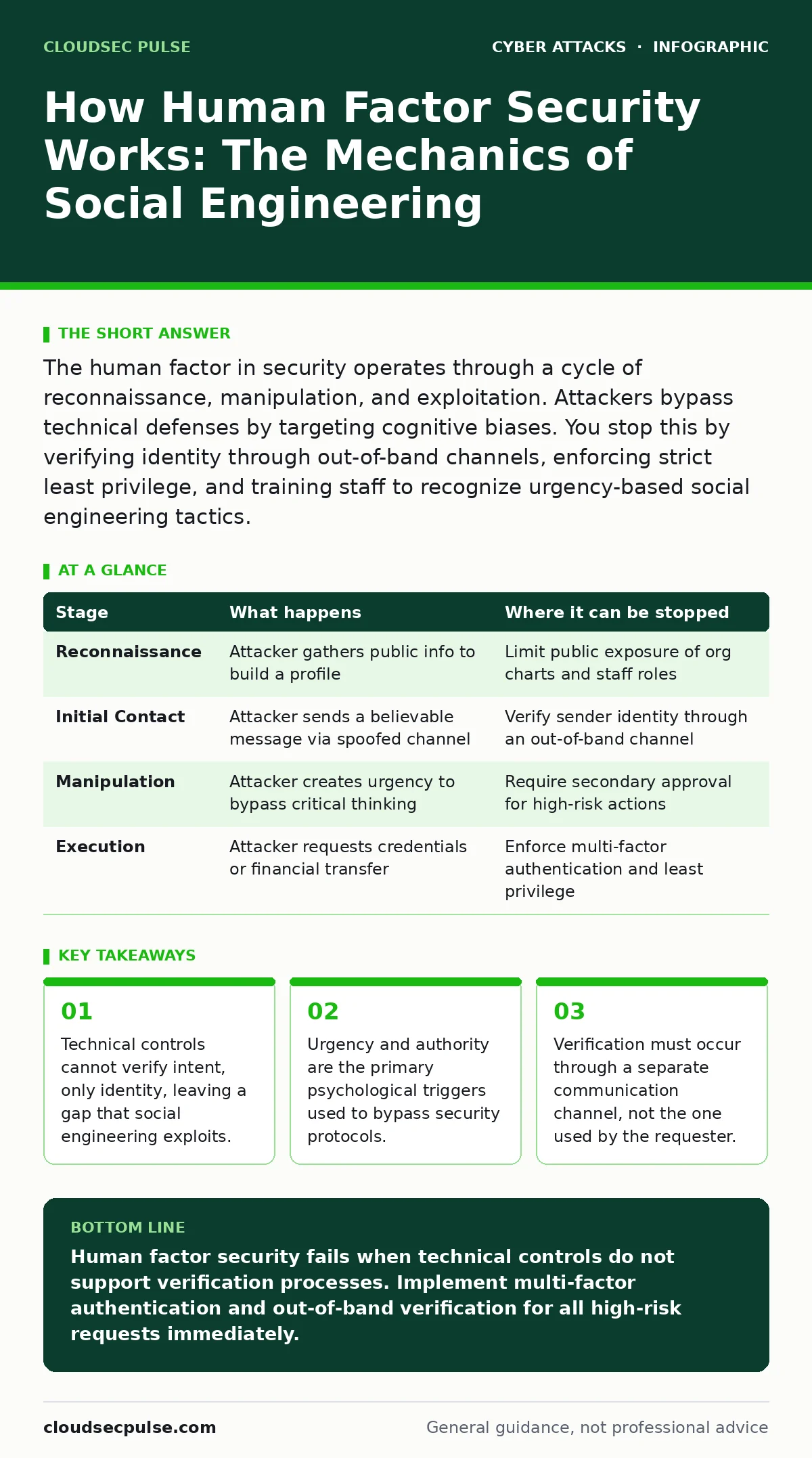
The human factor in security operates through a cycle of reconnaissance, manipulation, and exploitation. Attackers bypass technical defenses by targeting cognitive biases. You stop this by verifying identity through out-of-band channels, enforcing strict least privilege, and training staff to recognize urgency-based social engineering tactics.
The Mechanics of Human-Centric Attacks
Human factor security describes the intersection where technical controls meet human psychology. Attackers know that firewalls and encryption are difficult to break. They choose to target the people who manage these systems. This approach relies on manipulation rather than code execution. The attacker exploits trust, fear, or confusion. You must understand the specific stages of this process to defend against it. The goal is not to make employees perfect, but to create systems where human error does not lead to compromise. This requires shifting focus from awareness alone to verification and process design.
Stage 1: Reconnaissance and Pretexting
The attacker begins by gathering information about your organization. They look for employee names, roles, and reporting structures. This data is often public. Social media profiles and corporate directories provide rich targets. The attacker builds a pretext, a fabricated scenario that justifies their request. This might involve posing as a vendor, an IT support agent, or a senior executive.
The pretext must align with the victim’s daily responsibilities. If the story does not fit the victim’s workflow, the attack fails. You can disrupt this stage by limiting public exposure of internal structures. Review your public-facing information regularly. Remove unnecessary details about staff roles. This reduces the attacker’s ability to craft a believable narrative.
Stage 2: Initial Contact and Trust Building
The attacker makes first contact using the established pretext. They choose a channel that feels normal for the victim. Email, phone calls, or instant messaging are common choices. The attacker often uses domain spoofing to make the email appear legitimate. They might clone a known vendor’s website to host malicious links. The goal is to establish credibility.
The attacker references real projects or known pain points. This makes the request feel routine. You must train staff to recognize that legitimacy of appearance does not equal legitimacy of intent. A professional-looking email can still be fraudulent. Verify the sender’s identity independently. Do not reply to the message to ask for clarification. Use a known, trusted phone number or internal directory.
Stage 3: Manipulation and Urgency Creation
Once trust is established, the attacker introduces pressure. They create a sense of urgency or fear. The victim is told that immediate action is required to avoid a negative outcome. This might involve a fake security alert, a missed invoice, or a system outage. The urgency bypasses the victim’s critical thinking. The victim feels compelled to act quickly to resolve the issue.
This is where baiting attacks often succeed. The attacker offers a solution that seems helpful but is actually harmful. You must design processes that slow down high-risk actions. Require secondary approval for financial transfers or data exports. Implement cooling-off periods for sensitive requests. This gives the victim time to verify the request through proper channels.
Stage 4: Execution and Credential Harvesting
The attacker requests specific actions that compromise security. This could be asking for login credentials, installing remote access software, or transferring funds. The request aligns with the pretext and urgency. The victim performs the action to resolve the perceived problem. This is the point of compromise. The attacker gains access to systems or funds.
This stage often involves formjacking, where malicious scripts steal data from legitimate-looking web forms. You must enforce multi-factor authentication everywhere. Even if credentials are stolen, the attacker cannot access the account without the second factor. Use hardware security keys for high-privilege accounts. These devices are resistant to phishing and credential theft.
| Stage | What happens | Where it can be stopped |
|---|---|---|
| Reconnaissance | Attacker gathers public info to build a profile | Limit public exposure of org charts and staff roles |
| Initial Contact | Attacker sends a believable message via spoofed channel | Verify sender identity through an out-of-band channel |
| Manipulation | Attacker creates urgency to bypass critical thinking | Require secondary approval for high-risk actions |
| Execution | Attacker requests credentials or financial transfer | Enforce multi-factor authentication and least privilege |
See also: Baiting Attacks: Risks and Protection for Small Businesses · Phishing Myths Debunked: Why Common Beliefs Leave You Vulnerable
Stage 5: Persistence and Lateral Movement
After gaining initial access, the attacker tries to maintain it. They install backdoors or create new user accounts. They move laterally through the network to find valuable data. This stage relies on the attacker’s ability to blend in with normal traffic. They may use legitimate administrative tools to move undetected. You can limit this damage through privileged access management. This ensures that even if an account is compromised, the attacker has limited rights. Regularly audit user permissions and remove unnecessary access. Monitor for unusual login patterns or data access. Detecting lateral movement early can prevent a full breach.
Stage 6: Data Exfiltration or Impact
The attacker achieves their objective. This might be stealing sensitive data, encrypting files for ransom, or making fraudulent transfers. The impact depends on the attacker’s goal. In cases of invoice fraud, the financial loss is immediate. In data theft, the impact may be delayed. You must have incident response plans ready. These plans should include steps for isolating affected systems, notifying stakeholders, and preserving evidence. Practice these plans regularly. Ensure that staff know who to contact and what information to provide. Speed and clarity reduce the damage during an incident.
Applying the Framework to Your Organization
You must integrate these stages into your security strategy. Start by mapping your critical processes. Identify where human interaction occurs. These are your highest-risk points. Implement technical controls that support verification. Use multi-factor authentication and least privilege. Train staff to recognize manipulation tactics. Focus on urgency and authority as key indicators. Create a culture where verification is encouraged, not punished. Employees should feel safe asking questions. Regularly test your defenses with simulated attacks. This helps identify gaps in training and process. Adjust your controls based on the results. Security is an ongoing process, not a one-time fix.
Key takeaways
- Technical controls cannot verify intent, only identity, leaving a gap that social engineering exploits.
- Urgency and authority are the primary psychological triggers used to bypass security protocols.
- Verification must occur through a separate communication channel, not the one used by the requester.
Human factor security fails when technical controls do not support verification processes. Implement multi-factor authentication and out-of-band verification for all high-risk requests immediately.
Frequently asked questions
How do I verify a request without slowing down work?
Establish a quick verification channel, such as a known phone number or internal chat, for high-risk requests. This adds seconds to the process but prevents significant loss.
What is the most common social engineering tactic?
Phishing emails that create urgency or fear are the most common. Attackers use these to bypass critical thinking and prompt immediate action.
Does multi-factor authentication stop all human factor attacks?
Multi-factor authentication stops credential theft but does not stop manipulation. Attackers may still trick users into installing malware or transferring funds.
How often should I test my staff?
Conduct simulated attacks regularly, such as quarterly, to keep awareness high and identify training gaps. Adjust frequency based on your risk profile.
How this guide was produced: written by the CloudSec Pulse editorial team with AI assistance, checked against the public references listed below, and reviewed when the facts change. See our editorial policy or report an error.