Data Encryption: Concrete Benefits and Hidden Limitations
Encryption protects data at rest but fails to stop attackers who intercept data in motion or exploit weak access controls on your endpoints.

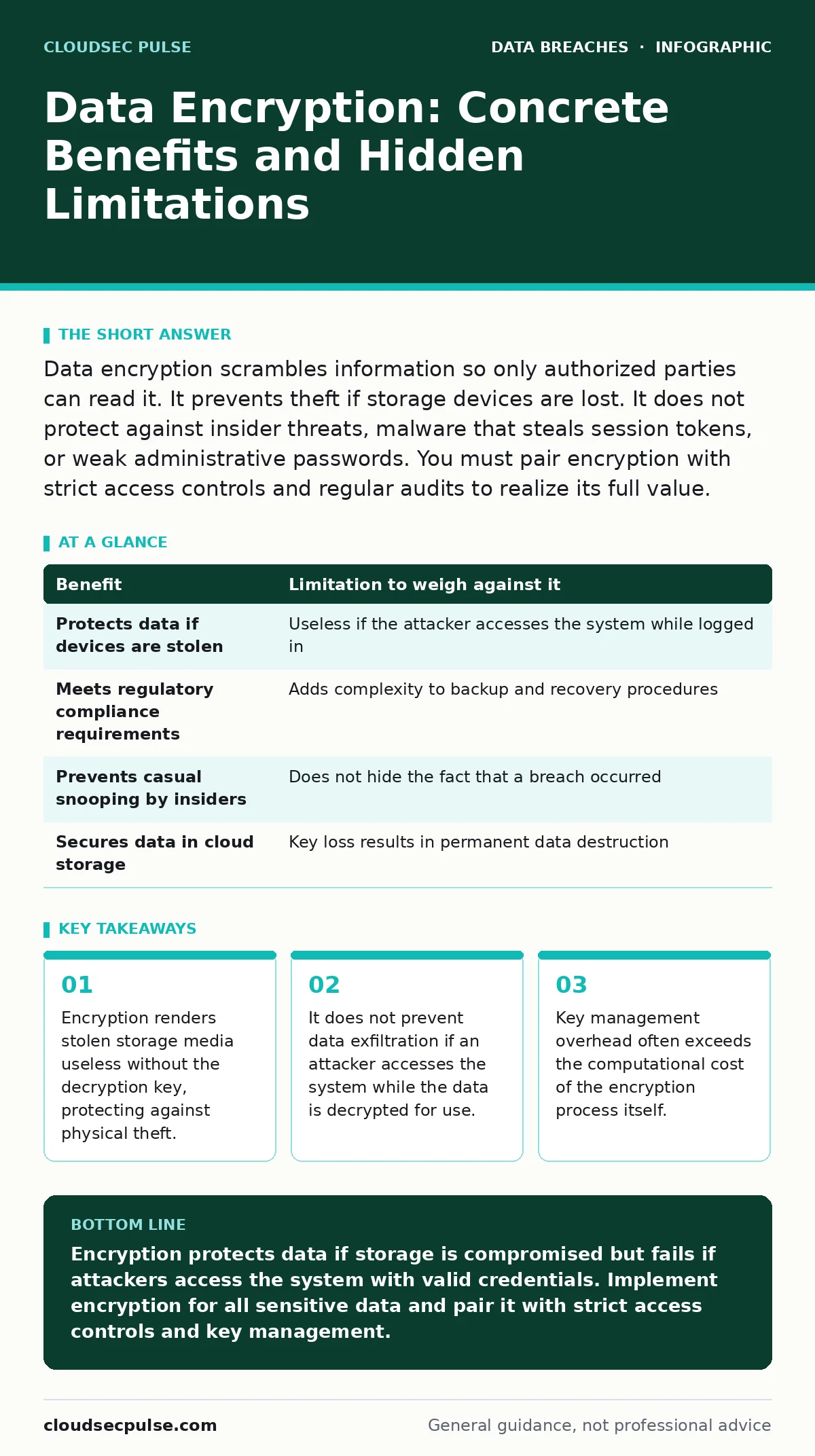
Data encryption scrambles information so only authorized parties can read it. It prevents theft if storage devices are lost. It does not protect against insider threats, malware that steals session tokens, or weak administrative passwords. You must pair encryption with strict access controls and regular audits to realize its full value.
How Encryption Protects Your Business Assets
Data encryption converts readable plaintext into unreadable ciphertext using a mathematical algorithm and a secret key. This mechanism ensures that even if an attacker gains physical access to your hard drives or cloud storage buckets, they cannot read the information without the correct decryption key. The primary benefit is confidentiality. You maintain control over who can view sensitive records. This protection applies to data at rest, such as files on a server, and data in transit, such as emails sent over the internet.
Encryption also helps meet regulatory requirements for handling sensitive customer information. Many compliance frameworks mandate that personal data be encrypted when stored. By implementing encryption, you demonstrate due care in protecting customer privacy. This reduces legal liability in the event of a data breach. You show regulators that you took reasonable steps to secure the data, even if the attacker eventually accessed it.
The Hidden Costs of Key Management
The most significant limitation of encryption is key management. If you lose the decryption key, you lose the data permanently. No amount of money or technical skill can recover encrypted files without the key. This creates a single point of failure that is often harder to manage than the encryption itself. You must store keys securely, rotate them regularly, and ensure authorized personnel can access them during emergencies.
Poor key management leads to operational friction. Employees may struggle to access files if the key distribution system is complex. This slows down business processes and increases support costs. You must balance security with usability. If the encryption system is too difficult to use, staff may find workarounds that bypass security entirely. This undermines the protection you intended to build.
Another hidden cost is performance overhead. Encryption and decryption require computational resources. On older hardware or high-volume servers, this can slow down application response times. You must test encryption implementations in your specific environment to ensure they do not degrade user experience.
| Benefit | Limitation to weigh against it |
|---|---|
| Protects data if devices are stolen | Useless if the attacker accesses the system while logged in |
| Meets regulatory compliance requirements | Adds complexity to backup and recovery procedures |
| Prevents casual snooping by insiders | Does not hide the fact that a breach occurred |
| Secures data in cloud storage | Key loss results in permanent data destruction |
When Encryption Fails to Stop Attacks
Encryption does not protect against all types of cyber threats. If an attacker gains access to your system while the data is decrypted, encryption provides no defense. This happens when malware steals session tokens or when an insider with valid credentials copies files. The data is already readable to the attacker. Encryption only secures the storage medium, not the active use of the data.
Ransomware attacks often bypass encryption protections. Modern ransomware encrypts files on the victim's machine. If you have encrypted backups that are offline, you can restore them. However, if your backups are connected to the network and encrypted with keys stored on the same server, the ransomware may encrypt the backups too. You must keep decryption keys separate from the data they protect.
Encryption also does not prevent data exfiltration via legitimate channels. If an employee sends an encrypted file to an unauthorized recipient, the encryption does not stop the transfer. The recipient may have the key if it was shared improperly. You need data loss prevention tools to monitor and block unauthorized transfers. Encryption alone cannot detect malicious intent.
When It Is Worth Implementing Encryption
You should encrypt all storage devices that contain sensitive customer data. This includes laptops, external drives, and cloud storage accounts. The cost of encryption is low compared to the financial and reputational damage of a data breach. If a laptop is lost or stolen, encryption ensures the thief cannot access the files. This is a straightforward win for security.
Encrypting databases that store personal information is also worth the effort. Databases are high-value targets for attackers. Encryption adds a layer of defense that makes stealing the data much more difficult. You must ensure that the encryption keys are managed securely. Use a dedicated key management service or hardware security module to store keys.
You should also encrypt communications between your servers and clients. This protects data in transit from eavesdropping. Using standard protocols like TLS ensures that data is encrypted during transmission. This prevents attackers on public networks from intercepting sensitive information. It is a standard practice that customers expect.
When It Is Not Worth the Effort
Encrypting every single file on your network may not be worth the cost. Public information, such as marketing brochures or press releases, does not need encryption. The overhead of managing keys for non-sensitive data adds complexity without providing security value. Focus your efforts on data that would cause harm if exposed.
Encrypting data that is already protected by strong access controls may be redundant. If a server is in a secure data center with strict physical and logical access controls, the risk of physical theft is low. You should still encrypt sensitive data, but you may not need to encrypt temporary files or logs that contain no personal information. Assess the risk before implementing encryption.
Do not rely on encryption to solve poor security hygiene. If your staff uses weak passwords or shares credentials, encryption will not stop a breach. Attackers will simply log in with the stolen credentials and access the decrypted data. You must address credential exposure and user training alongside encryption. Encryption is a layer of defense, not a complete solution.
See also: Encryption Key Management Explained: Protecting Your Digital Keys
Integrating Encryption with Other Security Measures
Encryption works best when combined with other security controls. You should implement data minimization to reduce the amount of sensitive data you store. The less data you have, the less you need to protect. This reduces the attack surface and simplifies key management. Regular audits help you identify and remove unnecessary data.
You must also monitor for third-party data breaches. Your vendors may handle your data, and their security practices affect your risk. Ensure that vendors encrypt data they hold on your behalf. Review their security policies and certifications. This extends your encryption strategy beyond your own infrastructure.
Consider cyber insurance to cover residual risks. Even with encryption, some breaches may occur. Insurance can help cover the costs of notification, legal fees, and recovery. Ensure your policy covers encryption-related incidents. This provides financial protection against the limitations of technical controls.
Conclusion on Encryption Strategy
Data encryption is a powerful tool for protecting sensitive information. It prevents unauthorized access to stolen devices and meets regulatory requirements. However, it has limitations. It does not protect against insider threats or malware that accesses data in use. You must manage keys securely and avoid storing them with the data.
Implement encryption for all sensitive data at rest and in transit. Combine it with strong access controls, regular audits, and data minimization. This layered approach provides robust protection against a wide range of threats. Remember that encryption is one part of a broader security strategy.
Key takeaways
- Encryption renders stolen storage media useless without the decryption key, protecting against physical theft.
- It does not prevent data exfiltration if an attacker accesses the system while the data is decrypted for use.
- Key management overhead often exceeds the computational cost of the encryption process itself.
Encryption protects data if storage is compromised but fails if attackers access the system with valid credentials. Implement encryption for all sensitive data and pair it with strict access controls and key management.
Frequently asked questions
Does encryption protect against ransomware?
Encryption protects your backups if they are offline and the keys are separate. It does not prevent ransomware from encrypting your active files. You need offline backups to recover from ransomware.
How do I manage encryption keys securely?
Use a dedicated key management service or hardware security module. Never store keys on the same server as the encrypted data. Rotate keys regularly and restrict access to authorized personnel only.
Is cloud storage data encrypted by default?
Most cloud providers encrypt data at rest by default. However, you often manage the encryption keys. Ensure you understand who holds the keys and how they are protected. Verify the provider's security certifications.
Does encryption slow down my computer?
Modern processors have hardware acceleration for encryption. The performance impact is usually negligible for most users. High-volume servers may see slight slowdowns, but this is rarely a business-critical issue.
How this guide was produced: written by the CloudSec Pulse editorial team with AI assistance, checked against the public references listed below, and reviewed when the facts change. See our editorial policy or report an error.