Network Traffic Analysis Mistakes: Avoid Blind Spots and False Alarms
Most network monitoring fails because it captures data without context, turning rare anomalies into noise while missing the subtle signs of data theft.

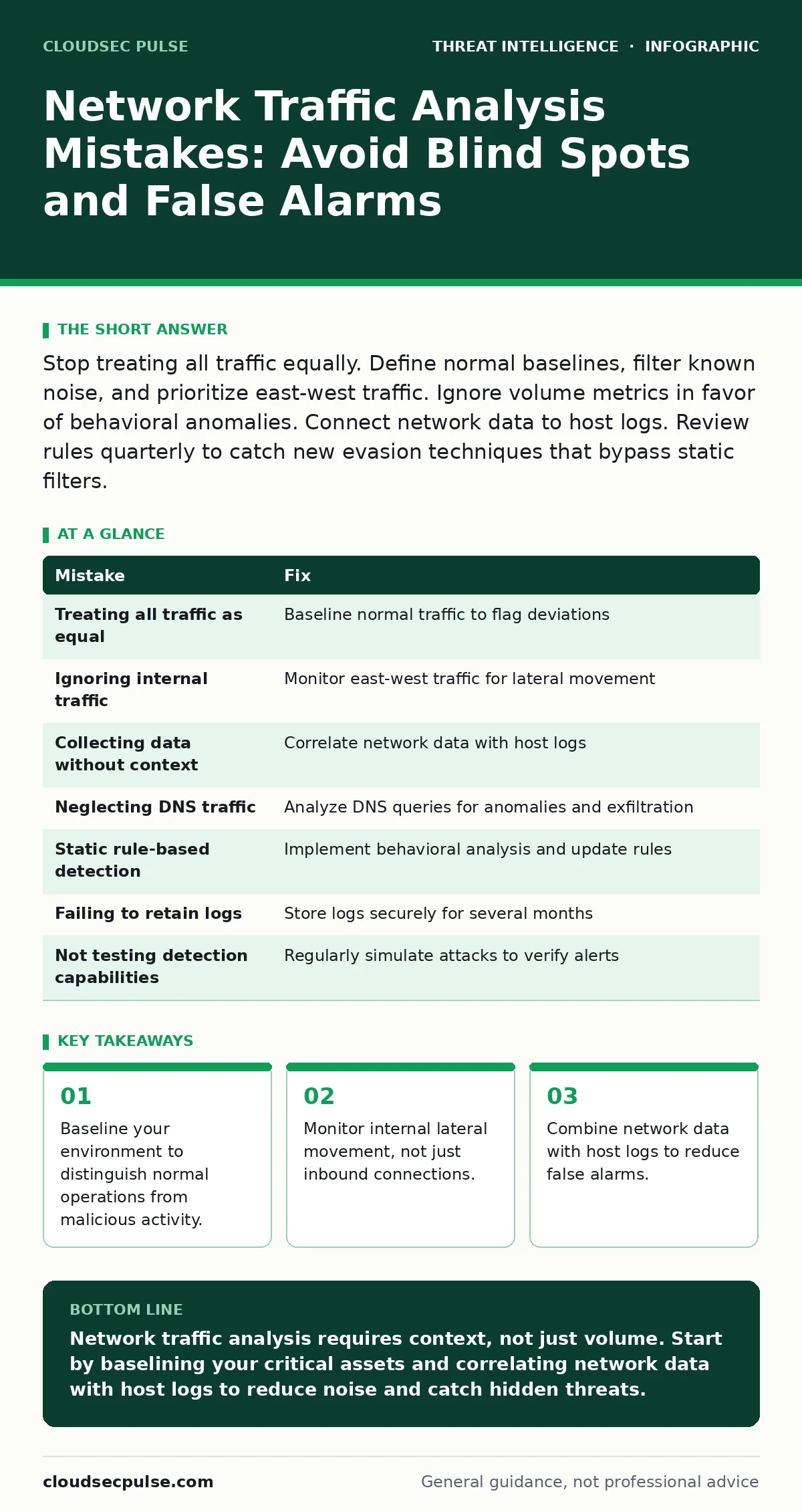
Stop treating all traffic equally. Define normal baselines, filter known noise, and prioritize east-west traffic. Ignore volume metrics in favor of behavioral anomalies. Connect network data to host logs. Review rules quarterly to catch new evasion techniques that bypass static filters.
Mistake 1: Treating All Traffic as Equal
Many teams monitor every packet with the same level of scrutiny. This approach generates thousands of alerts daily, most of which are harmless. Human analysts cannot review that volume, leading to alert fatigue. When the real signal arrives, it is buried under routine noise.
Why it hurts:
You miss the actual breach because your team ignores the constant stream of benign alerts. The brain adapts to high-frequency, low-severity notifications by tuning them out. This desensitization is a primary cause of delayed response times.
The fix:
Establish a baseline of normal traffic for your specific environment. Learn what typical HTTP requests, DNS queries, and login patterns look like for your users. Flag only deviations from this baseline. This reduces noise and highlights genuine anomalies. See our guide on false positives in threat detection for methods to tune these thresholds.
Mistake 2: Ignoring Internal Network Traffic
Most organizations focus heavily on the perimeter, monitoring inbound and outbound connections. They assume that if something gets in, the antivirus or endpoint protection will catch it. This creates a blind spot inside the network where attackers move freely.
Why it hurts:
Attackers use lateral movement to reach sensitive servers after initial access. Without internal monitoring, you cannot see them hopping from one workstation to another. This delay allows them to establish persistence and exfiltrate data unnoticed.
The fix:
Deploy sensors or configure your switches to capture east-west traffic. This is traffic flowing between devices inside your network, such as between two servers or a workstation and a file share. Analyze this traffic for unusual protocols or large data transfers. Consider living-off-the-land attacks where attackers use standard tools like PowerShell, which generate internal traffic that looks normal but behaves oddly.
Mistake 3: Collecting Data Without Context
Capturing network packets is useless if you do not know which host generated them. A raw packet capture shows IP addresses and ports, but not the user, application, or process responsible. This lack of context makes it impossible to prioritize responses.
Why it hurts:
You waste time investigating IP addresses that belong to automated backup jobs or IoT devices. You cannot distinguish between a compromised server and a misconfigured printer. This leads to incorrect prioritization and wasted resources during an incident.
The fix:
Correlate network data with host-based logs. Use systems like Sysmon to record process creation and network connections at the endpoint level. When a network alert fires, check the corresponding host logs to see which application initiated the connection. This context allows you to determine if the activity is malicious or just a software update.
Mistake 4: Neglecting DNS Traffic Analysis
Domain Name System (DNS) traffic is often overlooked because it appears as small, standard queries. However, DNS is a primary channel for command and control communications. Attackers encode stolen data in DNS queries to bypass firewalls that only inspect HTTP or HTTPS.
Why it hurts:
Data exfiltration via DNS looks like normal browsing activity to standard firewalls. You lose valuable data without triggering any security alerts. This method is difficult to detect without specific DNS monitoring and analysis.
The fix:
Monitor DNS query volume, length, and frequency. Look for queries with unusually long domain names or high entropy, which often indicate encoded data. Flag connections to newly registered domains or those using fast flux DNS techniques, which change IP addresses rapidly to hide malicious infrastructure.
Mistake 5: Static Rule-Based Detection
Relying solely on static signatures or fixed rules fails against modern threats. Attackers modify their tools and techniques to evade known patterns. A rule that works today may be bypassed tomorrow with a simple change in payload structure.
Why it hurts:
Your detection system becomes obsolete quickly. You develop a false sense of security because the system reports no violations, even while attackers operate freely. This complacency prevents you from investing in more adaptive detection methods.
The fix:
Implement behavioral analysis alongside signature-based detection. Look for actions that violate normal business logic, such as a finance server connecting to a personal email service. Use machine learning models to identify statistical outliers. Regularly update your rules and test them against new techniques. Refer to our guide on red teaming to simulate these evasion tactics.
See also: Open-Source Intelligence Investigations: A Beginner’s Framework
Mistake 6: Failing to Retain Logs
Many organizations delete network logs after a short period to save storage costs. They assume that if a breach occurs, they will notice it immediately. In reality, breaches often go undetected for months.
Why it hurts:
When you finally discover a breach, the evidence may have been deleted. You cannot reconstruct the attacker’s path or determine the full scope of the compromise. This hampers your ability to remediate the issue and understand how it happened.
The fix:
Retain network logs for at least several months, preferably longer if storage allows. Store them in a secure, immutable location to prevent tampering. Ensure that your log retention policy aligns with your digital forensics and incident response plan. This historical data is vital for understanding the timeline of an attack.
Mistake 7: Not Testing Detection Capabilities
Teams often assume their monitoring tools work as advertised without verifying them. They do not test whether specific attack scenarios trigger alerts. This assumption is dangerous and often incorrect.
Why it hurts:
You may have blind spots in your detection coverage that you are unaware of. An attacker could perform known malicious activities without triggering any alarms. This leaves you vulnerable to common attack vectors.
The fix:
Regularly test your detection rules using controlled, simulated attacks. Use known attack patterns to verify that alerts are generated correctly. If an alert is missed, adjust your rules or add new ones. This proactive testing ensures your monitoring remains effective against evolving threats.
| Mistake | Fix |
|---|---|
| Treating all traffic as equal | Baseline normal traffic to flag deviations |
| Ignoring internal traffic | Monitor east-west traffic for lateral movement |
| Collecting data without context | Correlate network data with host logs |
| Neglecting DNS traffic | Analyze DNS queries for anomalies and exfiltration |
| Static rule-based detection | Implement behavioral analysis and update rules |
| Failing to retain logs | Store logs securely for several months |
| Not testing detection capabilities | Regularly simulate attacks to verify alerts |
Key takeaways
- Baseline your environment to distinguish normal operations from malicious activity.
- Monitor internal lateral movement, not just inbound connections.
- Combine network data with host logs to reduce false alarms.
- Filter known noise to prevent alert fatigue and missed signals.
Network traffic analysis requires context, not just volume. Start by baselining your critical assets and correlating network data with host logs to reduce noise and catch hidden threats.
Frequently asked questions
How do I baseline normal network traffic?
Monitor your network for a few weeks without alerting. Record typical volumes, protocols, and connection patterns for each device. Use this data to define what normal looks like.
What is east-west traffic?
East-west traffic is communication between devices within your internal network, such as between servers or workstations. It contrasts with north-south traffic, which enters or leaves your network.
Should I monitor encrypted traffic?
You can monitor metadata of encrypted traffic, such as source, destination, and volume. Decrypting traffic for inspection raises privacy concerns and performance issues, so prioritize metadata analysis and endpoint logs.
How often should I update detection rules?
Review and update your rules at least quarterly. Update them immediately after any major security incident or change in your network environment to ensure continued effectiveness.
How this guide was produced: written by the CloudSec Pulse editorial team with AI assistance, checked against the public references listed below, and reviewed when the facts change. See our editorial policy or report an error.