How Self-Hosted GitLab Vulnerabilities Work: Step-by-Step Attack Paths
Self-hosted GitLab breaches often exploit configuration errors and outdated components rather than unknown code flaws, allowing attackers to pivot from web access to full system control.

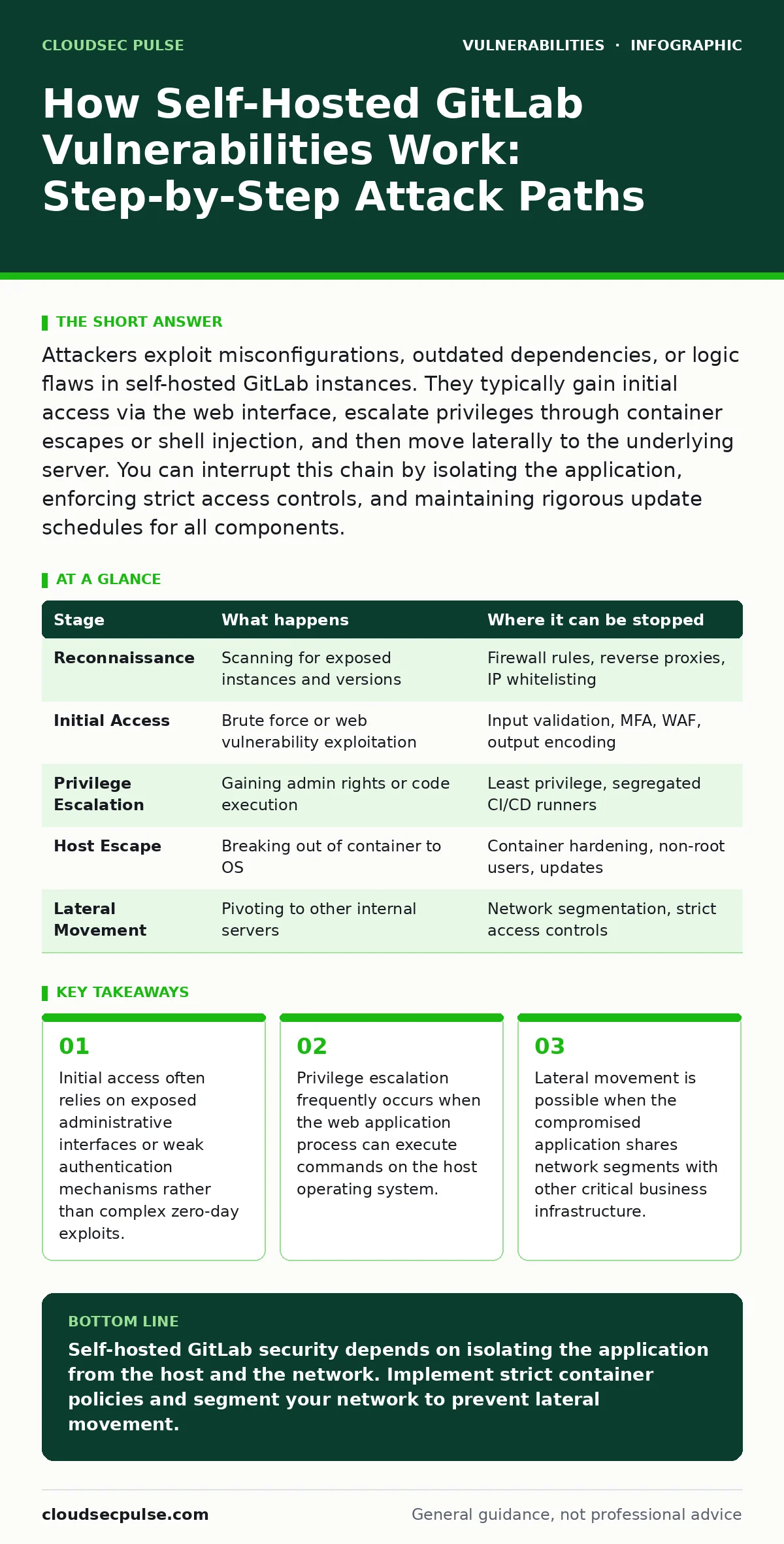
Attackers exploit misconfigurations, outdated dependencies, or logic flaws in self-hosted GitLab instances. They typically gain initial access via the web interface, escalate privileges through container escapes or shell injection, and then move laterally to the underlying server. You can interrupt this chain by isolating the application, enforcing strict access controls, and maintaining rigorous update schedules for all components.
Initial Reconnaissance and Target Selection
Attackers begin by identifying self-hosted GitLab instances on the internet. They scan for open ports and specific HTTP response headers that reveal the software version. This information helps them determine if known vulnerabilities apply to your specific deployment. They also look for misconfigured DNS records or exposed backup files that might contain sensitive data.
This stage relies on the visibility of your service. If your GitLab instance is publicly accessible without network restrictions, it appears in every major vulnerability scanner database. Attackers use automated tools to probe for common entry points. They check for default administrative credentials or weak password policies. They also analyze the SSL certificate metadata to estimate the age of the installation. Older installations are more likely to run unsupported versions with unpatched flaws.
You can interrupt this phase by hiding your service behind a firewall or a Web Application Firewall. Restricting access to specific IP addresses reduces the attack surface significantly. Using a reverse proxy can also obscure the true server software from casual scanners. This does not prevent targeted attacks but removes your instance from broad automated sweeps.
Gaining Initial Web Access
Once a target is identified, the attacker attempts to log in or exploit a web-facing vulnerability. They may use brute-force attacks against the login page if account lockout mechanisms are weak. Alternatively, they might exploit a known flaw in the web application code. Common vectors include server-side template injection or cross-site WebSocket hijacking. These flaws allow the attacker to execute code or steal session tokens from authorized users.
The flaw relies on the application trusting user input without proper validation. If the application processes data in a way that allows code execution, the attacker gains a foothold. They might inject malicious scripts into issue descriptions or commit messages. These scripts execute when an administrator views the content. This is often referred to as stored cross-site scripting. It allows the attacker to perform actions on behalf of the logged-in user.
Interrupting this stage requires strict input validation and output encoding. You must ensure that all user-generated content is sanitized before display. Implementing Content Security Policy headers can mitigate the impact of any injected scripts. Regularly reviewing access logs helps detect unusual login attempts or automated scanning behavior. This visibility allows you to block malicious actors before they gain persistent access.
Privilege Escalation Within the Application
With a low-privilege account or a stored script, the attacker seeks higher permissions within GitLab. They look for functionality that allows code execution or file upload. If the instance allows custom CI/CD runners, the attacker may inject malicious jobs. These jobs can execute commands on the runner host. If the runner shares the same network as the application, the attacker can pivot further.
This stage relies on the principle of least privilege not being enforced. If a standard user can trigger code execution, the boundary between user and system is blurred. Attackers exploit this by crafting payloads that read sensitive configuration files. They might access database credentials or SSH keys stored in the environment. This gives them the tools to move beyond the web application context.
You can stop this by segregating CI/CD runners from the main application server. Runners should operate in isolated environments with minimal network access. Restricting who can create or modify pipeline configurations reduces the risk of abuse. Monitoring for unusual job executions or resource spikes can also reveal escalation attempts early. This containment strategy limits the damage even if an account is compromised.
Escaping to the Host Operating System
The critical step involves breaking out of the application container or virtual machine. Self-hosted GitLab often runs in a Docker container or a similar isolated environment. If the container is misconfigured, the attacker can access the host filesystem. They might mount the host root directory as a volume within the container. This allows them to read and write files on the underlying server.
This exploit relies on the container runtime configuration. If the container runs as root or has elevated capabilities, the isolation is weak. Attackers use shell injection techniques to run commands on the host. They might exploit a vulnerability in the container engine itself. This allows them to bypass the application sandbox entirely. Once on the host, they have access to all services running on that machine.
Interrupting this requires strict container security policies. Never run containers as root unless absolutely necessary. Use read-only filesystems where possible. Regularly update the container runtime and the base operating system. Implementing network segmentation ensures that even if the host is compromised, the attacker cannot easily reach other servers. This defense-in-depth approach adds layers of difficulty for the attacker.
Lateral Movement and Data Exfiltration
With control of the host, the attacker moves laterally to other systems. They scan the local network for other vulnerable services. They might use stolen credentials to access other servers or databases. The goal is to maximize the value of the breach. They search for source code, intellectual property, or customer data. They also install persistence mechanisms to maintain access even after you patch the initial vulnerability.
This stage relies on flat network architectures. If all servers can communicate freely, the attacker has unrestricted movement. They use the compromised GitLab server as a pivot point. They might relay traffic to hide their true origin. They also look for backup repositories or cloud storage credentials stored in environment variables. These are high-value targets for data theft.
You can stop this by implementing micro-segmentation. Limit network traffic between servers to only what is strictly necessary. Use jump servers for administrative access. Monitor outbound traffic for unusual data transfers. Regularly audit access permissions and remove unused accounts. This reduces the number of paths available for lateral movement. It also makes detection easier by highlighting anomalous network behavior.
Summary of Attack Stages
| Stage | What happens | Where it can be stopped |
|---|---|---|
| Reconnaissance | Scanning for exposed instances and versions | Firewall rules, reverse proxies, IP whitelisting |
| Initial Access | Brute force or web vulnerability exploitation | Input validation, MFA, WAF, output encoding |
| Privilege Escalation | Gaining admin rights or code execution | Least privilege, segregated CI/CD runners |
| Host Escape | Breaking out of container to OS | Container hardening, non-root users, updates |
| Lateral Movement | Pivoting to other internal servers | Network segmentation, strict access controls |
Mitigating Hidden Costs and Edge Cases
Many administrators focus only on patching the GitLab application. They overlook the underlying infrastructure. The container runtime, the database, and the web server all have their own vulnerabilities. A flaw in any of these components can lead to a full compromise. You must treat the entire stack as a single security boundary.
Another hidden cost is the complexity of backups. If your backups are accessible from the web server, an attacker can restore them to a vulnerable state. This is a form of time-travel attack. They overwrite your secure configuration with an old, vulnerable one. You must store backups offline or in a separate, inaccessible network segment. This ensures that even if the server is compromised, the backups remain safe.
Key takeaways
- Initial access often relies on exposed administrative interfaces or weak authentication mechanisms rather than complex zero-day exploits.
- Privilege escalation frequently occurs when the web application process can execute commands on the host operating system.
- Lateral movement is possible when the compromised application shares network segments with other critical business infrastructure.
Self-hosted GitLab security depends on isolating the application from the host and the network. Implement strict container policies and segment your network to prevent lateral movement.
Frequently asked questions
How do I know if my GitLab instance is vulnerable?
Check your version against the official security advisories. Look for signs of unauthorized access in your logs. Use vulnerability scanners to identify known flaws in your dependencies.
Can a firewall prevent all GitLab attacks?
No. A firewall blocks external access but cannot stop attacks from inside your network or from authenticated users. You need application-level security controls as well.
What is the risk of using custom CI/CD runners?
Custom runners can execute arbitrary code. If misconfigured, they can compromise the host server. Always isolate runners and restrict their permissions.
How often should I update my self-hosted GitLab?
Update regularly as soon as security patches are released. Delaying updates leaves you exposed to known vulnerabilities that attackers are actively exploiting.
How this guide was produced: written by the CloudSec Pulse editorial team with AI assistance, checked against the public references listed below, and reviewed when the facts change. See our editorial policy or report an error.